UFO5000 | USER MANUAL
11
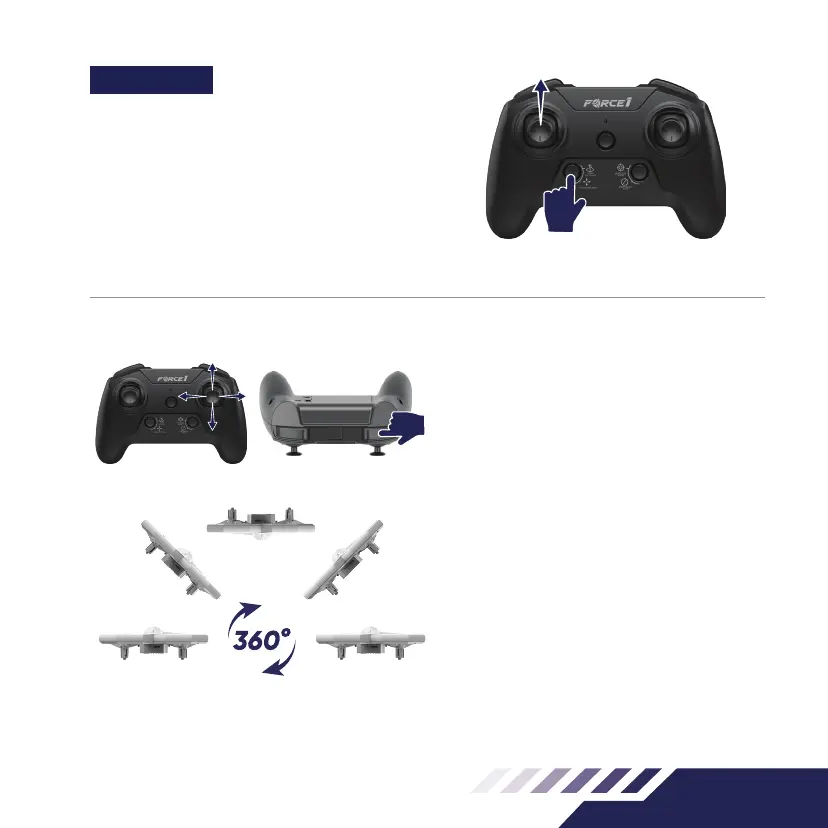
Fig.11
Fig.12
360°FLIP
Long Press the 360° Flip button to ip the drone.
The remote control will beep twice, indicating the
drone is in Flip Mode.
Next, move the direction stick up or down, and the
drone will ip up or down (Fig.12)
Move the direction stick to the right or left, and the
drone will ip left or right (Fig.12)
Note:
• Only execute ips when you have plenty of
airspace. The drone can only perform ips when
it is at least 7 feet in the air.
• The drone will drop in altitude when performing
the ip.
• This function can not be used when the drone is
in a low power state.
FUNCTIONS
ONE KEY LIFT/LAND
Place the drone on a at surface. Press the 1-Key
Lift/Land Button (Fig.11)-the drone propellers will
start spinning, and it is ready to y. Push the left
stick up to y the drone upwards.
Press the 1-Key Lift/Land button while the drone is
aloft to land it (Fig.11).



 To Next Page