4
www.force1rc.com
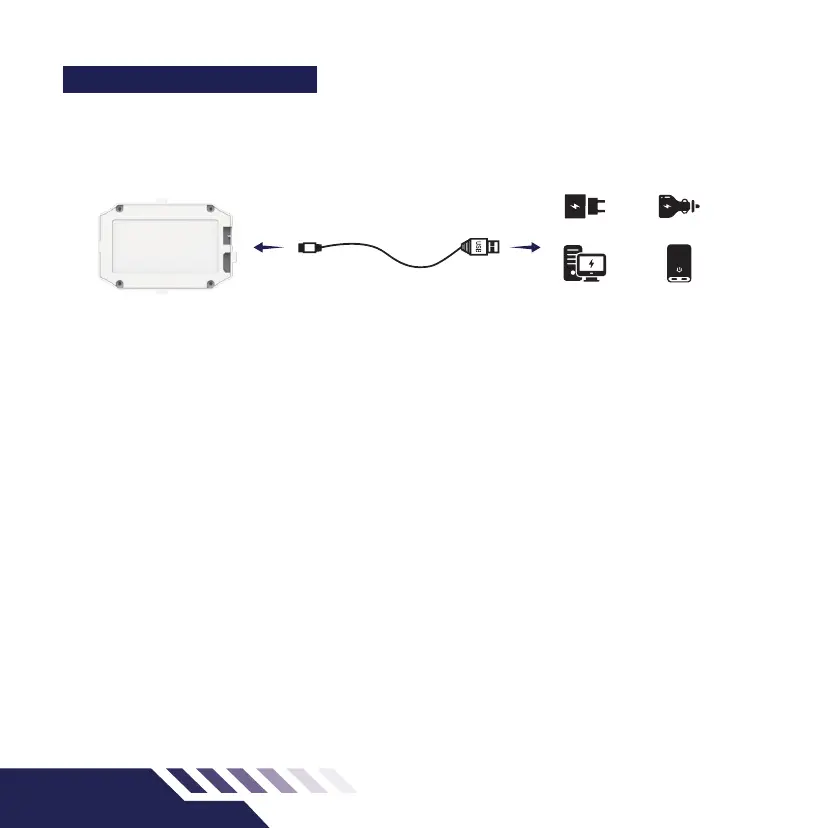
DRONE BATTERY CHARGING
1. Attach the USB cable to the battery then plug the
USB into your preferred charging source.
2. When the battery is charging, the USB indicator
light will be on. When the battery is fully charged,
the USB indicator light will turn o. The battery
charging time is approximately 120 minutes.
Drone Battery USB Charging Cable Charging Sources
• Take-out and put the battery in the correct way
• Non-rechargeable batteries cannot be charged
• Dierent types of batteries or old and new batteries
cannot be mixed
• Only batteries of the same model or equivalent to
the recommended model can be used
• Insert the battery with the correct polarity
• Exhausted batteries should be removed from the
drone before charging
• The power terminals shall not be short circuited
• Do not plug the battery cable into the battery charger
upside down. This will render the charger inoperable.
CHARGER CAR CHARGER
POWER BANKCOMPUTER



 To Next Page