ProCal 3
Instructions
NO PART OF THIS DOCUMENT MAY BE REPRODUCED WITHOUT PRIOR AGREEMENT AND WRITTEN PERMISSION OF
FORD PERFORMANCE PARTS.
Questions? http://bit.ly/1KdPDjy or (800) FORD788
Factory Ford shop manuals are available from Helm Publications, 1-800-782-4356
Page 5 of 14
•
••
• Software Part Number – This field automatically populates with your Powertrain Control software part
number when the ProCal 3 unit is plugged-in and the vehicle is powered.
•
••
• EMAIL – This field must be populated with the same email address that was used during the registration
process. ProCal3 will automatically populate with the last entered EMAIL.
•
••
• Password – Enter the same password that was used during the registration process. The password must
be entered each time you download, so do not forget your password.
•
••
• Voucher Number – Enter the voucher number received in your kit in this field.
•
••
• Download Button – Click this button to download the appropriate calibration file associated with your
specific EMAIL, VIN, Module Part Number, and Voucher Number.
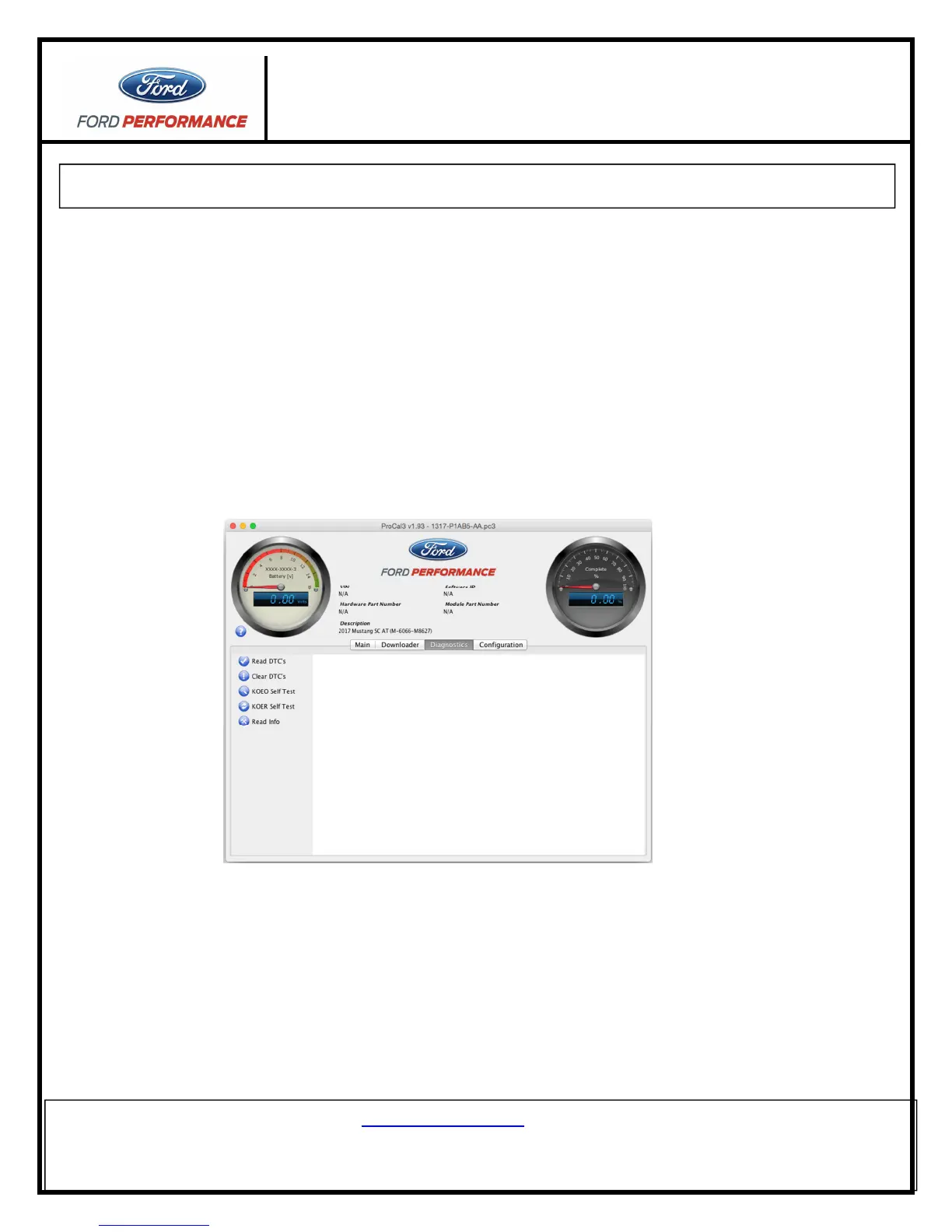
e. Diagnostics Tab
• Read DTCs Button – Click this button to read all Diagnostic Trouble Codes currently being sent by your
vehicle’s PCM.
• Clear DTCs Button – Click this button to clear all Diagnostic Trouble Codes currently set in your vehicle’s
PCM.
• KOEO Self-Test Button – Click this button to perform a Key-On, Engine-Off diagnostic self-test.
• KOER Self-Test Button – Click this button to perform a Key-On, Engine-Running diagnostic self-test.
• Read Info Button – Click this button to read PCM information.



 To Next Page