When your vehicle rapidly approaches
another vehicle, a red warning light flashes
and a tone sounds.
The brake support system assists you in
reducing any collision speed by
pre-charging the brakes. If the risk of
collision continues to increases after the
audio-visual warning, the brake support
prepares the brake system for rapid
braking. The system does not
automatically activate the brakes, but if
the brake pedal is pressed even lightly, the
brakes apply full stopping power.
Using the Pre-Collision Assist
System
WARNING
The Pre-Collision Assist system’s
brake support reduces collision
speed only if you brake your vehicle
before any collision. As in any typical
braking situation, you must press your
brake pedal.
You can adjust the warning system's
sensitivity through your information
display. See General Information (page
101).
Note: When possible, the manufacturer
recommends using the highest sensitivity
setting. If warnings are too frequent, you can
reduce your system's sensitivity. Reduced
sensitivity causes fewer and later system
warnings. See General Information (page
101).
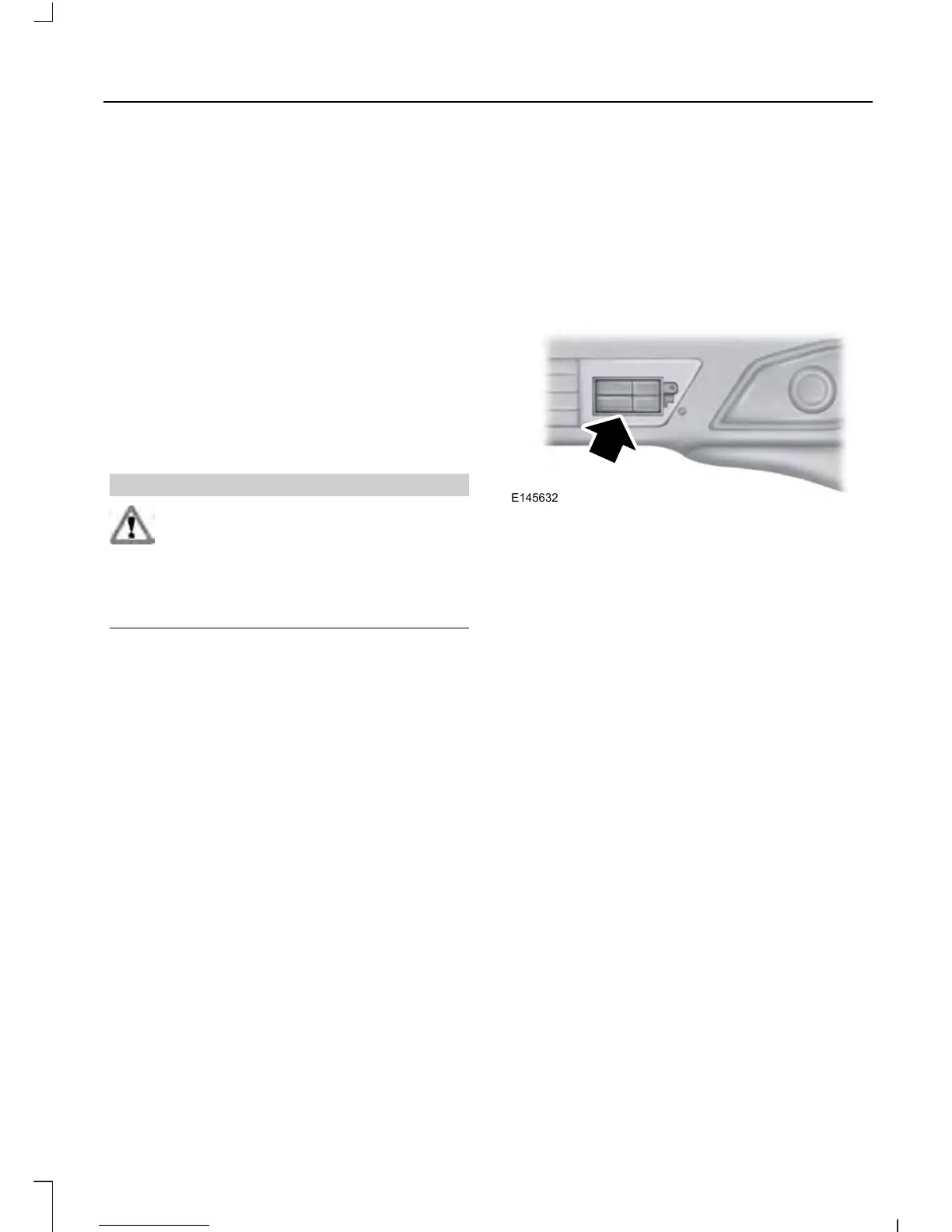
Blocked Sensors
If a blocked sensor message appears in the
information display, dirt, water, or an object
is blocking the sensor. The sensor is
located behind a cover near the driver side
of the lower grille. If anything blocks the
sensor, your vehicle cannot see through
the sensor, and the pre-collision assist
system will not work. Possible causes for
the blocked sensor message and corrective
actions are listed below.
231
Explorer (TUB), enUSA, First Printing
Driving Aids










 To Next Page