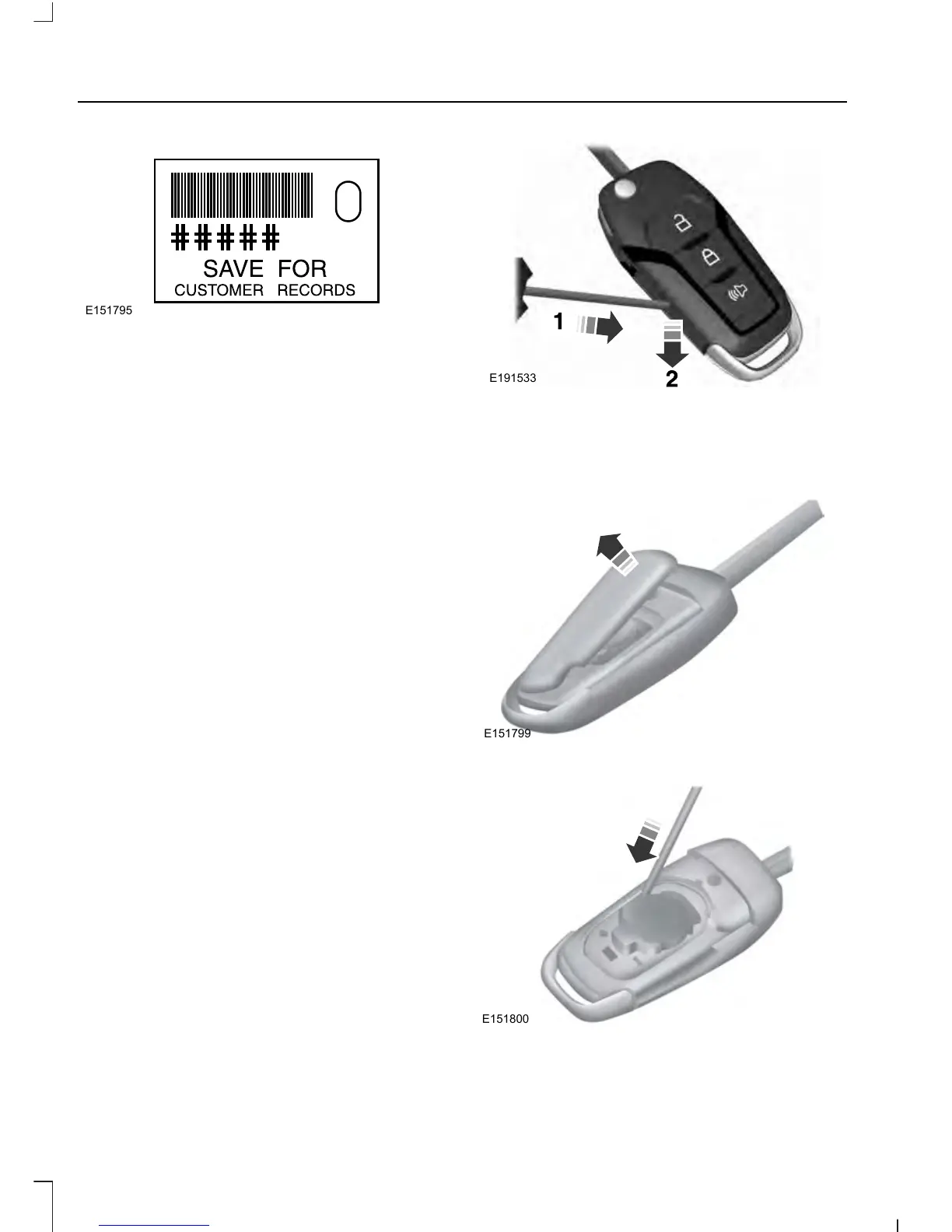
Note: Your vehicle’s backup keys came with
a security tag that provides important
vehicle key cut information. Keep the tag in
a safe place for future reference.
Replacing the Battery
Note: Refer to local regulations when
disposing of transmitter batteries.
Note: Do not wipe off any grease on the
battery terminals or on the back surface of
the circuit board.
Note: Replacing the battery does not delete
the transmitter from the vehicle. The
transmitter should operate normally.
A message appears in the information
display when the remote control battery
is low. See General Information (page
101).
Integrated Keyhead Transmitter
The remote control uses one coin-type
three-volt lithium battery CR2032 or
equivalent.
Press the button to release the key before
beginning the procedure.
1. Insert a screwdriver in the position
shown and gently push the clip.
2. Press the clip down to release the
battery cover.













 To Next Page