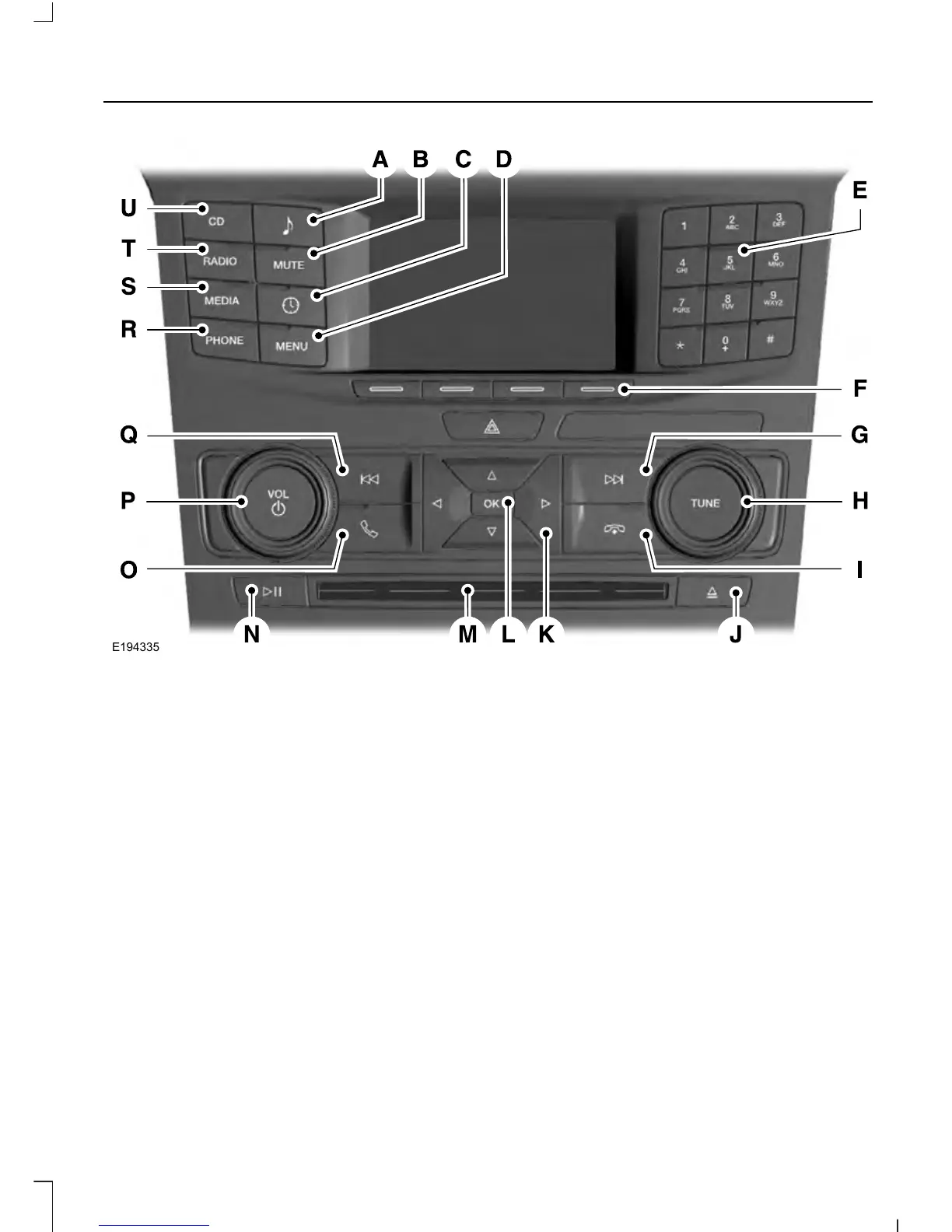
Sound: Press this button to access settings for Treble, Midrange, Bass, Fade
and Balance.
A
MUTE Press this button to mute the playing audio.B
Clock: Press this button to access the clock setting. Use the center arrow
controls to change the hours and minutes. You can also set the clock by pressing
the MENU button and scrolling to Clock Settings.
C
MENU: Press this button to access different audio system features.D
Number block: In radio mode, store your favorite stations for later access.
When tuned to any station, press and hold a preset button until sound returns.
In CD mode, press a button to select a track. In phone mode, press the buttons
to enter a phone number.
E
Function buttons: Select different functions of the audio system depending
on which mode you are in (such as Radio mode or CD mode).
F
355
Explorer (TUB), enUSA, First Printing
Audio System













 To Next Page