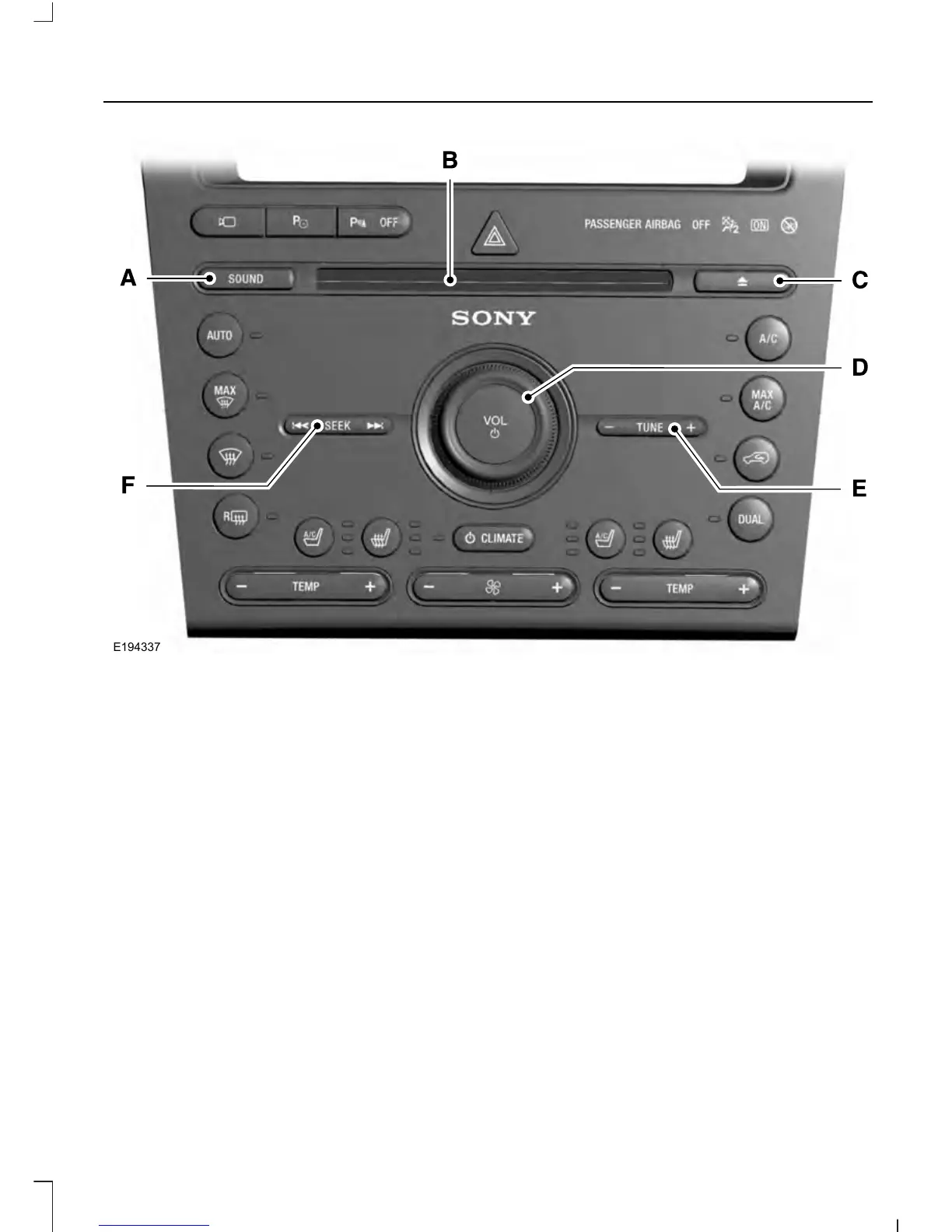
Sound: Press this button to access settings for Treble, Midrange, Bass, Fade
and Balance.
A
CD slot: Insert a CD.B
Eject: Press this button to eject a CD.C
VOL and Power: Press this button to switch the system off and on. Turn it to
adjust the volume.
D
- TUNE +: In radio mode, press these buttons to manually search through the
radio frequency band. In SIRIUS mode, press these buttons to find the next or
previous available satellite radio station.
E
Seek, Reverse and Fast Forward: In radio mode, select a frequency band
and press these buttons. The system stops at the first station it finds in that
direction. In SIRIUS mode, press these buttons to select the previous or next
channel. If a specific category is selected (such as Jazz, Rock or News), use
these buttons to find the previous or next channel in the selected category. In
CD mode, press these buttons to select the previous or next track.
F
359
Explorer (TUB), enUSA, First Printing
Audio System












 To Next Page