13
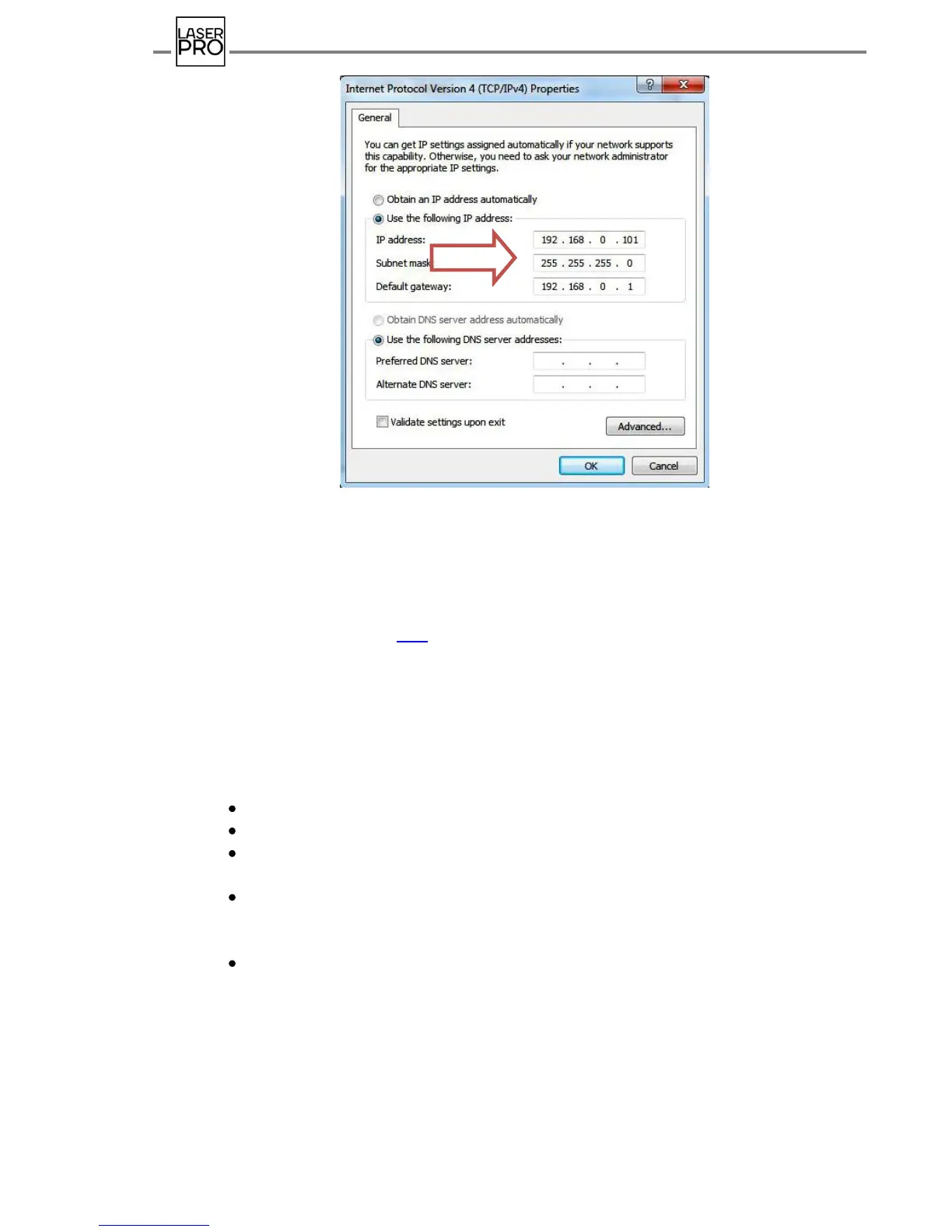
Fig.11 Local area network protocol setting in Windows 7
The result of successful local area network connection shall be a pop-up message in the
notification area (task tray):
The next stage in equipment configuration for the Arena laser tag is software installation
– see Chapter 8 of the manual (p.18).
7.2. Router customizing
For the initial router customizing or its reconfiguration, set an automatic receipt of
IP-address.
In Windows ХР:
Press "Start" – "Control panel";
Open section "Network connections";
Click mouse right button on the icon "Local Area Connection" and select
"Properties";
In the opened window "Local Area Connection – Properties" select "Internet
Protocol
(TCP/IР)" and press "Properties";
In window "Properties: Internet Protocol (TCP/IР)" check the
parameter:
Receive IP-address automatically;
Press "ОK" in this window and "Close" in the window "Local Area Connection –
Properties" to save the settings.



 To Next Page