32
9.4. Game Stats
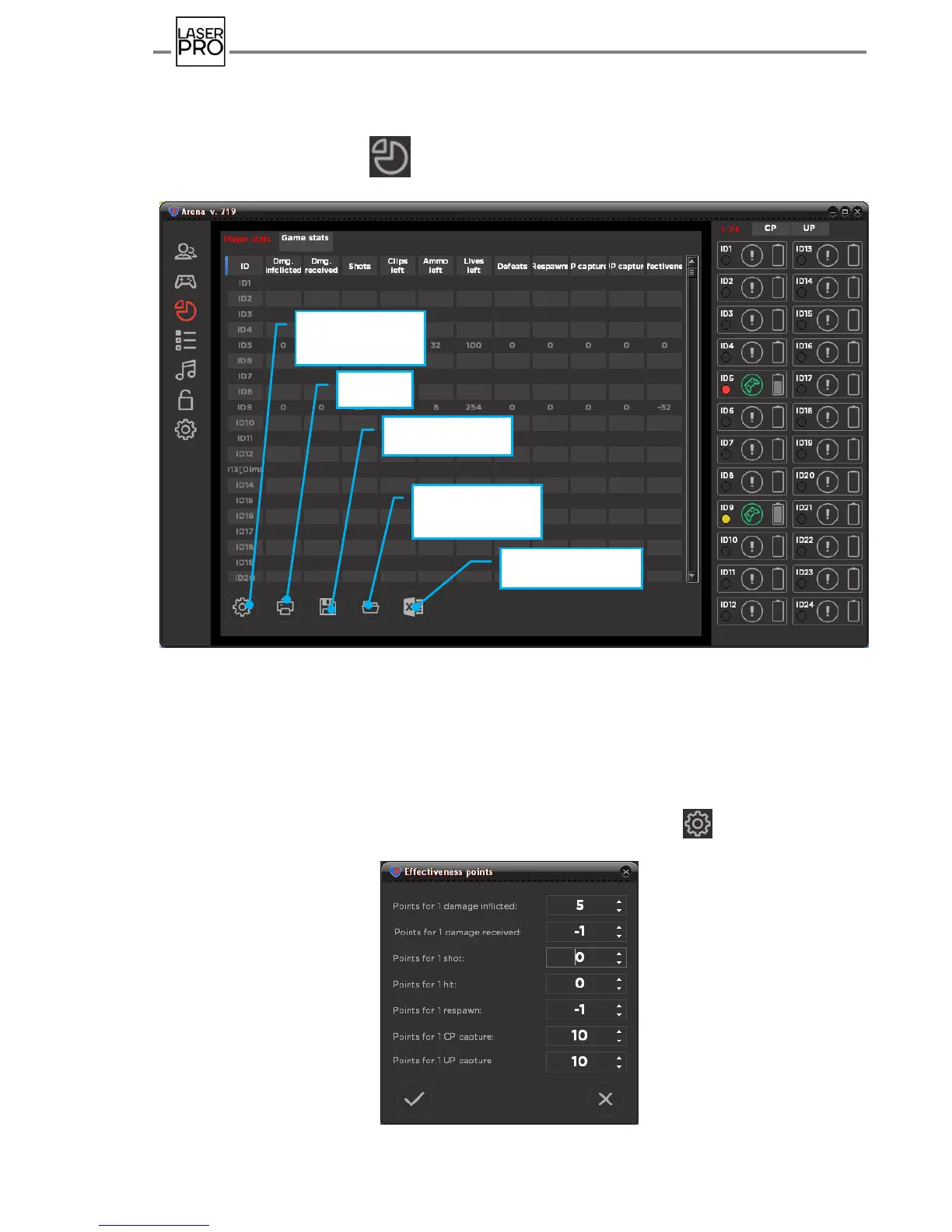
In order to check players' game stats during the game and upon its completion, it is
required to click the icon by left mouse button to pass to the mode "Game stats".
There are two tabs here: "Players' game stats" and "Summary game stats".
Здесь две вкладки: «Статистика игроков» и «Итоговая статистика».
Fig 33 Tab "Players' game stats"
Information awareness about applied or received damage, number of shots
produced, health units (health), ammunition and cartridge clips, number of regenerations,
respawns and captures of Domination box as well as player's total efficiency are displayed
in the "Players' game stats" tab.
Player's efficiency is calculated by the formula, where the player is added point for high-
performance actions, and deducted — for negative ones. Press button to customize or
modify the coefficient for each action.
Fig 34 Efficiency points customization



 To Next Page