15
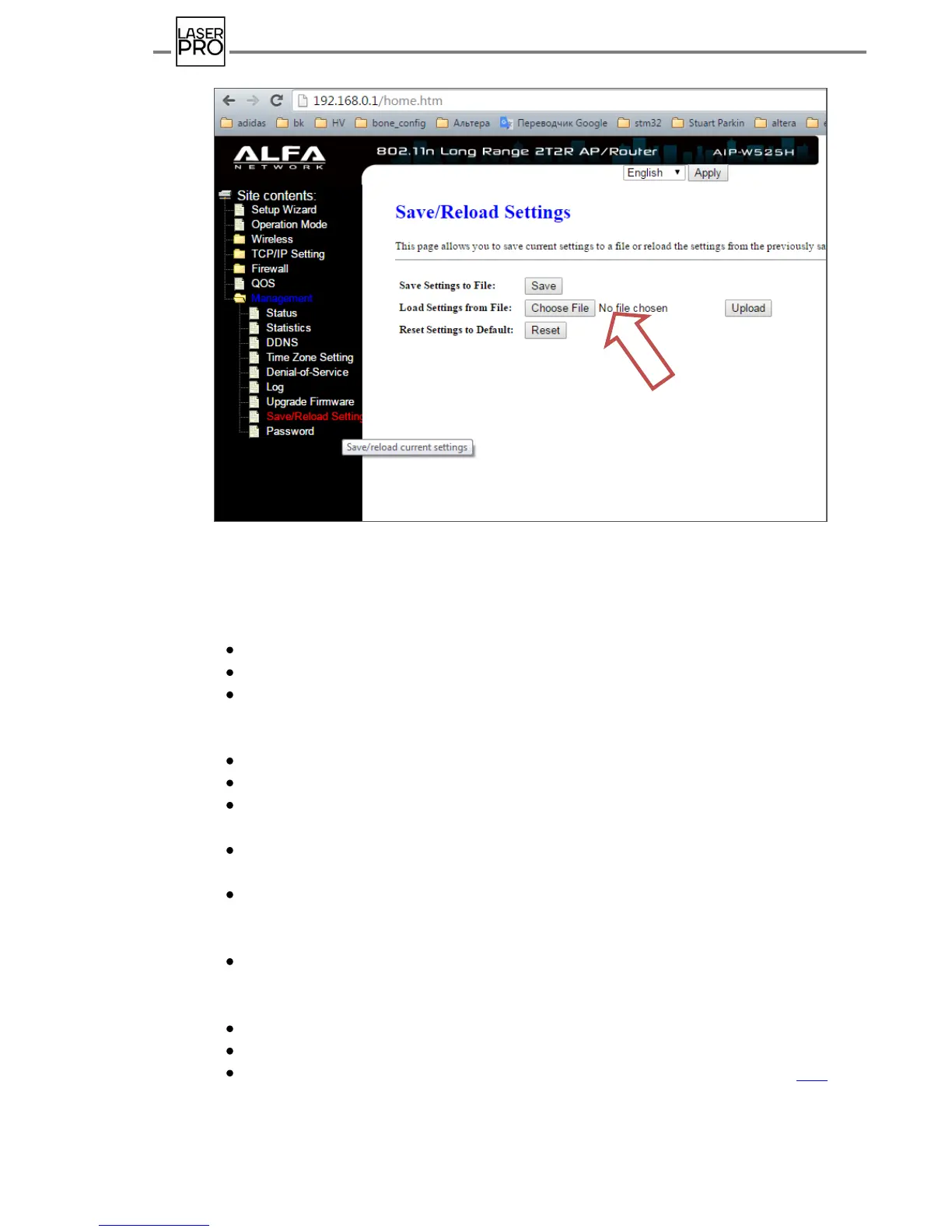
Fig.13 Router setting's download window
7.2.2. Wireless router customization
If access is unavailable to the Internet or for any other reasons, there is an option
to set the router manually. To do this, after the connecting the router to PC:
Apply power to network ("Start"/"Control panel"/"Network connections").
In the entry line of the URL browser type in 192.168.2.1
In the appeared window of the router ALFA NETWORK customization select a
folder
"Management" and in the opened list select "Password".
Enter: User Name: admin, Password: admin, Confirmed Password: admin.
Press Apply Changes. Wait until it is changed.
Select a tab "TCP/AP Setting" in section "Operation Mode" and select the
operation mode "Router".
Select a tab "Wireless" and set the parameters in section "Wireless Basic
Settings": Access point name (SSID): LASERTAG
In the section "Wireless Security Setup" set encrypting (Encryption) - WPA2,
identification type (Authentication Mode) – Personal, password to access point (Pre-
Shared Key) - 2015LT2015 .
Go to tab "TCP/AP Setting" and set parameters in the section "LAN Interface
Setup": access point IP-address (IP-Address) 192.168.0.1, Subnet Mask - 255.255.255.0,
range of server IP-address 192.168.0.100 - 192.168.0.200
Press "Apply Changes". Wait for configuration changed (about 40 s).
The router will be restarted with a new address 192.168.0.1 and new settings.
Set the local area network according to item 7.1 of the present instruction. (p.12).



 To Next Page