43
For Windows 10:
Define type of slots at video unit input and PC or laptop output
(HDMI preferably, DVI or VGA). Match suitable cable.
Power video unit off.
Connect by means of video input cable of additional monitor with PC video output.
Switch video unit on.
When using in the capacity of the second TV set monitor, applying the manual of this
model, pick a signal source in it in accordance with used input.
Go to display customization (Click by right mouse button on the home screen/
"Display parameters".)
The system shall define the presence of the second monitor and display it in
the window.
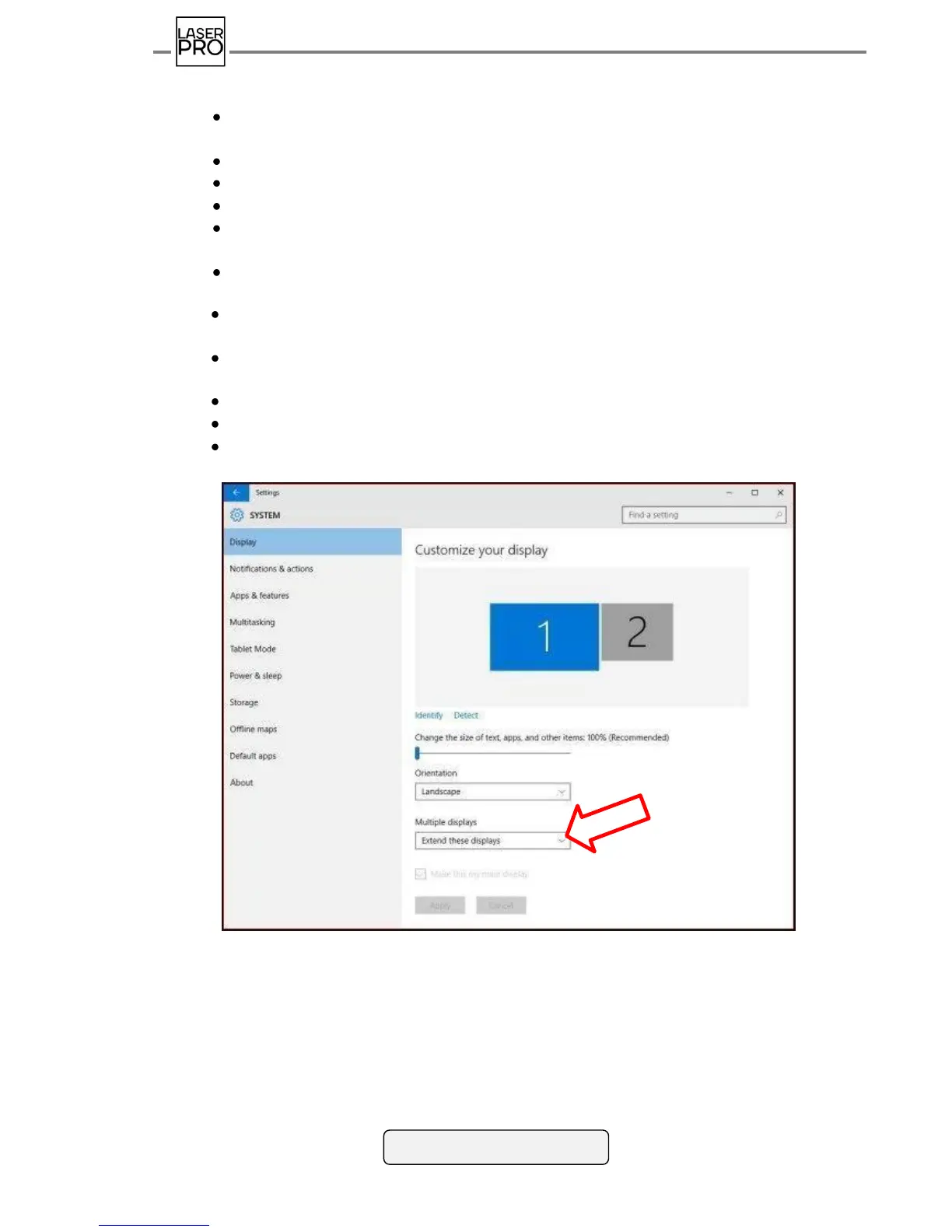
Set mode mapping Several displays "Expand these displays" Picking out the displays
in turn set resolution recommended for them.
Tick the box "Make primary monitor" for PC monitor.
Press "Apply" and in the appeared window "Save changes".
Start executive file install.bat, which will install video codecs and font
FranckerW10Bold.ttf.
Fig 44 Connecting additional monitor in Win 10
If taskbar is displayed on the additional monitor, hide it. For this, go to the settings of
Taskbar and tick off mode "Show task bar on all displays".



 To Next Page