Make sure the PC has plugged in the wireless network card.
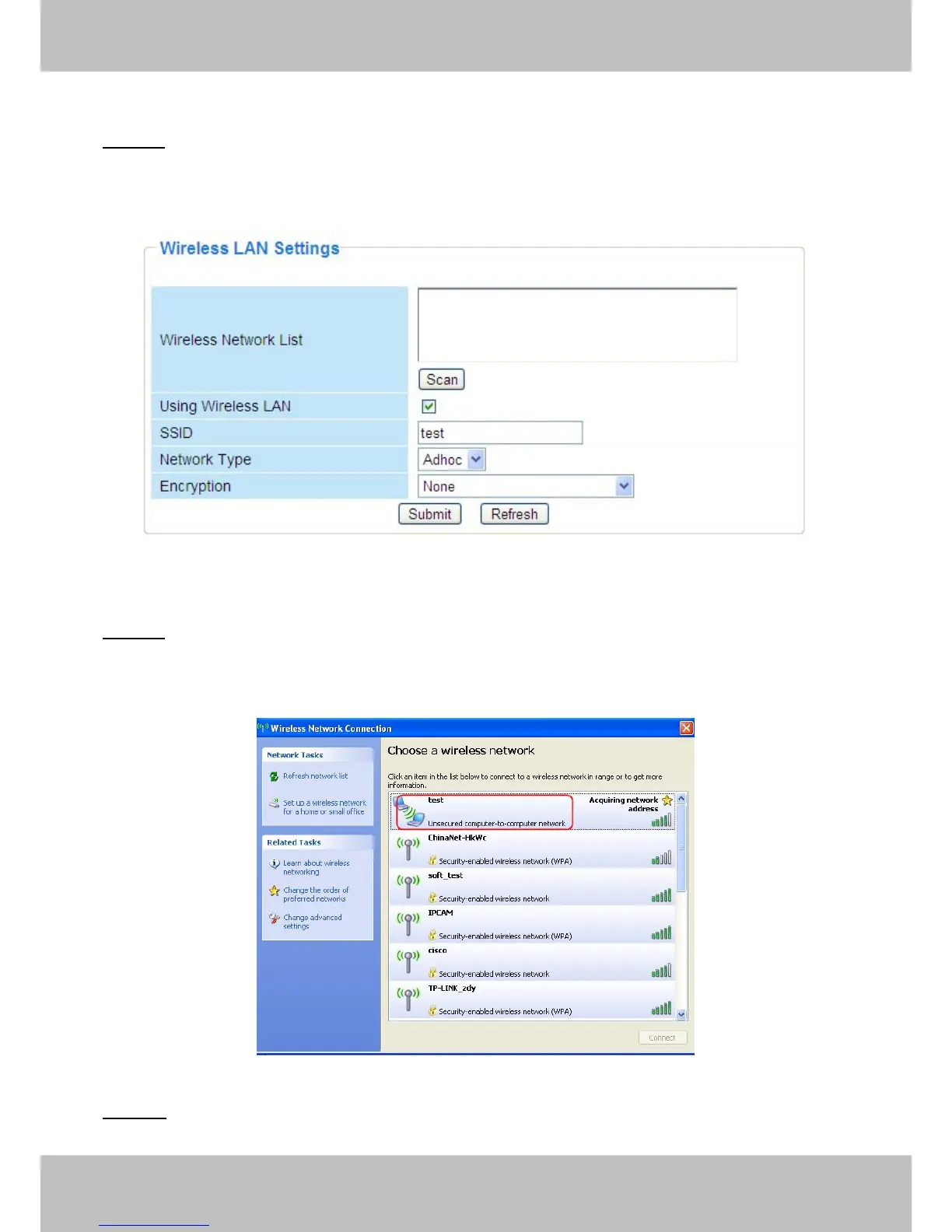
Step 01) Enable wireless and choose Adhoc mode.
Fill in a SSID to identify the IPCAM and then set the security mode, you can choose none or
others. Click Apply.
Figure 3.21
Step 02) Plug out the network cable and the camera will restart..
Open the wireless network card of PC and search the wireless network around the area. You can
find the SSID you filled for the camera (Figure 3.21).
Figure 3.22
Step 03) Disabled the wired connection of the PC. Select the SSID you filled at Figure3.21 for



 To Next Page