4.1.3 No Pictures Problems
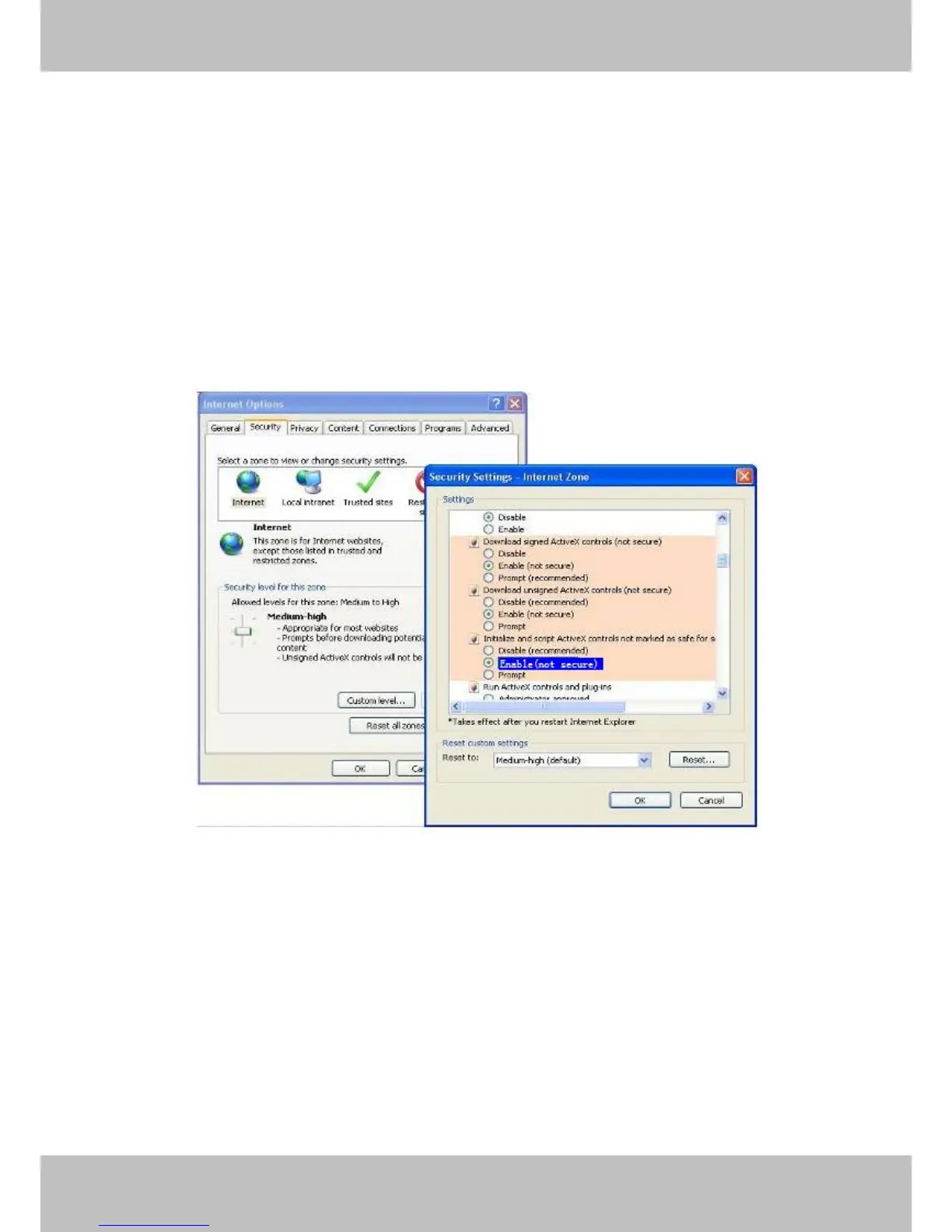
Video streaming is managed by the ActiveX controller. If the ActiveX controller isn’t installed
correctly you will see no video image. There are two ways to resolve this problem:
1) Reinstall “IP Camera Tool” and ActiveX controller(recommended).
2) Download ActiveX controller and set the security setting of IE: IE browser Tool Internet
ProperSecurityCustom LevelActiveX control and Plug-ins. The first three options of front
should be set to be “Enable”, The ActiveX programs read by the computer will be stored. As
follows:
Enable: Download unsigned ActiveX controls
Enable: Initialise and script ActiveX controls not marked as safe
Enable: Run ActiveX controls and plug-ins
Figure 5.1
If you allow the ActiveX to run, but still can not see living video and a red cross in the centre of
the video. Please select another port number. Don’t use port 80, use port 85, 8005.etc.



 To Next Page