w
w
w
w
w
w
w
w
.
.
f
f
o
o
s
s
c
c
a
a
m
m
.
.
c
c
o
o
m
m
S
S
h
h
e
e
n
n
z
z
h
h
e
e
n
n
F
F
o
o
s
s
c
c
a
a
m
m
I
I
n
n
t
t
e
e
l
l
l
l
i
i
g
g
e
e
n
n
t
t
T
T
e
e
c
c
h
h
n
n
o
o
l
l
o
o
g
g
y
y
C
C
o
o
.
.
,
,
L
L
i
i
m
m
i
i
t
t
e
e
d
d
T
T
e
e
l
l
:
:
8
8
6
6
7
7
5
5
5
5
2
2
6
6
7
7
4
4
5
5
6
6
6
6
8
8
F
F
a
a
x
x
:
:
8
8
6
6
7
7
5
5
5
5
2
2
6
6
7
7
4
4
5
5
1
1
6
6
8
8
48
3.8 Firewall
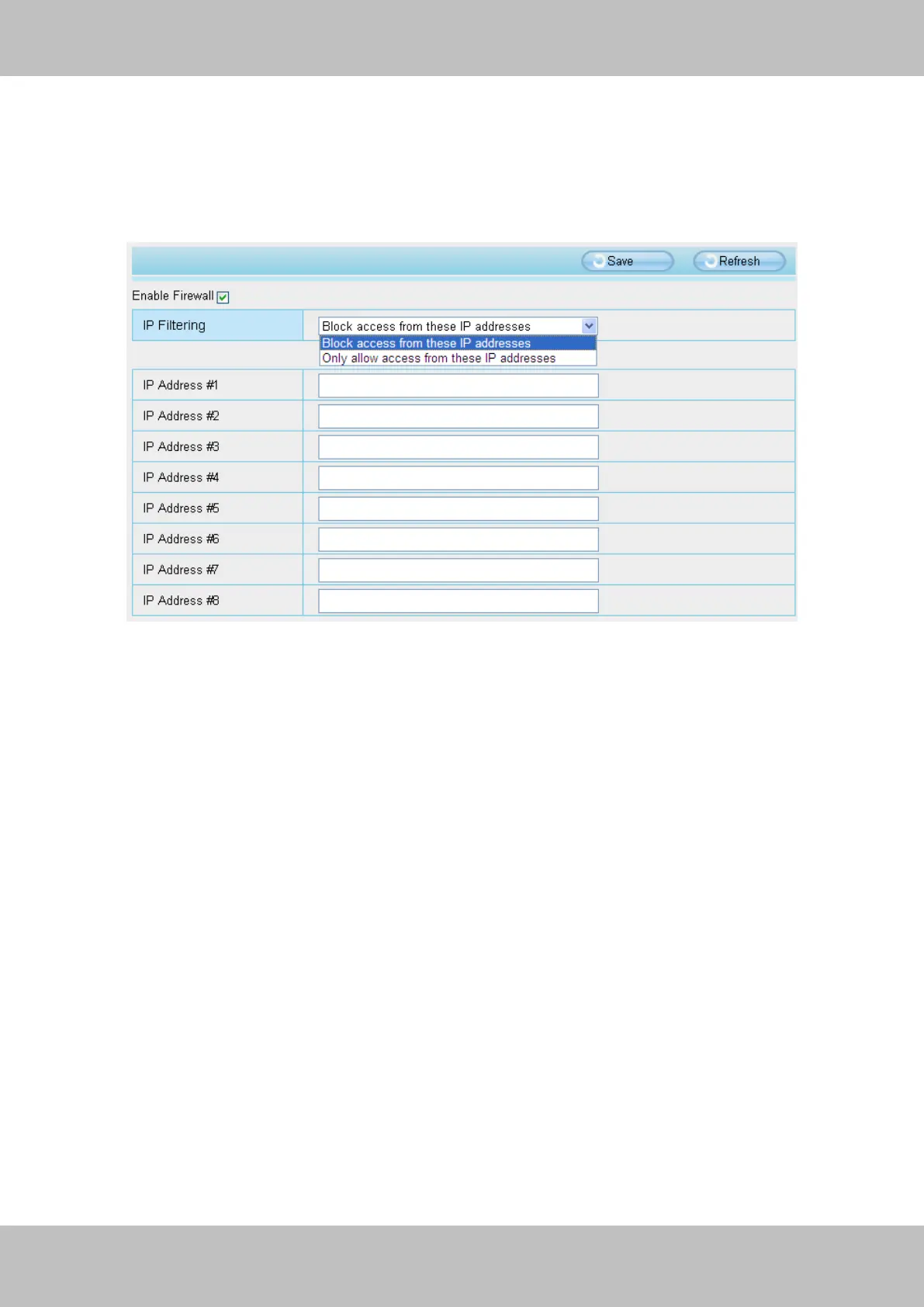
This section explains how to control the access permission by checking the client PC’s IP
addresses. It is composed of the following columns: Block access from these IP addresses
and Only allow access from these IP addresses.
Figure 3.50
Enable firewall, If you select Only allow access from these IP addresses and fill in 8 IP addresses
at most, only those clients whose IP addresses listed in the Only allow access from these IP
addresses can access the Network Camera. If you select Block access from these IP
addresses, only those clients whose IP addresses are in the IP list cannot access the Network
Camera.
Click Save to take effect.



 To Next Page