w
w
w
w
w
w
w
w
.
.
f
f
o
o
s
s
c
c
a
a
m
m
.
.
c
c
o
o
m
m
S
S
h
h
e
e
n
n
z
z
h
h
e
e
n
n
F
F
o
o
s
s
c
c
a
a
m
m
I
I
n
n
t
t
e
e
l
l
l
l
i
i
g
g
e
e
n
n
t
t
T
T
e
e
c
c
h
h
n
n
o
o
l
l
o
o
g
g
y
y
C
C
o
o
.
.
,
,
L
L
i
i
m
m
i
i
t
t
e
e
d
d
T
T
e
e
l
l
:
:
8
8
6
6
7
7
5
5
5
5
2
2
6
6
7
7
4
4
5
5
6
6
6
6
8
8
F
F
a
a
x
x
:
:
8
8
6
6
7
7
5
5
5
5
2
2
6
6
7
7
4
4
5
5
1
1
6
6
8
8
4
1
1
.
.
4
4
P
P
h
h
y
y
s
s
i
i
c
c
a
a
l
l
D
D
e
e
s
s
c
c
r
r
i
i
p
p
t
t
i
i
o
o
n
n
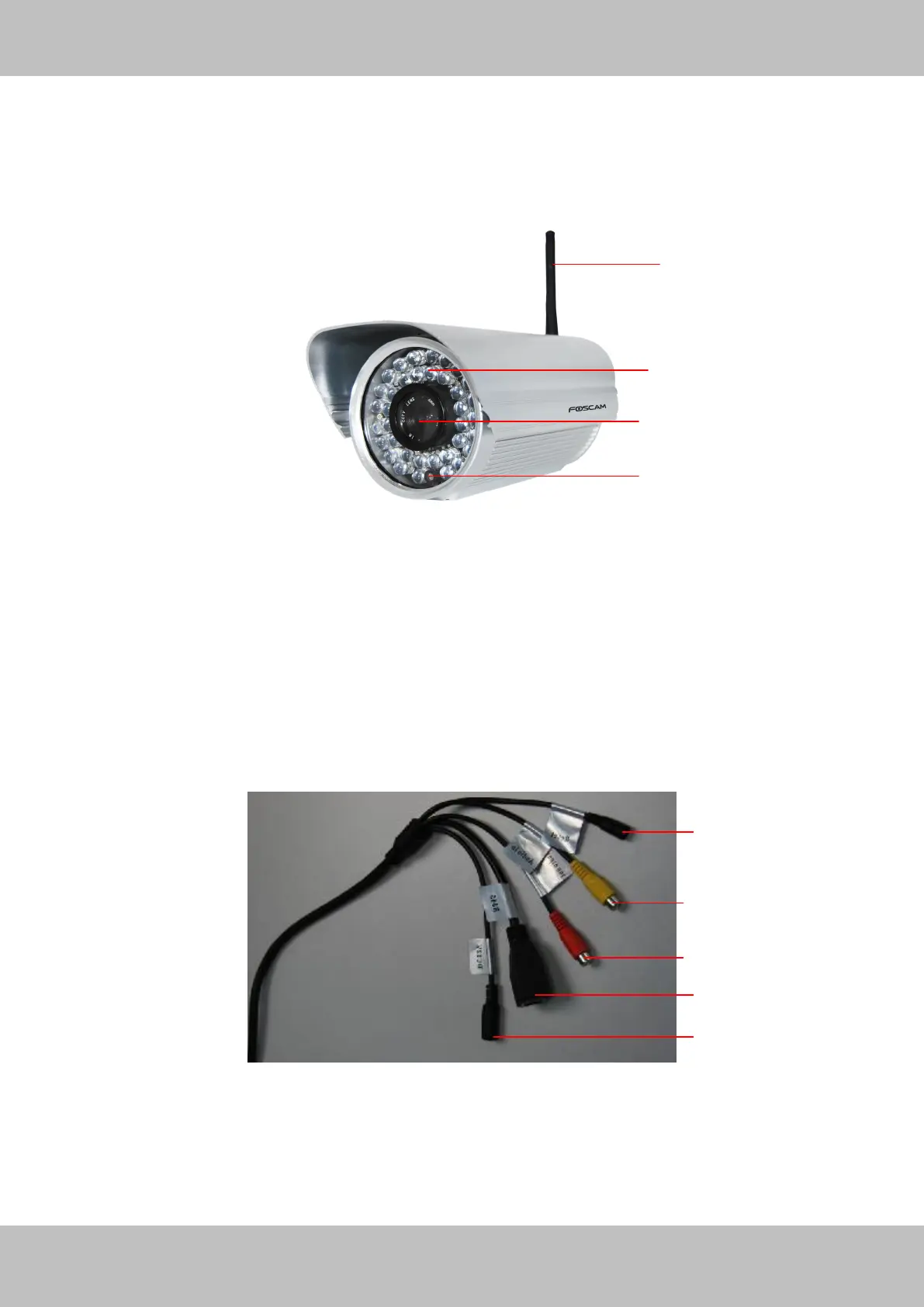
Front Panel
Figure 1.1
1 WIFI Antenna: Wireless Antenna
2 Infrared LED: 36 IR LEDs
3 LENS: CMOS sensor with fixed focus lens
4 Induction IC
Interface
Figure 1.2
1) Reset button : Press and hold on the reset button for 5 seconds. Releasing the reset
button, the password will back to the factory default administrator password. The default
administrator user is admin with no password.



 To Next Page