w
w
w
w
w
w
w
w
.
.
f
f
o
o
s
s
c
c
a
a
m
m
.
.
c
c
o
o
m
m
S
S
h
h
e
e
n
n
z
z
h
h
e
e
n
n
F
F
o
o
s
s
c
c
a
a
m
m
I
I
n
n
t
t
e
e
l
l
l
l
i
i
g
g
e
e
n
n
t
t
T
T
e
e
c
c
h
h
n
n
o
o
l
l
o
o
g
g
y
y
C
C
o
o
.
.
,
,
L
L
i
i
m
m
i
i
t
t
e
e
d
d
T
T
e
e
l
l
:
:
8
8
6
6
7
7
5
5
5
5
2
2
6
6
7
7
4
4
5
5
6
6
6
6
8
8
F
F
a
a
x
x
:
:
8
8
6
6
7
7
5
5
5
5
2
2
6
6
7
7
4
4
5
5
1
1
6
6
8
8
5
2) Audio input interface: The jack is used to plug external microphone.
3) Audio output interface: The jack is used to plug external speakers.
4)LAN: 10/100M adaptive Ethernet interface. Through this interface, IPCAM can be connected
with various network devices, such as hub, router, etc.
5)Power Interface: Connect the external power adapter, request for 12V/2A power.
Bottom View
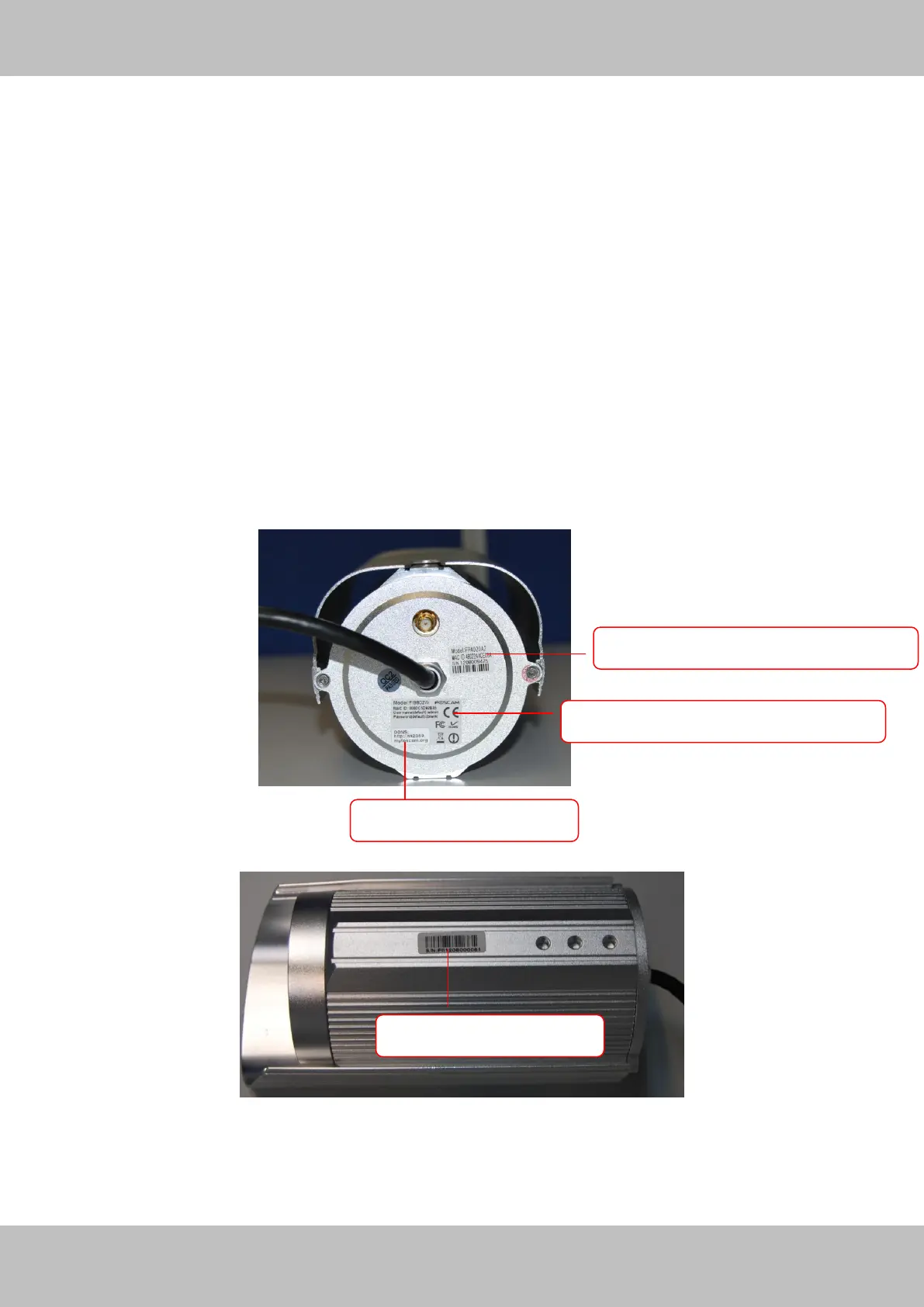
There are up to three labels located at the bottom of the camera; this is an important feature of
original Foscam cameras. If your camera does not have labels as shown in Figure 1.3, it may be
a clone. Cloned Foscam cameras can not use original firmware and are not eligible for warranty
or technical services.
Figure 1.3
MAC address of wireless connection
MAC address of wired connection



 To Next Page