w
w
w
w
w
w
w
w
.
.
f
f
o
o
s
s
c
c
a
a
m
m
.
.
c
c
o
o
m
m
S
S
h
h
e
e
n
n
z
z
h
h
e
e
n
n
F
F
o
o
s
s
c
c
a
a
m
m
I
I
n
n
t
t
e
e
l
l
l
l
i
i
g
g
e
e
n
n
t
t
T
T
e
e
c
c
h
h
n
n
o
o
l
l
o
o
g
g
y
y
C
C
o
o
.
.
,
,
L
L
i
i
m
m
i
i
t
t
e
e
d
d
T
T
e
e
l
l
:
:
8
8
6
6
7
7
5
5
5
5
2
2
6
6
7
7
4
4
5
5
6
6
6
6
8
8
F
F
a
a
x
x
:
:
8
8
6
6
7
7
5
5
5
5
2
2
6
6
7
7
4
4
5
5
1
1
6
6
8
8
55
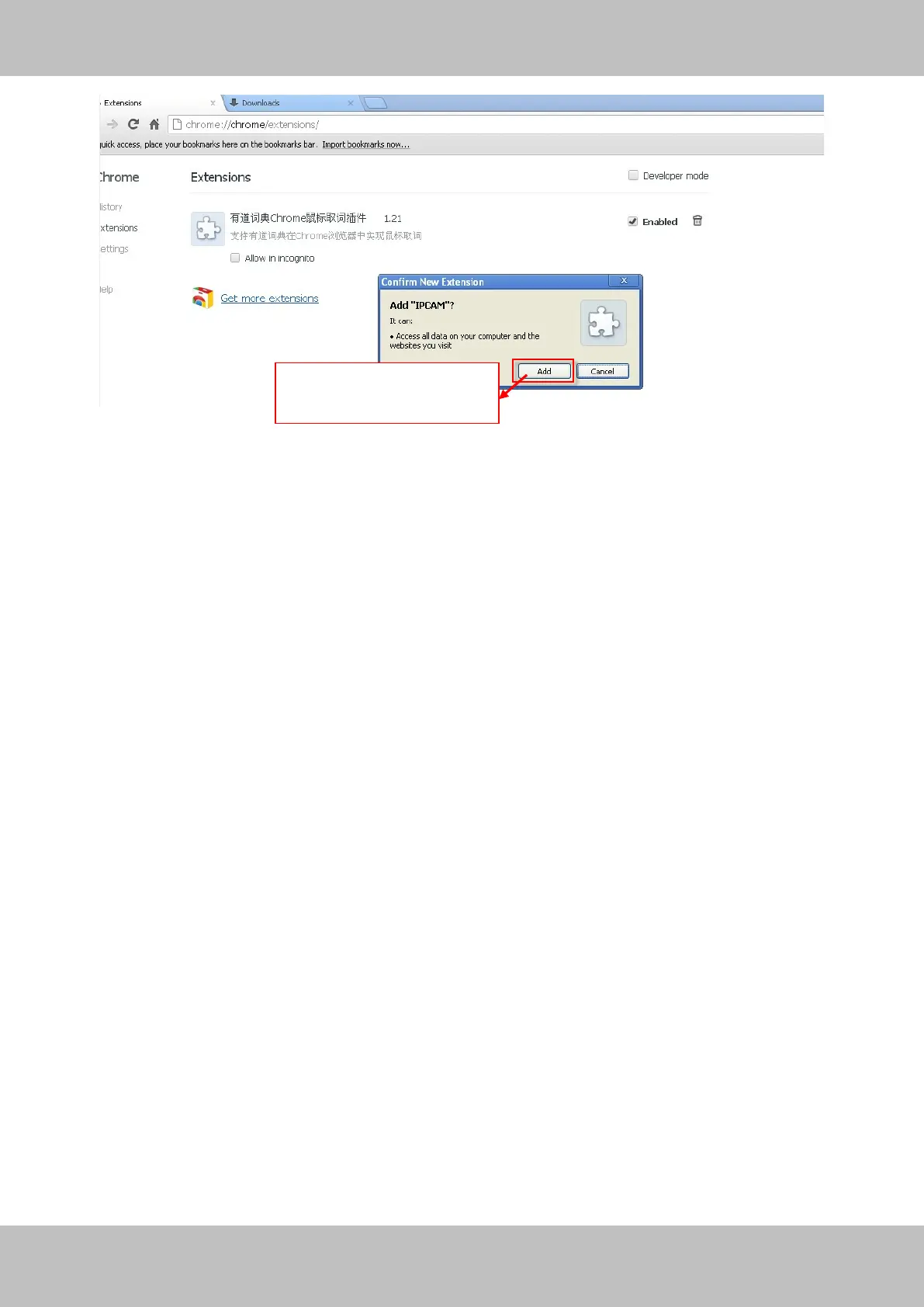
Figure 4.5
Reboot the browser and re-login the camera, you will see the surveillance window.
4.1.3 I have forgotten the administrator password
To reset the administrator password, you had better unplug the network cable firstly. After that,
press and hold down the RESET BUTTON about 5 seconds. Releasing the reset button, the
password will turn to the factory default.
Default administrator username/password: admin with blank password
4.1.4 Subnet doesn’t match
Check whether your ipcamera in the same subnet of your computer. The step is Control
PanelNetwork ConnectionsDbclick Local Area Connections Choose
GeneralProperties.(Figure 3.23/3.24) Check subnet mask, IP address and gateways. When
you set IP address please make sure they are in the same subnet. Otherwise you can't access
camera.
Click Add button to install
the plugin



 To Next Page