23
w
w
w
w
w
w
w
w
www
www
www
www
www
www
www
www
.foscam.com
.foscam.com
.foscam.com
.foscam.com
.foscam.com
.foscam.com
.foscam.com
.foscam.com
Shenzhen
Shenzhen
Shenzhen
Shenzhen
Shenzhen
Shenzhen
Shenzhen
Shenzhen
Foscam
Foscam
Foscam
Foscam
Foscam
Foscam
Foscam
Foscam
Intelligent
Intelligent
Intelligent
Intelligent
Intelligent
Intelligent
Intelligent
Intelligent
Technology
Technology
Technology
Technology
Technology
Technology
Technology
Technology
Co.,
Co.,
Co.,
Co.,
Co.,
Co.,
Co.,
Co.,
Limited
Limited
Limited
Limited
Limited
Limited
Limited
Limited
Tel:
Tel:
Tel:
Tel:
Tel:
Tel:
Tel:
Tel:
86
86
86
86
86
86
86
86
755
755
755
755
755
755
755
755
2674
2674
2674
2674
2674
2674
2674
2674
5668
5668
5668
5668
5668
5668
5668
5668
Fax:
Fax:
Fax:
Fax:
Fax:
Fax:
Fax:
Fax:
86
86
86
86
86
86
86
86
755
755
755
755
755
755
755
755
2674
2674
2674
2674
2674
2674
2674
2674
5168
5168
5168
5168
5168
5168
5168
5168
23
23
23
23
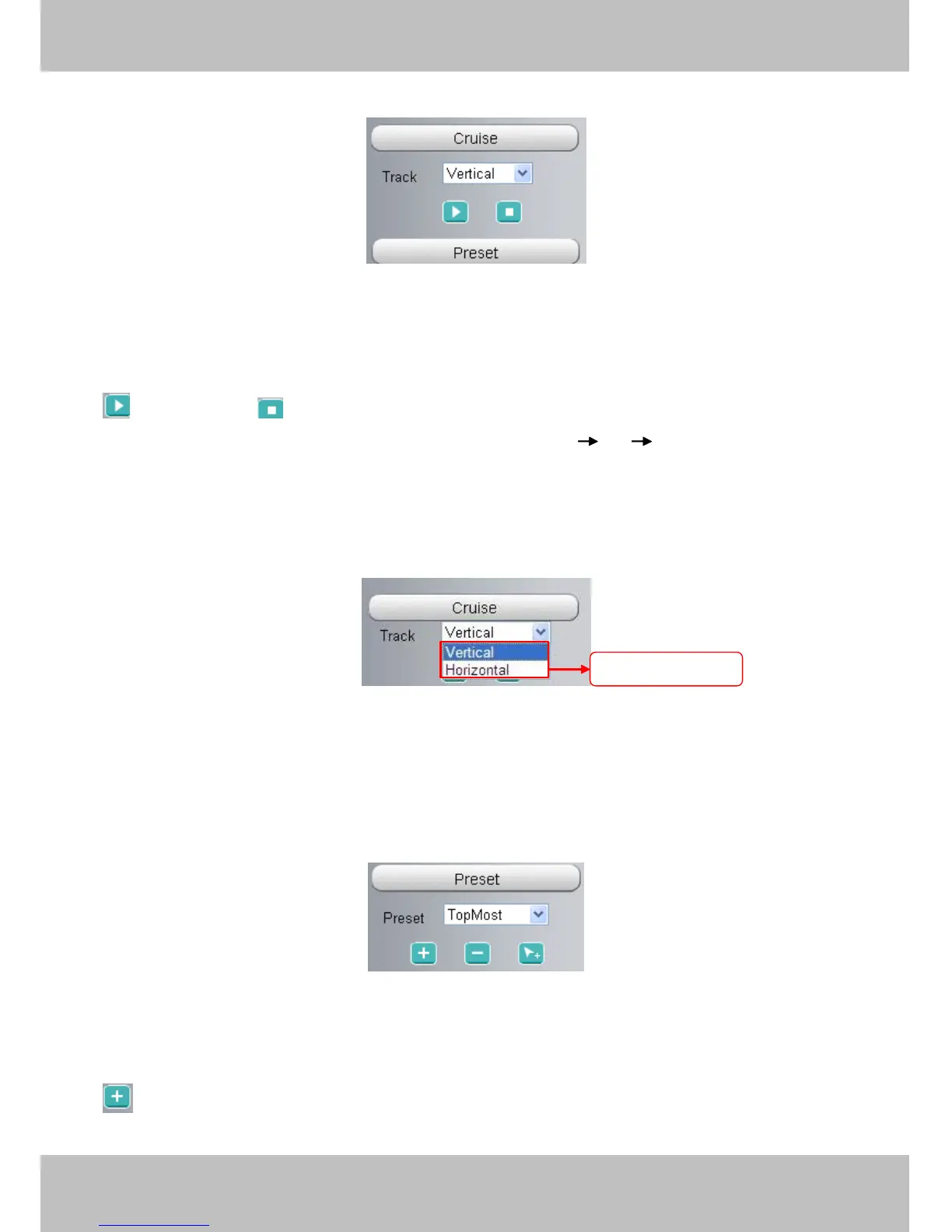
The default cruise tracks have two types: Vertical and Horizontal.
Vertical: The camera will rotate from up to down.
Horizontal: The camera will rotate from left to right.
: Start cruise. : Stop cruise.
If you want to define or change the cruise trace, please go to Settings
Settings
Settings
Settings PTZ
PTZ
PTZ
PTZ Preset
Preset
Preset
Preset Settings
Settings
Settings
Settings panel.
How
How
How
How to
to
to
to do
do
do
do cruise?
cruise?
cruise?
cruise?
Firstly:
Firstly:
Firstly:
Firstly: Select one track in the track dropdown list
Secondly:
Secondly:
Secondly:
Secondly: Click Start cruise button, the camera will cruise following the predefined path.
Thirdly:
Thirdly:
Thirdly:
Thirdly: Click stop button and finish cruising.
Preset
Preset
Preset
Preset settings
settings
settings
settings
IPCAM supports 16 preset positions, which is considered enough for DIY home & small business surveillance
market
The default preset position is Topmost, Bottom most, Left most, right most, you can add other preset positions.
Add
Add
Add
Add Click this icon to save the position you need the camera to remember
Select
Select
Select
Select one
one
one
one of
of
of
of these
these
these
these



 To Next Page