24
w
w
w
w
w
w
w
w
www
www
www
www
www
www
www
www
.foscam.com
.foscam.com
.foscam.com
.foscam.com
.foscam.com
.foscam.com
.foscam.com
.foscam.com
Shenzhen
Shenzhen
Shenzhen
Shenzhen
Shenzhen
Shenzhen
Shenzhen
Shenzhen
Foscam
Foscam
Foscam
Foscam
Foscam
Foscam
Foscam
Foscam
Intelligent
Intelligent
Intelligent
Intelligent
Intelligent
Intelligent
Intelligent
Intelligent
Technology
Technology
Technology
Technology
Technology
Technology
Technology
Technology
Co.,
Co.,
Co.,
Co.,
Co.,
Co.,
Co.,
Co.,
Limited
Limited
Limited
Limited
Limited
Limited
Limited
Limited
Tel:
Tel:
Tel:
Tel:
Tel:
Tel:
Tel:
Tel:
86
86
86
86
86
86
86
86
755
755
755
755
755
755
755
755
2674
2674
2674
2674
2674
2674
2674
2674
5668
5668
5668
5668
5668
5668
5668
5668
Fax:
Fax:
Fax:
Fax:
Fax:
Fax:
Fax:
Fax:
86
86
86
86
86
86
86
86
755
755
755
755
755
755
755
755
2674
2674
2674
2674
2674
2674
2674
2674
5168
5168
5168
5168
5168
5168
5168
5168
24
24
24
24
Delete
Delete
Delete
Delete Select one preset position and click this button to delete it.
GO
GO
GO
GO Select one preset position in the preset dropdown list and click Go to make the camera move the
preset position
How
How
How
How to
to
to
to do
do
do
do preset
preset
preset
preset position?
position?
position?
position?
Firstly,
Firstly,
Firstly,
Firstly, move the camera and stop at a desired place where you want make preset position.
Secondly,
Secondly,
Secondly,
Secondly, click button and enter a descriptive name for the preset position. The preset position cannot
contain special characters. Then click OK to save it. If you want to reset the preset position, click Cancel.
After that, you can move the camera and stop at another place, and set another preset position.
You
can do all
the 16 preset positions with this method.
If you want to see one preset position you have set, only select the preset position name from the preset
dropdown list, and click go button, the camera will go to the preset position.
Section6
Section6
Section6
Section6 IR
IR
IR
IR LED
LED
LED
LED Lights
Lights
Lights
Lights
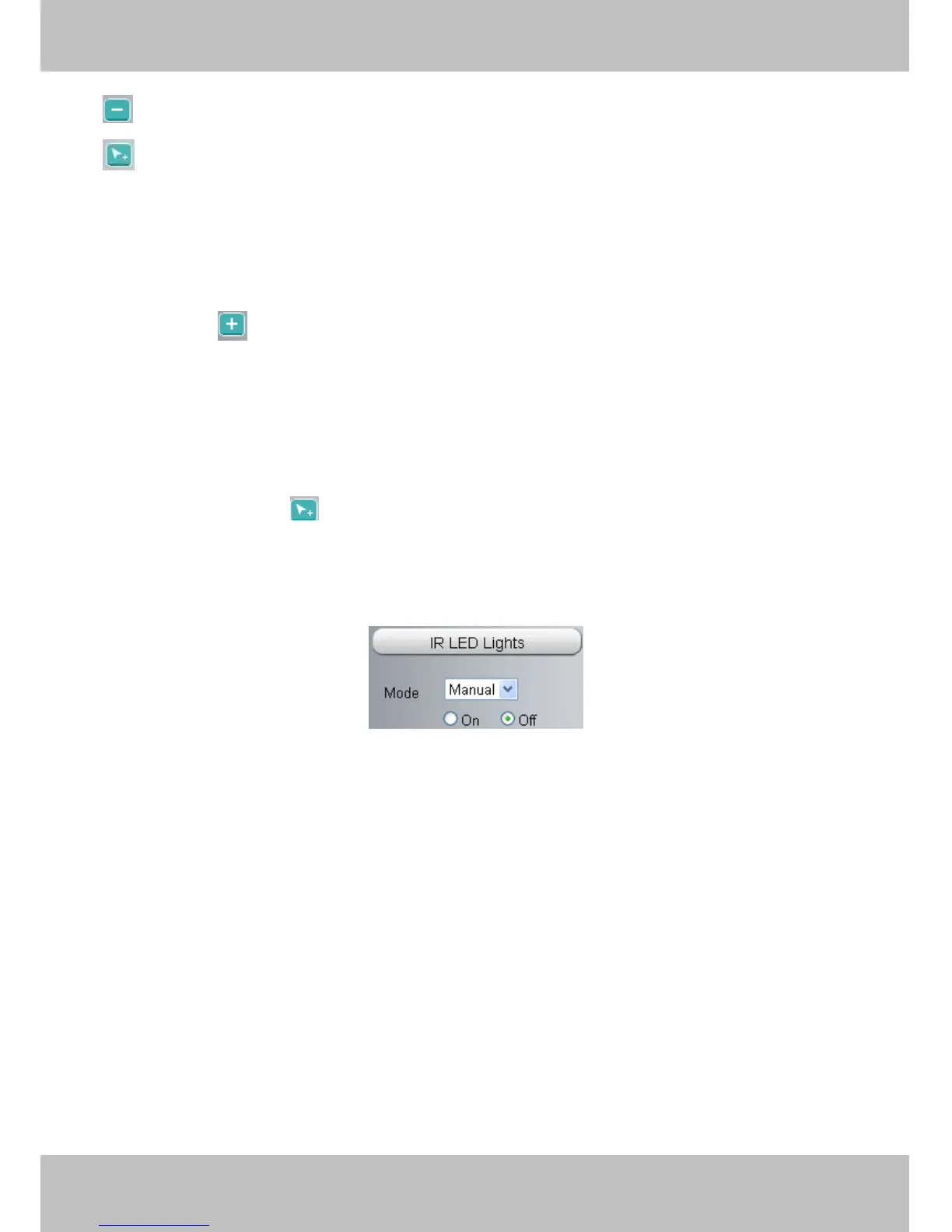
Click Infra led and there are two modes to adjust the infrared led: Auto and Manual.
Auto:
Auto:
Auto:
Auto: Select it and the camera will adjust the infra led (on or off) automatically.
Manual:
Manual:
Manual:
Manual: Select it and you can turn on or turn off the infra led manually.
Section7
Section7
Section7
Section7 Image
Image
Image
Image quality
quality
quality
quality settings
settings
settings
settings
In this page, you can tune Hue, Brightness, Contrast, Saturation, and Sharpness to get higher quality.


 To Next Page