84
w
w
w
w
w
w
w
w
www
www
www
www
www
www
www
www
.foscam.com
.foscam.com
.foscam.com
.foscam.com
.foscam.com
.foscam.com
.foscam.com
.foscam.com
Shenzhen
Shenzhen
Shenzhen
Shenzhen
Shenzhen
Shenzhen
Shenzhen
Shenzhen
Foscam
Foscam
Foscam
Foscam
Foscam
Foscam
Foscam
Foscam
Intelligent
Intelligent
Intelligent
Intelligent
Intelligent
Intelligent
Intelligent
Intelligent
Technology
Technology
Technology
Technology
Technology
Technology
Technology
Technology
Co.,
Co.,
Co.,
Co.,
Co.,
Co.,
Co.,
Co.,
Limited
Limited
Limited
Limited
Limited
Limited
Limited
Limited
Tel:
Tel:
Tel:
Tel:
Tel:
Tel:
Tel:
Tel:
86
86
86
86
86
86
86
86
755
755
755
755
755
755
755
755
2674
2674
2674
2674
2674
2674
2674
2674
5668
5668
5668
5668
5668
5668
5668
5668
Fax:
Fax:
Fax:
Fax:
Fax:
Fax:
Fax:
Fax:
86
86
86
86
86
86
86
86
755
755
755
755
755
755
755
755
2674
2674
2674
2674
2674
2674
2674
2674
5168
5168
5168
5168
5168
5168
5168
5168
84
84
84
84
.
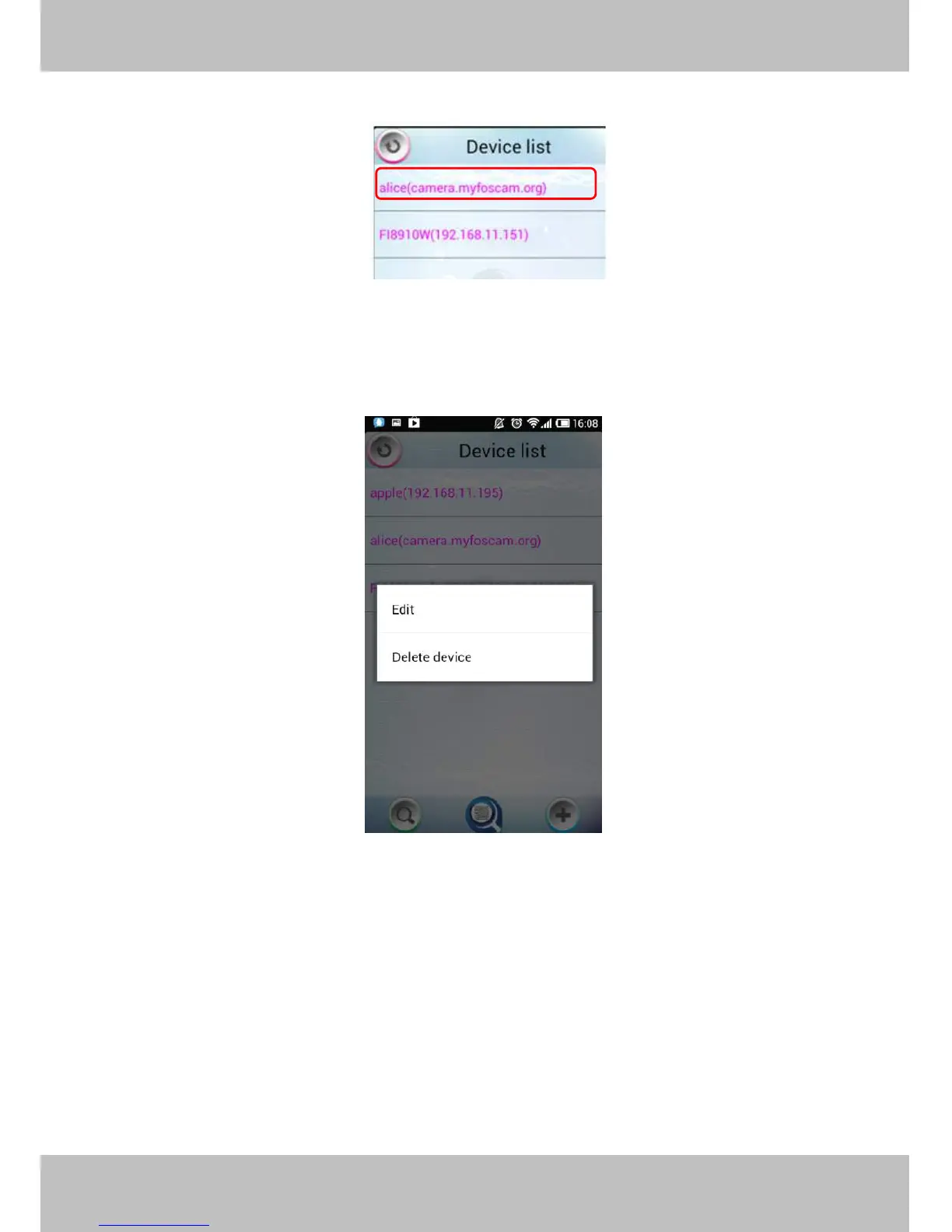
Select one IP address and click it, then you can enter the surveillance window.
Select one IP address in the Device List and press it for a moment, it pop up the following screen:
Figure 6 .8
Edit:
Edit:
Edit:
Edit: Re- edit the camera ’ s information, such as the Http / Media port, user name and password,
and so on. Click Edit and you can go to Add camera page (Figure 6 .7).
Delete
Delete
Delete
Delete device:
device:
device:
device: Delete the camera from the Device List.
6
6
6
6 .2
.2
.2
.2 APP
APP
APP
APP for
for
for
for iPhones
iPhones
iPhones
iPhones
If you use iPhone, please search the APP “ Foscam ip cam viewer ” and install it through APP Store, then you



 To Next Page