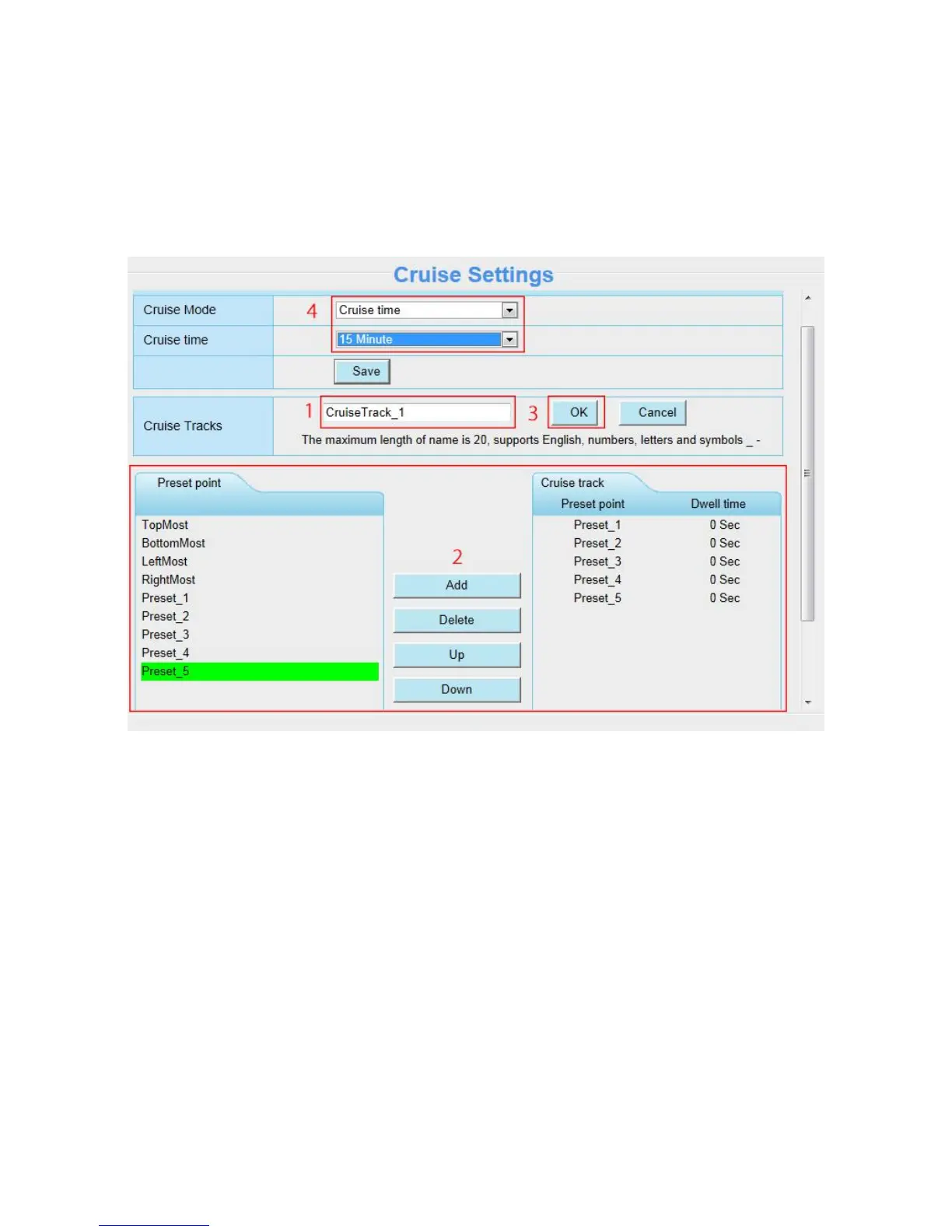
Then let us to set one cruise track as the following:
Firstly, click Add button and enter a descriptive name to identify the cruise track.
Secondly, on the lower left of the page, you can see all preset points you have added (preset_1 to preset_5).
Then select the five preset points and add them to the cruise track on the right.
Note: Two or more preset points should be added to the cruise track, so the new cruise track will be added OK.
Fourthly, click OK and the CruiseTrack_1 will take effect.
At last, set the loops and the cruise time of the cruise track, For example, as the above figure, the cruise loop
is 2, and the cruise time is 15 minutes.
You can add other cruise track as the same method.
There are other buttons between the Preset points and Cruise track, you can use these buttons to adjust the
order of preset points or add / delete one preset points in one cruise track,



 To Next Page