NVR User Manual
www.foscam.com
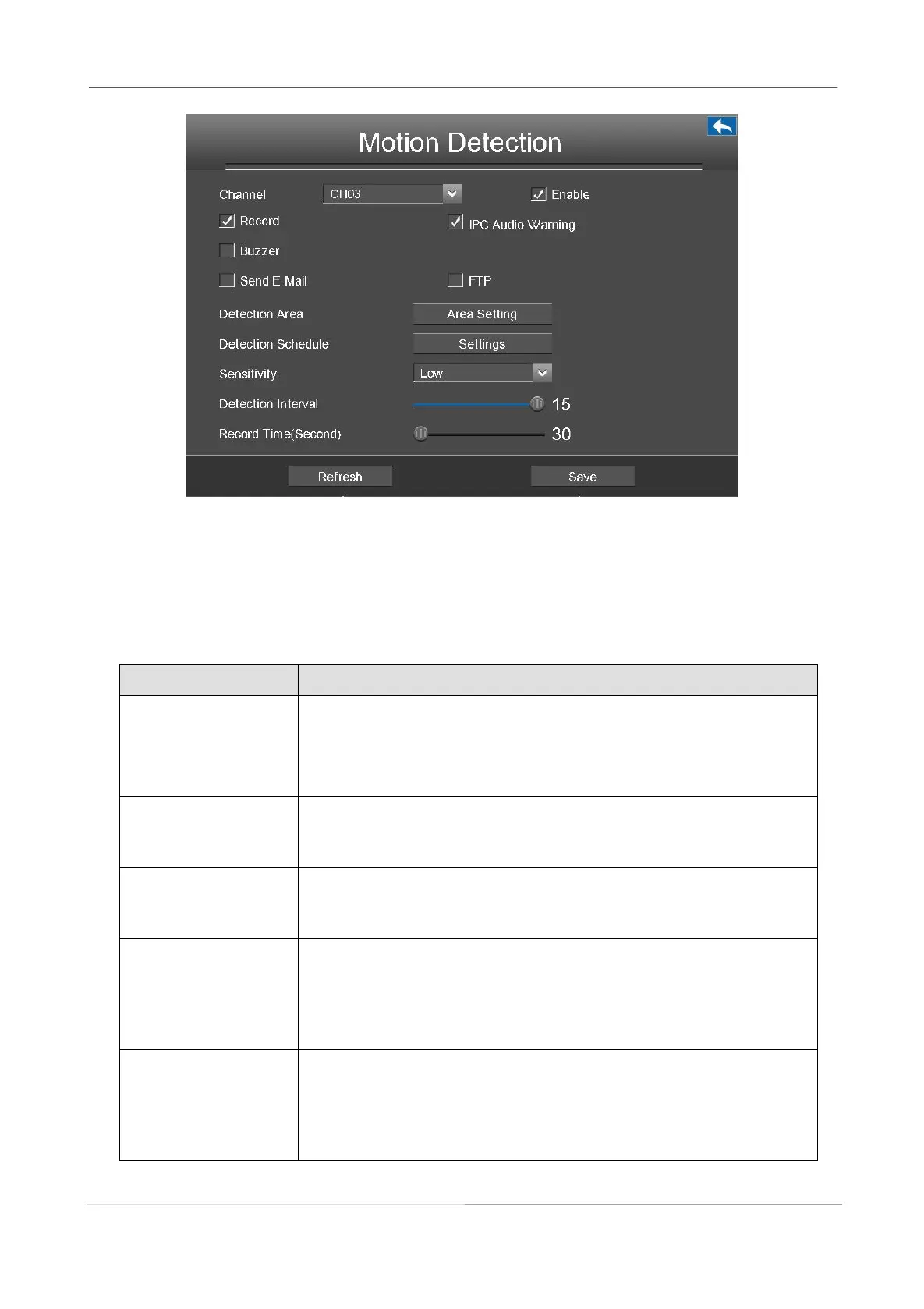
Step1 Select channel from drop-down box list.
Step2 Check the checkbox to enable motion detection function.
Step3 Check the checkbox to select the linkage method. You may refer to follow table for details of
linkage methods.
Step4
Set Detection Area.
If you select this checkbox, when the Motion detection is triggered,
the NVR will record automatically and store the record files to the
HDD.
If you select this checkbox, when the Motion detection is triggered,the
people around the camera will hear beep alarm sound of the IPC.
When the Motion detection is triggered, you can choose whether to
enable buzzing sound of the NVR device.
When the Motion detection is triggered, you can choose whether to
send e-mail.
Note: Make sure you have set Email.
When the Motion detection is triggered, you can choose whether to
upload detection picture to FTP server.
Note: Make sure you have set FTP.



 To Next Page