Camera Time: The system time of the device. Click Basic Settings and go to Camera Time panel and adjust
the time.
System Firmware Version: Display the System Firmware version of your camera.
Application Firmware Version: Display the application firmware version of your camera.
Plug-In Version: Display the plug-in version of your camera
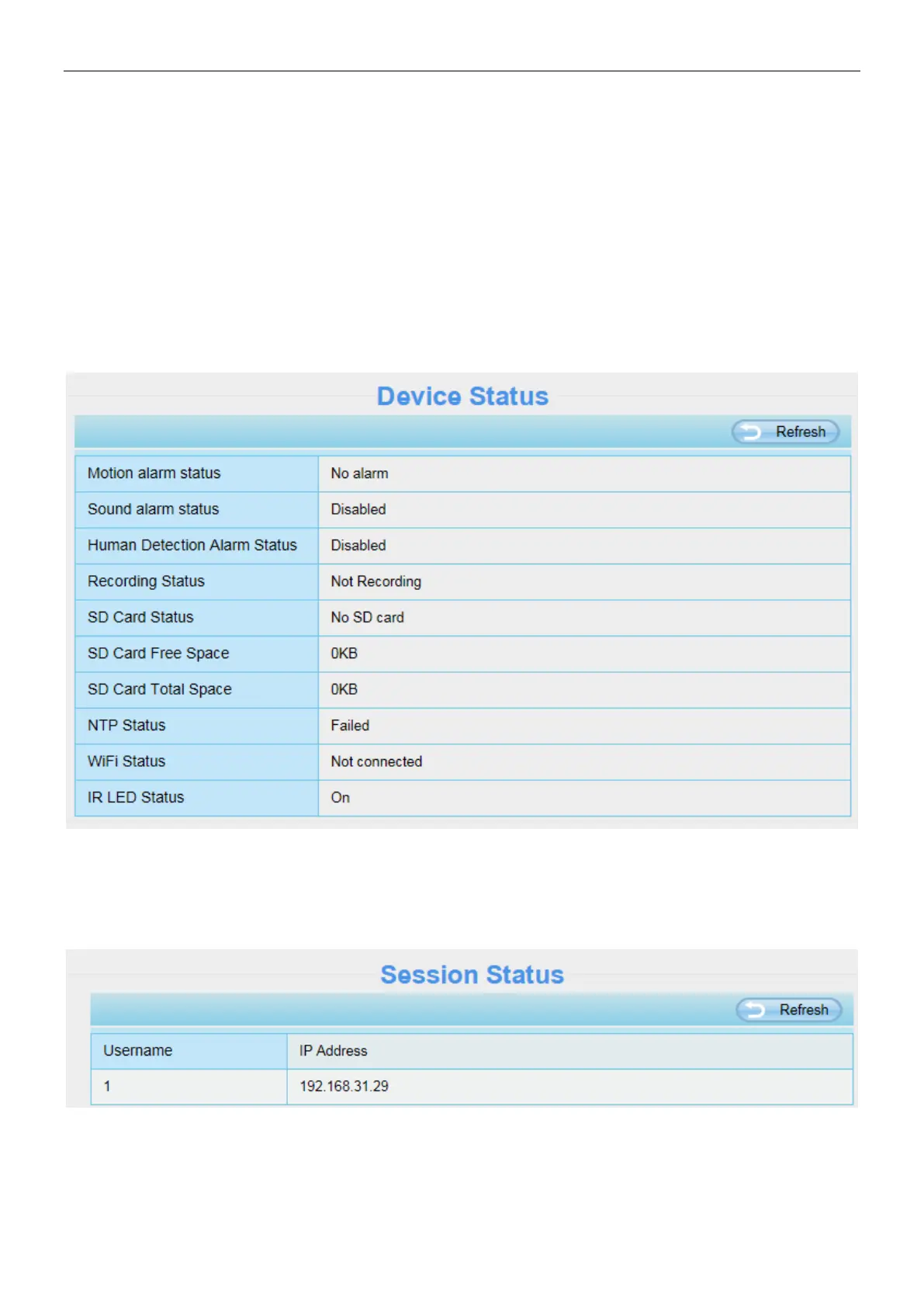
4.2.2 Device Status
On this page you can see device status such as Alarm status, NTP status, WIFI status and so on.
4.2.3 Session Status
Session status will display who and which IP is visiting the camera now.



 To Next Page