Note:
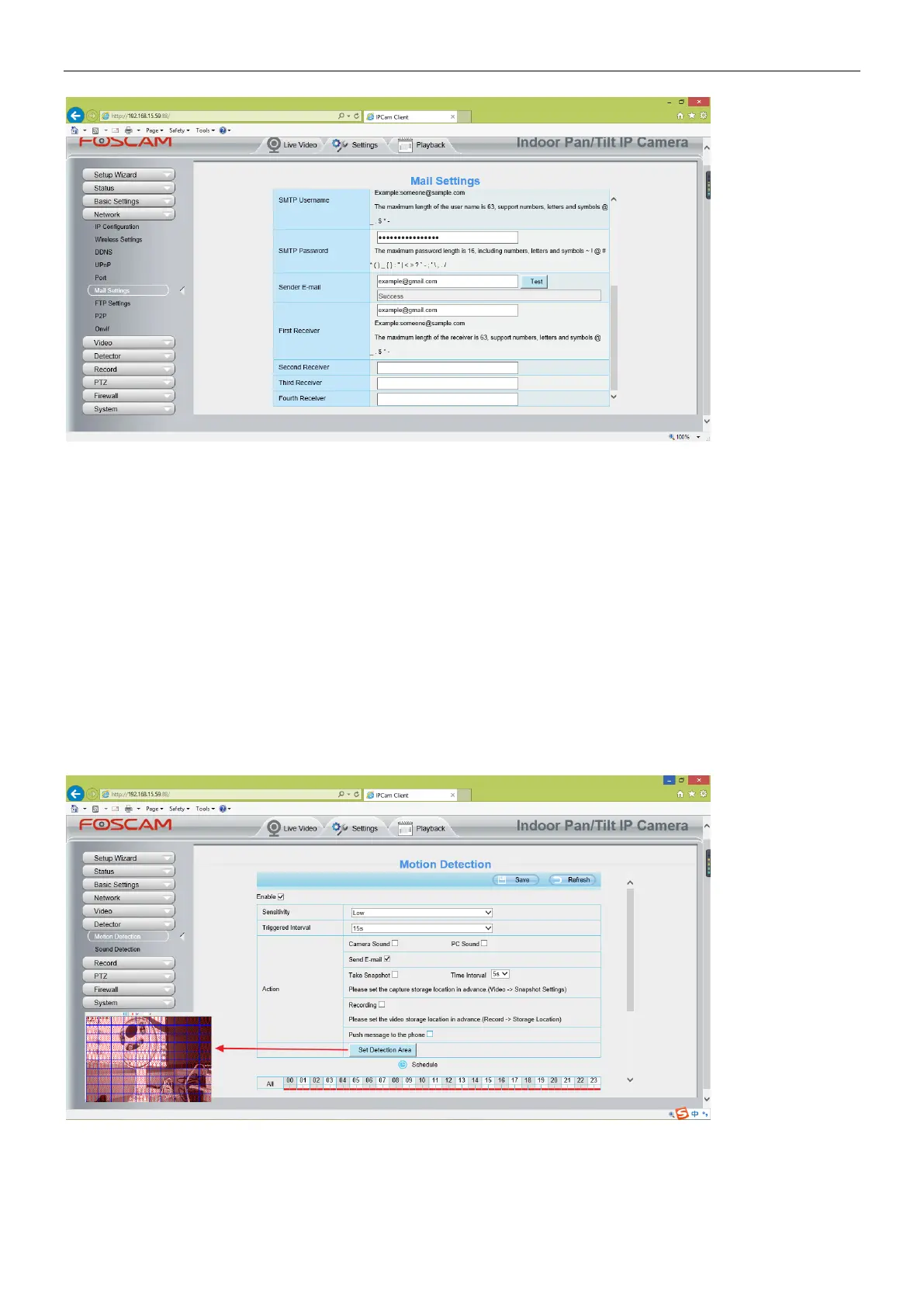
(1) Please make sure that your sender email supports SMTP;
(2) Please click on Save before you click on Test;
(3) Make sure the test result is success.
(4) After succeed, you will receive a test email in the mailbox of Sender.
Step 2: Setup the Motion Alarm Settings
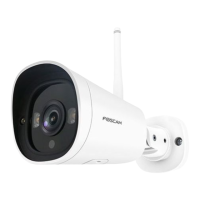
Please go to Settings > Alarm > Motion Detection menu:
1. Click enable,
2. Choose Send E-mail for the alarm action,
3. set your detection area,
4. Set your schedule.
Do not forget to click on Save after you finish settings.
If there is motion trigger, camera will alarm and you can receive alarm emails.
Note:



 To Next Page