3 Surveillance Software GUI
Please refer to the section 2.1 if you install the camera for the first time. You can start to learn about
software operation in the computer.
3.1 login Window
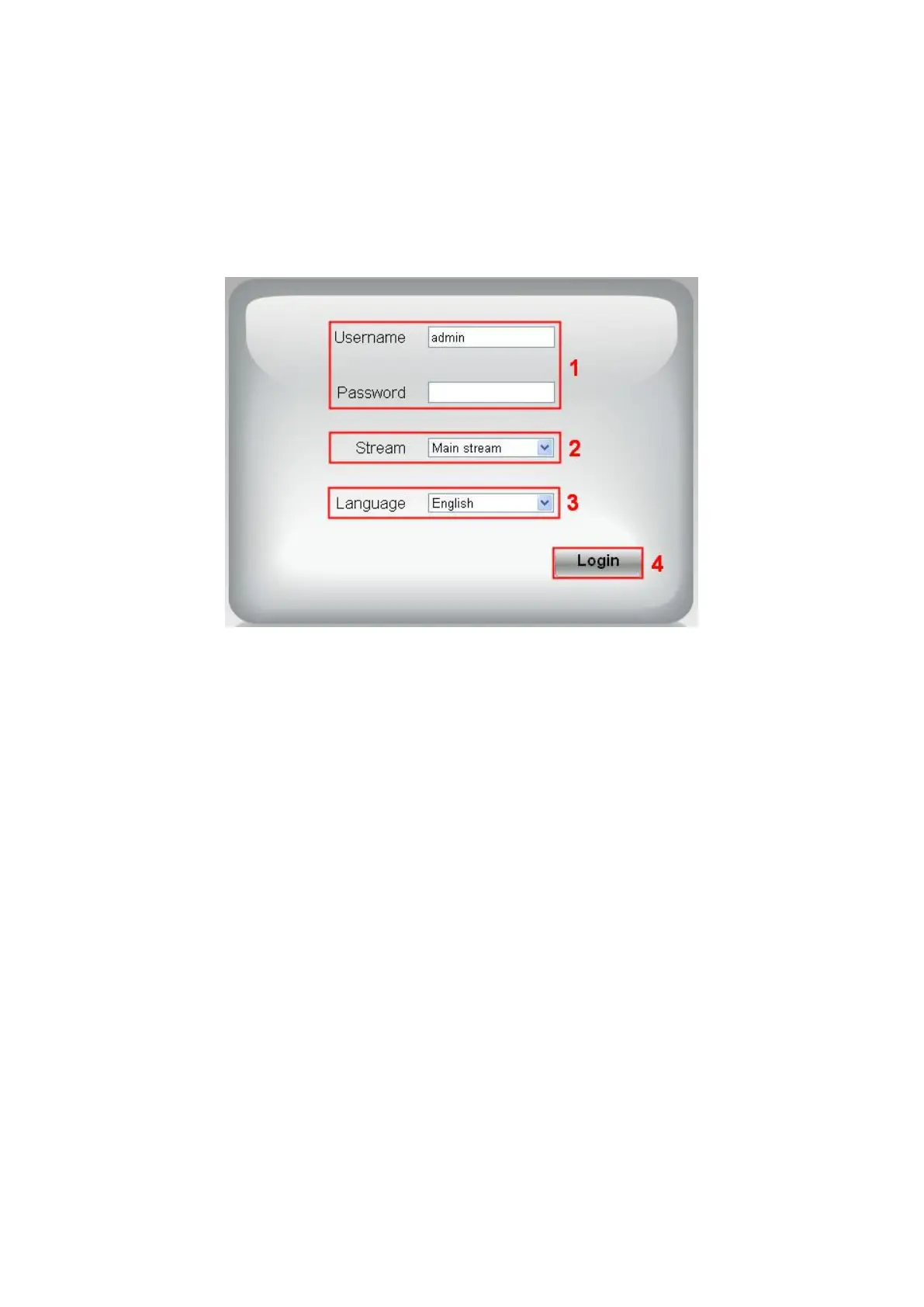
Section1 Enter the Username and password
The default administrator username is “admin” with no password, please change the password the first
time you use and prevent unauthorized users login the camera.
Section2 Stream
The camera supports two stream modes: Main stream and sub stream. Select Main stream if you want
to access the camera from LAN and sub stream will be better if you want to access the camera from
Internet.
Note:
Select sub stream to ensure a more fluent video under narrow network bandwidth.
Section3 Select the language
You click on the language dropdown list to select language.
Section4 login the camera
Click “Login” button.
NOTE:
When setting up your camera for the first time, it will request that you modify the default username
and/or password if both are still set to default. Input the new username and password, click "Modify" to
complete the modification. You will now use the new username and password to login to the camera in
the future.



 To Next Page