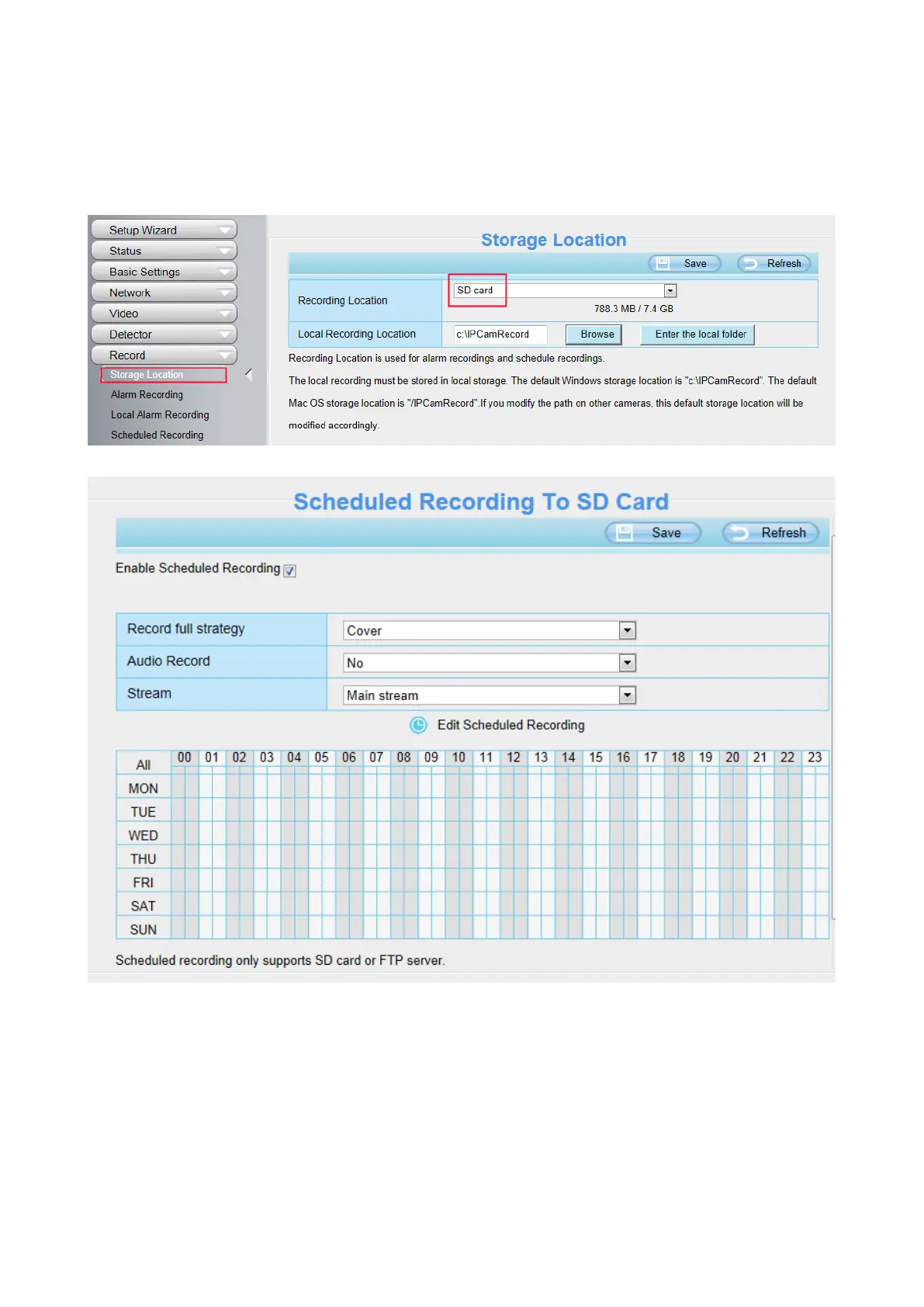
When the video is selected as SD card, the device supports pumping frame recording.
When the parameter Recording Location is set SD Card on the Storage Location page, you can
configure parameters as shown in follow figure.
Record full strategy: When the Micro SD card is full, you can choose to cover the previous recording,
or stop recording.
Audio Record: You can choose "yes" or "no".
NOTES:
Scheduled recording only supports video saved to the SD card or FTP server.
The schedule recording will stop while alarm recording is beginning, and it will continue
automatically after alarm recording end.



 To Next Page