7
Connecting Your Camera Over WiFi
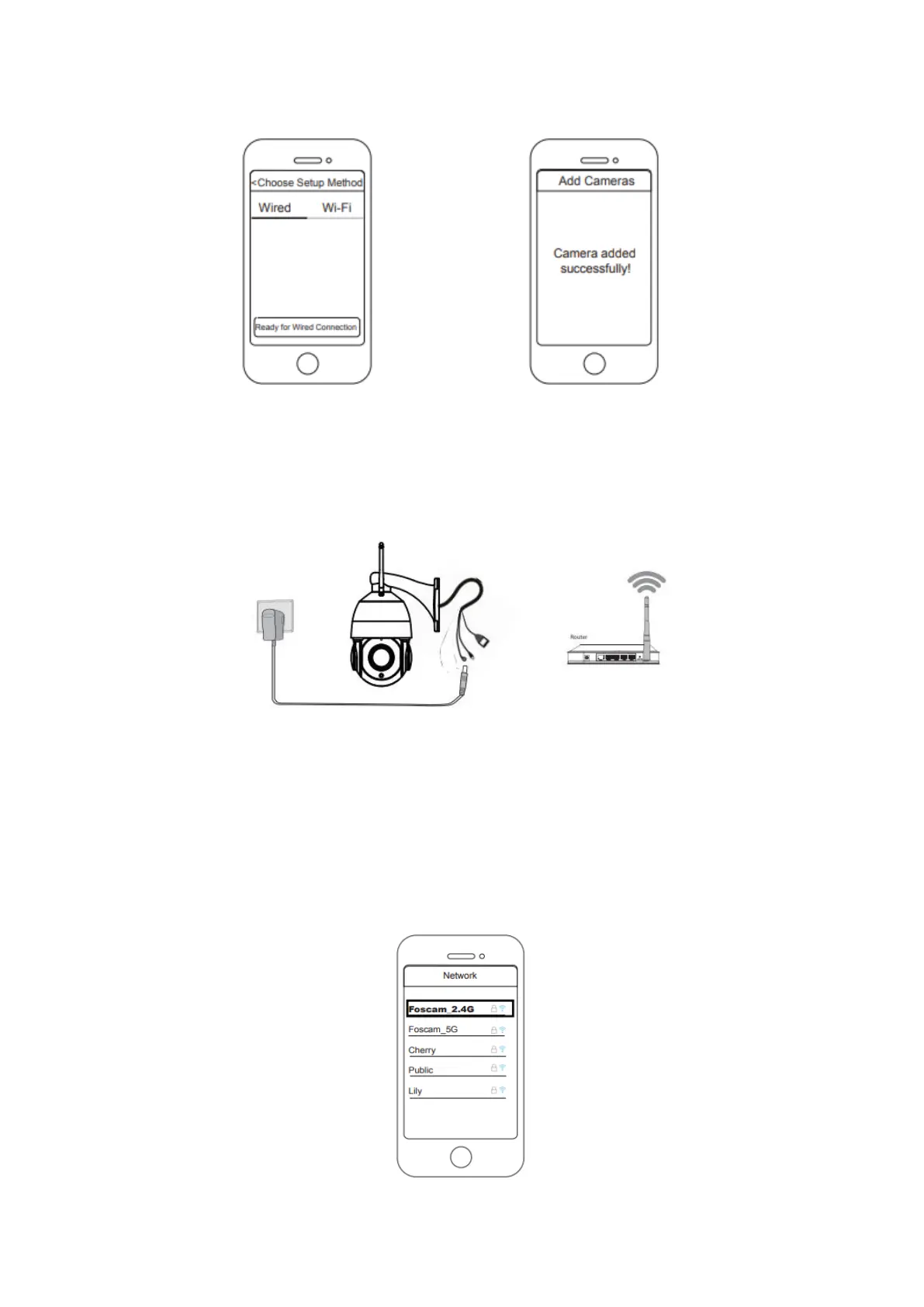
Once you’ve added your camera successfully using the wired connection method above,
tap your live camera feed from the My Cameras screen > tap the gear in the upper-right
> tap Network > tap the WiFi network you wish to connect to and enter your WiFi
password.
Note: The camera supports dual-band 2.4GHz & 5GHz WiFi, the speed of 5GHz WiFi is
hight but the penetrability is weak, so we suggest you use use the 2.4GHz WiFi when
there is a wall.



 To Next Page