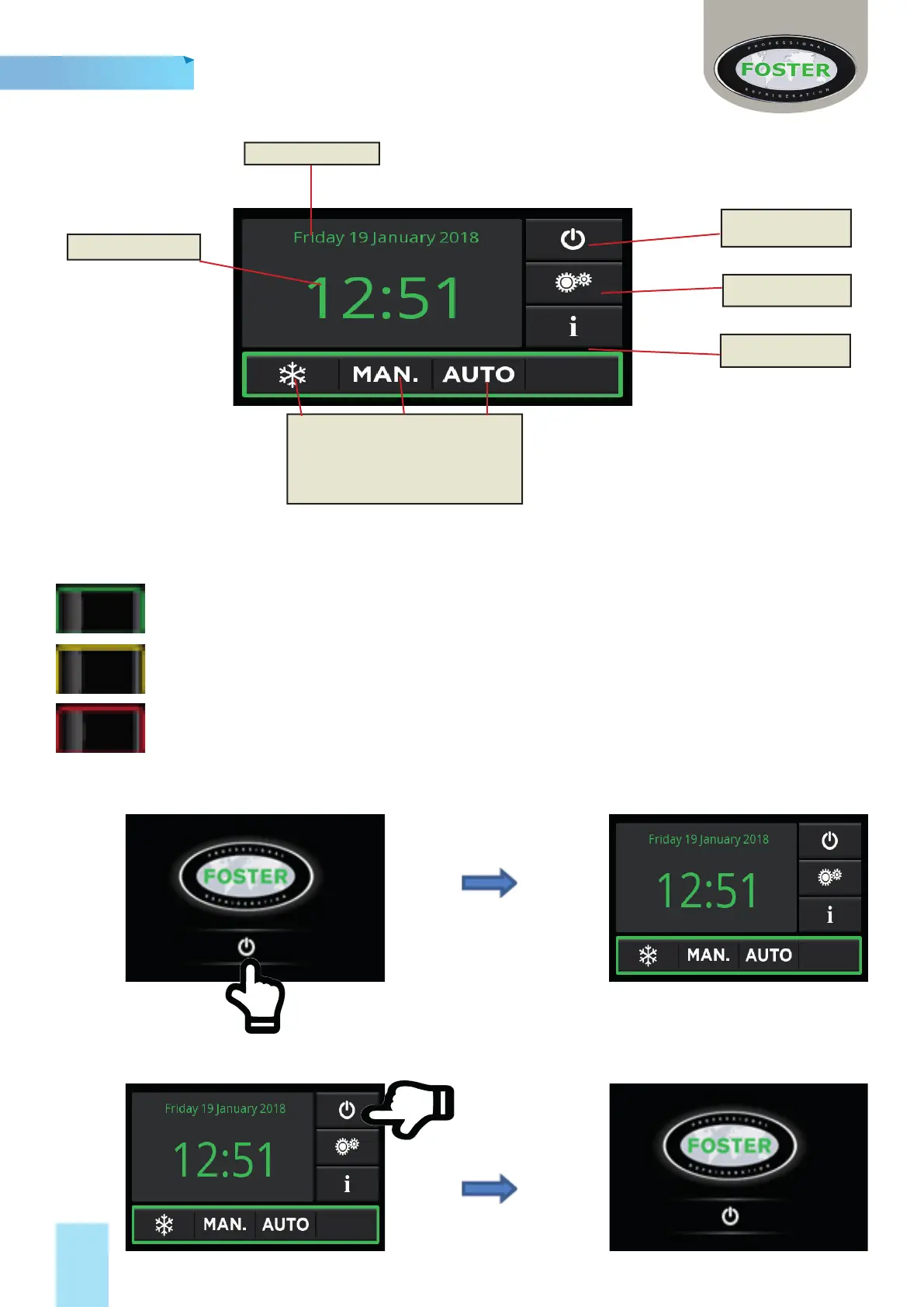
Display Overview
Date
Time
Opera onal Program bu ons
Storage, Manual & Automa c
Stand-by Bu on
Se ngs Bu on
Info Bu on
In order to provide a highly visible, readily understandable format for the operator, the display screen uses
a ‘surround signal’; a colour code that has phase specifi c meanings as follows:
Green – Normal opera ng mode - no interven on required.
Yellow – Program in opera on - no interven on required.
Red – Process or system issue – operator interven on required.
Switching ‘On’ from ‘Standby’
Switching to Standby
3 Secs
3 Secs
English
8
Opera ng Instruc ons


 To Next Page