EasyManua.ls Logo

Foster HR 410 - Controller Settings; BIT 20 B 11 E Controller Settings for 410 Models

Foster HR 410
18 pages
Print Icon
To Next Page IconTo Next Page
To Previous Page IconTo Previous Page
Loading...
5
Controller Settings
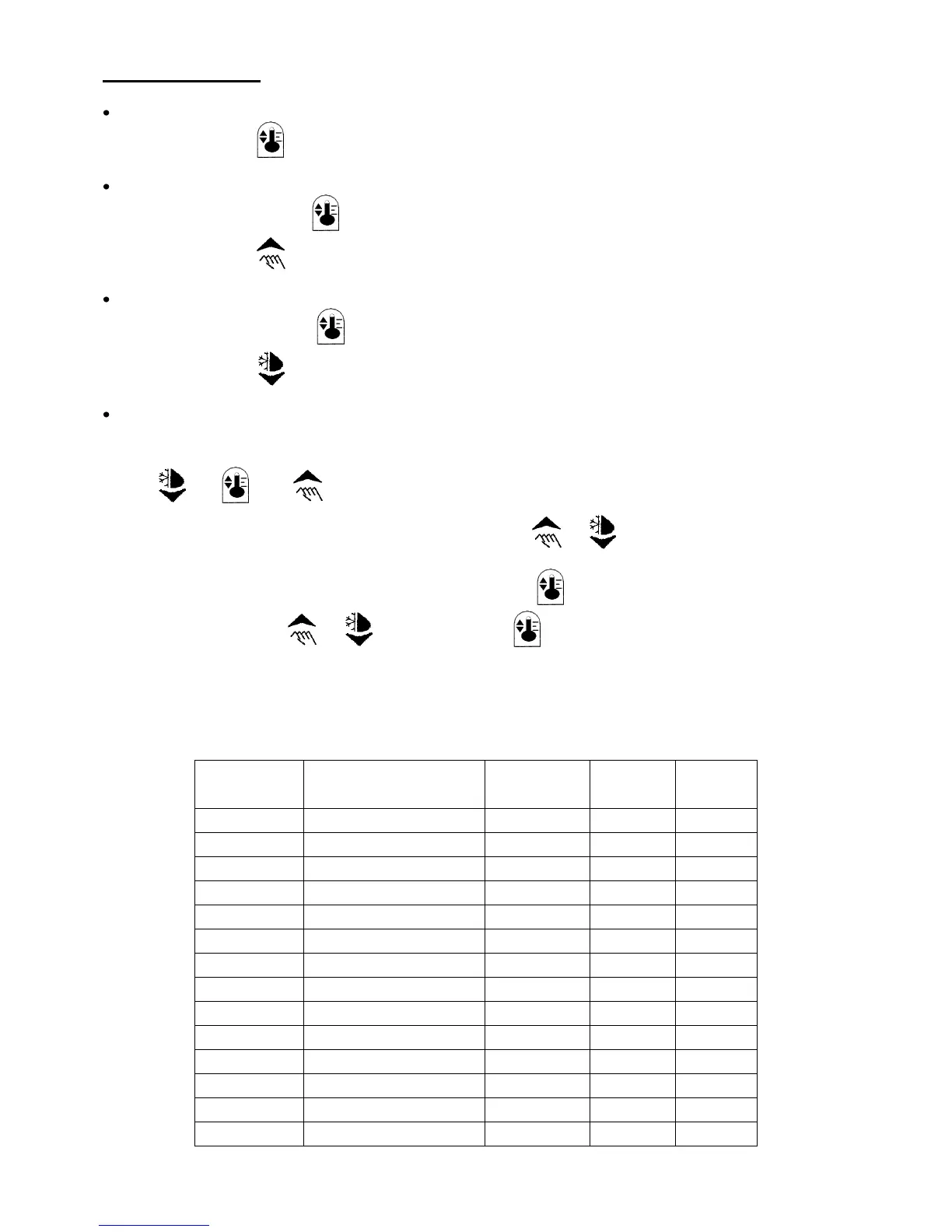
Check set point 1.
Press button 1
Increase set point
Press and hold button 1
Press button 2 until required temperature is displayed.
Decrease set point
Press and hold button 1
Press button 3 until required temperature is displayed.
Controller set up
Access to the controller is achieved by pressing in sequence:
+ + And holding the keys in for a period of 4 seconds.
It is possible to scroll through the parameters by pressing or .
The value of a selected parameter is checked by pressing and may be
Altered by pressing or whilst still pressing .
Exit from set up occurs after 15 seconds if no button is pressed.
BIT 20B 11E Controller settings for 410 models

Parameter
Description
Standard
Settings
HR 410
Settings
LR 410
Settings
SP
Temperature Set Point
3
3
-21
SL
Min. Set Point
-3
3
-21
Sh
Max. Set Point
12
3
-21
Hy
Hysteresis
3
3
3
cr
Compressor Min. Pause
3
4
4
cF
Operation with T1 Fail
0
0
1
dF
Defrost Frequency
6
4
0
dt
Max. Defrost duration
20
10
1
dL
Defrost Limit Temp
10
10
10
dm
Defrost Mode
1
0
0
dr
Drain Time
3
3
0
th
Display During Defrost
10
0
0
to
Display Offset
0
0
0
tS
Display Slow Down
3
0
0

Related product manuals