41
flashing
Effect Send Level Adjustment
2. Press the [CH STATUS/CH SEL] key of the channel
intended to adjust the effect send level.
The channel name and current setting of the channel
selected appears on the LCD. Press the [MASTER CH
STATUS/CH SEL] key to adjust the master send level.
Modifying Effect Type
1-1. Press the [EFF EDIT-EFF1] key.
The effect 1 selection menu appears along with the
currently set effect type.
2. Turn the [JOG] dial to select the effect type.
3. Press the [ENTER/YES] key.
The mode switches to the effect selected.
It is possible to adjust the parameters of the effect in this
state.
Example: Display when the [EFF EDIT-EFF1] key is pressed.
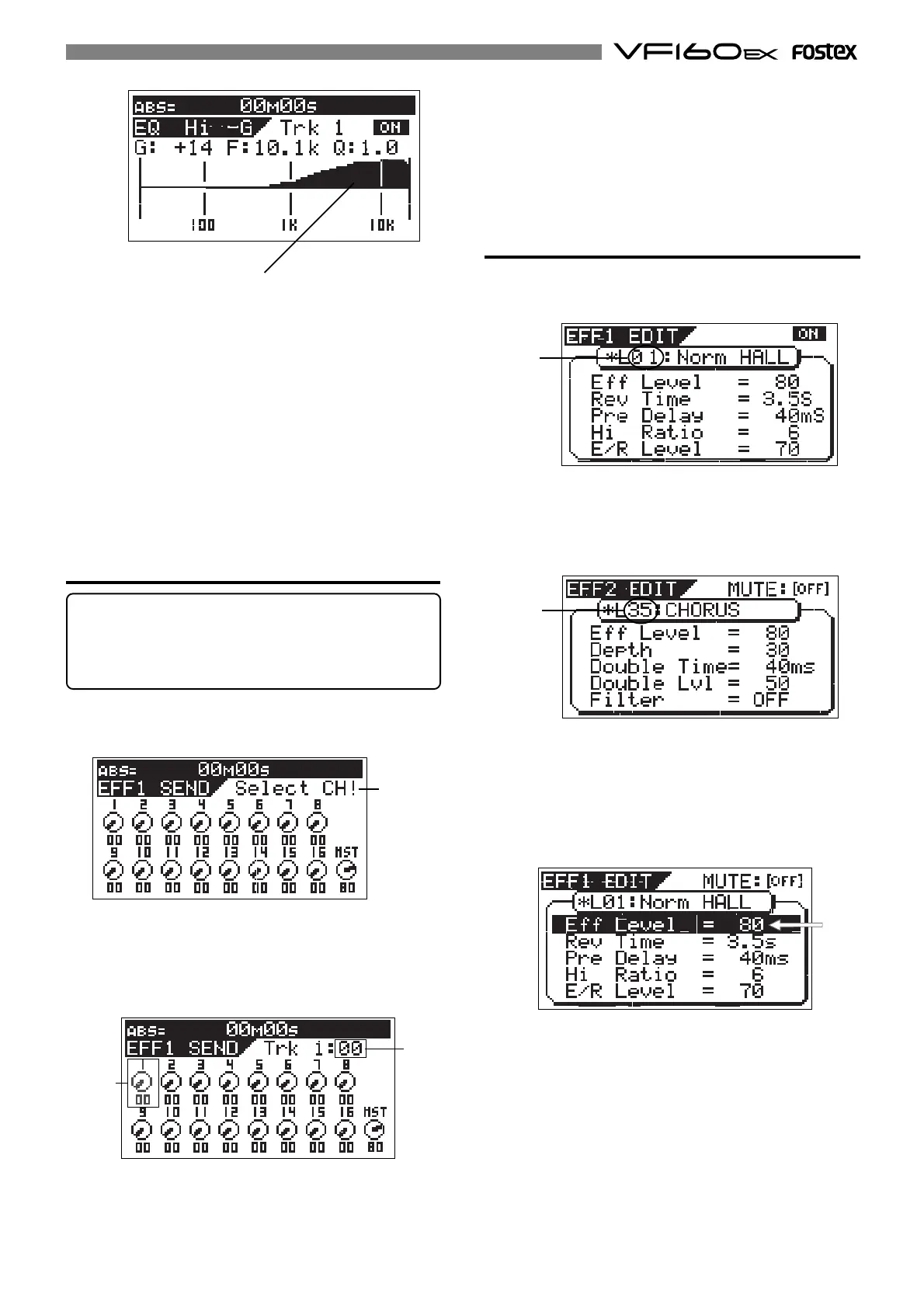
EQ curve
5. To adjust other items or another frequency range of the
equalizer, press again the [HI-G/F/Q] key, [MID-G/F/Q] key
or [LO-G] key. Then turn the [JOG] dial to modify the
parameter.
6. To adjust other channel, press the [CH STATUS/CH SEL]
key of that channel.
7. When adjustments are completed, press the [EXIT/NO] key.
The system returns to the Normal Display.
4. To adjust other channels, press the [CH STATUS/CH SEL]
key of that channel.
5. When adjustments are completed, press the [EXIT/NO]
key.
The system returns to the Normal Display.
Tips:
For fader-paired channels (set by the “Pair fader setting”
menu in the Setup mode) controlling the level for one chan-
nel affects both channels simultaneously.
See page 146 for details about how to pair faders.
1. Press the [CH PARAM EDIT-EFF1/EFF2] key.
Every time the key is pressed the mode alternates between
the EFF1 and EFF2 menu.
3. Turn the [JOG] dial to set the effect send level.
1-2. Press the [EFF EDIT-EFF2] key.
The effect 2 selection menu appears along with the
currently set effect type.
Example: Display when the [EFF EDIT-EFF2] key is pressed.
The parameter settings alternate every time the [EFF EDIT-
EFF1] key or [EFF EDIT-EFF2] key is pressed.
Turn the [JOG] dial to modify the parameters.
Only the effect type is modified here. For more details
refer to a later section.
4. When adjustments are completed, press the [EXIT/NO]
key several times.
The system returns to the Normal Display.
flashing
flashing
flashing
flashing



 To Next Page