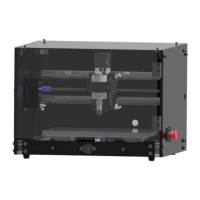
The FoxAlien 3018-SE CNC Router is a desktop CNC machine designed for engraving and milling various materials. This user manual provides comprehensive instructions for hardware assembly, software setup, debugging, and advanced usage features like Z-probe functionality.
Function Description:
The 3018-SE CNC Router is primarily used for precision engraving and carving on materials such as wood, plastic, acrylic, and soft metals. It operates by controlling the movement of a spindle (X-axis gantry and spindle assembly) across a Y-axis base, allowing for intricate designs and precise material removal. The machine is equipped with limit switches for X, Y, and Z axes, ensuring safe operation and preventing the spindle from exceeding its physical boundaries. An emergency stop switch is integrated for immediate shutdown in case of unforeseen issues. The control board, which is the brain of the machine, manages all motor movements, spindle speed, and communication with a computer via a USB port. It supports G-code commands, a standard language for CNC machines, enabling users to execute complex machining operations. The machine also features a cooling fan to maintain optimal operating temperatures for the electronics.
Important Technical Specifications:
- Axes: X, Y, Z (3-axis CNC router)
- Spindle: Integrated with the X-axis gantry.
- Control Board: Features dedicated ports for 12V Laser, X-axis, Y-axis, Z-axis motors, 12V Fan, E-stop, X/Y/Z Limit Switches, and Z Probe.
- Power Supply: 12V 5A.
- Connectivity: USB Port for communication with a computer.
- Software Compatibility: Grblcontrol (Candle) is the recommended software for operating the machine, supporting driver installation for Windows XP, 7, and 10.
- Driver: CH340SE USB-SERIAL driver.
- Spindle Speed Control: Adjustable, with a maximum speed of 10000 (unit not specified, likely RPM or a relative value).
- Rapid Speed: 2500 (unit not specified, likely mm/min).
- Acceleration: 100 (unit not specified).
- Status Query Period: 30 (unit not specified, likely seconds).
- Units: Millimeters (mm).
- Z-Probe Thickness: Customizable, with a default value of Z15, adjustable based on actual measurement (e.g., 15.04mm).
Usage Features:
- Easy Assembly: The manual provides a step-by-step guide for assembling the gantry, control board, side panels, emergency stop switch, cooling fan, back panel, corner connectors, and front/top panels. This modular design simplifies the setup process.
- Intuitive Wiring: Clear diagrams and labeled ports on the control board facilitate correct wiring of motors, limit switches, and other components.
- Software Control: The Grblcontrol (Candle) software allows users to:
- Connect to the machine: Establish a connection via the specified COM port.
- Move axes: Manually control X, Y, and Z axes using arrow keys with adjustable "Step" and "Feed" values for precise positioning.
- Spindle Test: Initiate and adjust spindle speed to verify functionality.
- G-code Loading: Open and preview G-code files for engraving or milling operations.
- Zeroing: Set the X, Y, and Z zero points on the workpiece surface, crucial for accurate engraving.
- Engraving/Milling: Execute loaded G-code files to perform machining tasks.
- Z-Probe Functionality: An advanced feature that automates the process of finding the Z-axis zero point. Users measure the Z-probe's thickness, input it into the software, and then use the Z-probe button to automatically detect the workpiece surface, ensuring consistent engraving depth.
- Emergency Stop: A prominent red button provides an immediate safety measure to halt all machine operations.
Maintenance Features:
- Cooling System: The integrated cooling fan helps dissipate heat from the control board, preventing overheating and ensuring the longevity of electronic components.
- Modular Design: The machine's modular construction, with separate panels and components, simplifies potential repairs or replacements.
- Driver Installation: The manual provides clear instructions for installing the necessary USB-SERIAL driver, ensuring proper communication between the computer and the CNC router.
- Debugging: The Grblcontrol software offers a console window that displays connection status and error messages, aiding in troubleshooting. Successful connection is indicated by "[CTRL+X] < Grbl 1.1f [‘$' for help]", while connection failures are reported as "Serial port error 1: No such file or directory".
- Warranty: The product comes with a 12-month limited warranty covering defects in material or workmanship under normal use. This includes repair or replacement of broken parts at the manufacturer's discretion, providing peace of mind for users. Technical support is available via email for any difficulties encountered during use.

 Need help?
 General

 To Next Page