63
4
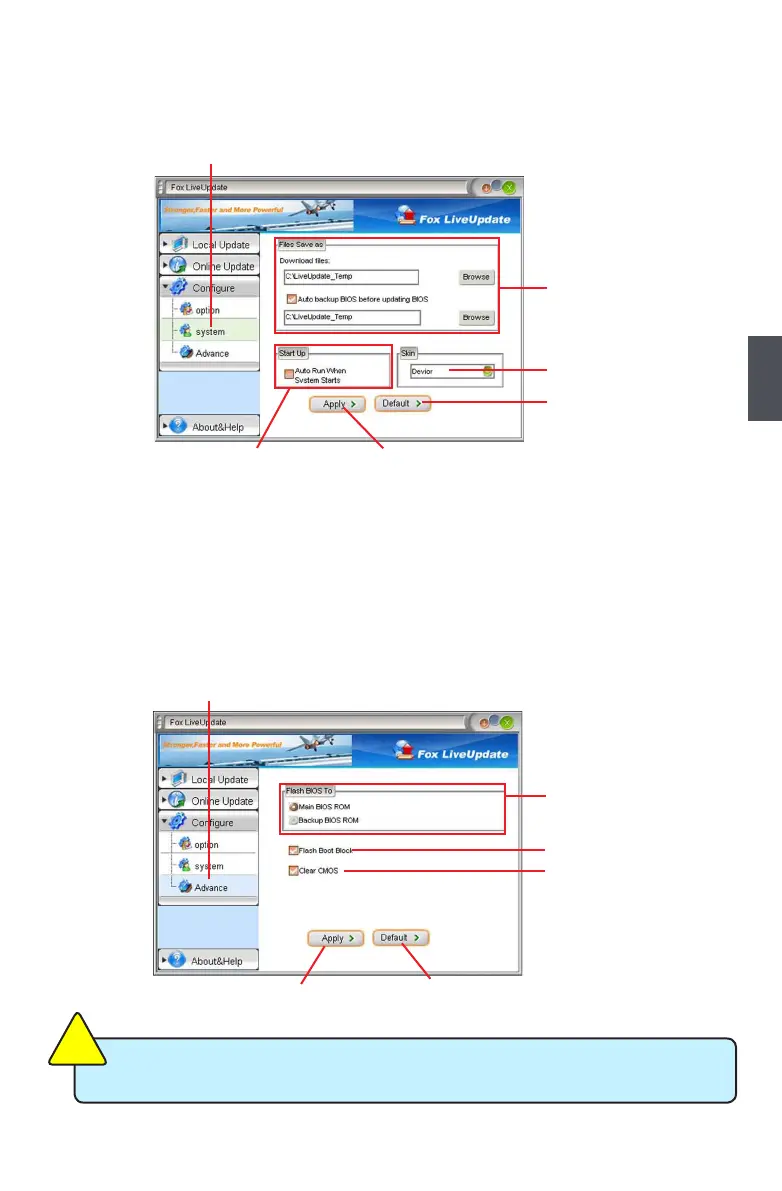
3-2 Congure - System
This page lets you set the backup BIOS location and change different skin of the Fox LiveUpdate
utility.
3-3 Congure - Advance
and without any interruption.
C
AU
TI
O
N
!
We recommend that you should better keep the default setting unchanged to avoid any
damage.
Click here
Set the location of
auto backup BIOS
Determine if the FOX LiveUpdate can
auto run when the system starts up
Select different skin
of the software
Apply the changes
Reset to default value
Click here
Select which BIOS ROM
Motherboard with backup
BIOS ROM )
Apply the changes
Reset to default value
Select to clear CMOS












 To Next Page