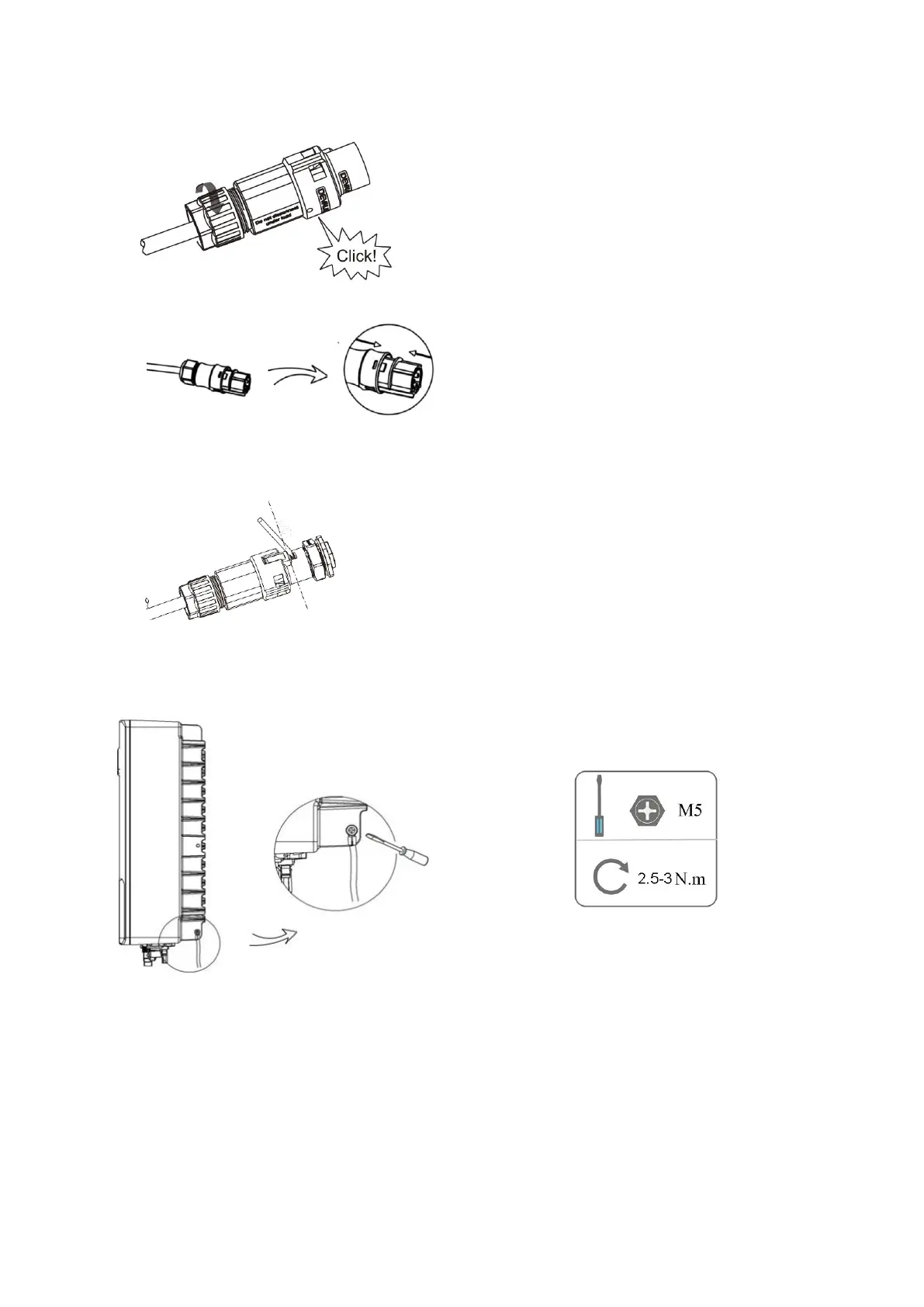
• Push the threaded sleeve into the socket, tighten up the cap on the terminal.
• Push the threaded sleeve to connection terminal until both are locked tightly on the inverter.
• Remove the AC connector, press the bayonet out of the slot with a small screwdriver or the unlock tool and
pull it out, or unscrew the threaded sleeve, then pull it out.
5.7 Earth Connection
Screw the ground screw with screwdriver as shown below:
5.8 Communication Device Installation (Optional)
This series inverter is available with multiple communication options such as WiFi, LAN, GPRS, RS485, Meter and
USB with an external device.
Operating information like output voltage, current, frequency, fault information, etc., can be monitored locally or
remotely via these interfaces.



 To Next Page