32
7. Firmware Upgrading
User can upgrade inverter's firmware via a U-disk.
• Preparation
Please ensure the inverter is steadily powered on.
Inverter must keep the battery on through whole procedure of upgrading. Please prepare a PC and make
sure the size of U-disk is under 32G, and the format is fat 16 or fat 32.
Caution!
Please DO NOT apply USB3.0 U-disk on inverter USB port, the inverter USB port only
support for USB2.0 U-disk.
• Upgrading steps:
Step 1: Please contact our service support to get the update files, and extract it into your U-disk as follow:
update/master/ H1_master_vx.xx.bin
update/slave/ H1_slave_vx.xx.bin
update/manager/ H1_manager_vx.xx.bin
Note: vx.xx is version number.
Warning: Make sure the directory is in accordance with above form strictly! Do not modify the program file
name, or it may cause the inverter not work anymore!
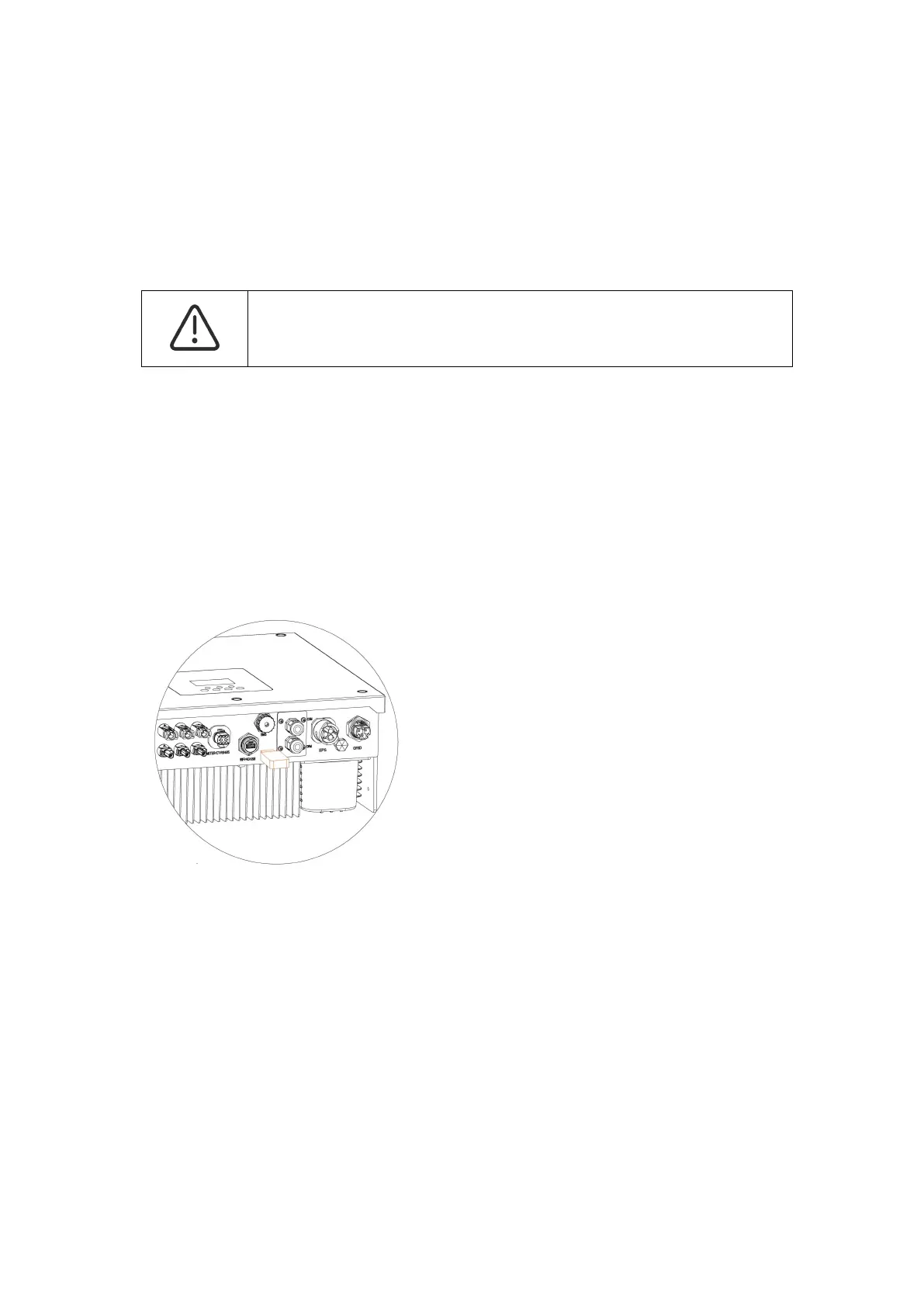
Step 2: Unscrew the waterproof lid and insert U-disk into the "USB" port at the bottom of the inverter.
Step 3: The LCD will show the selection menu. Then press up and down to select the one that you want
to upgrade and press "OK" to confirm to upgrade.
Step 4: After the upgrade is finished, pull out the U-disk. Screw the waterproof lid.



 To Next Page