5
black plastic battery tray. This tray is double-sided, providing
space for 8 ‘AA’ batteries. The tray is connected to a power
cable inside of the Firestorm. You may unplug this cable and
remove the tray from the caller during battery installation.
2. Place the batteries into each battery cavity while observing
polarity as indicated.
3. Reconnect the power cable to the tray and place the tray back
into the Firestorm.
4. Secure the door back to the Firestorm.
1-4 TX9 Remote: First Glance
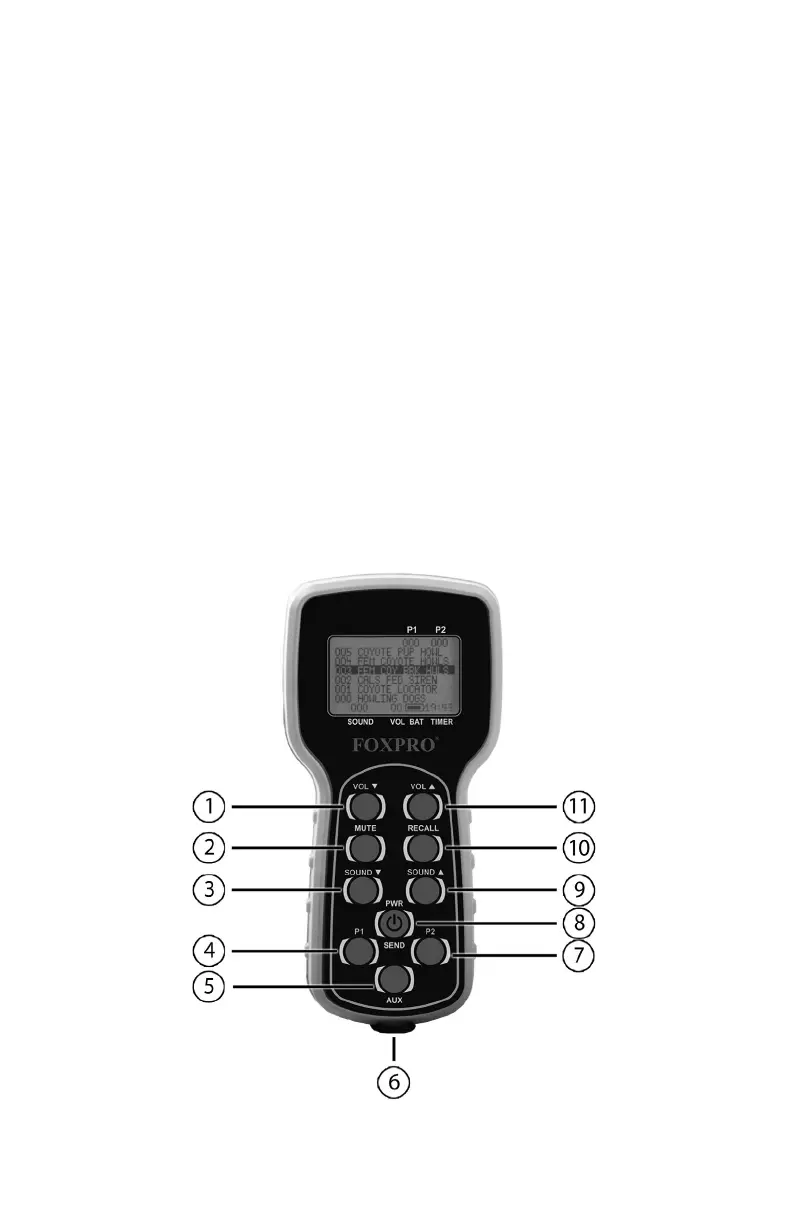
The following graphic depicts the TX9 remote. Certain aspects of the
remote are marked with a number which corresponds to the numbered
list after the image defining that element.



 To Next Page