19
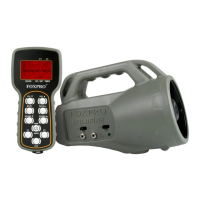
• Always maintain a clear line of sight between the remote control
and the Wildfire 2. Any obstructions—no matter how significant
or insignificant—can adversely affect the radio signal.
• Try to keep the remote control approximately six inches away
from your body, gun barrel, and metal shooting sticks as these
things can detune the remote control.
• Hold the remote control vertically with the antenna pointing
skyward.
• Avoid using the device remotely when you are near power lines,
cellular phone towers, and radar (such as near airports or
military installations).
• Try to elevate the caller off the ground by approximately three
feet. This can greatly maximize your overall remote-control
range. Achieving this can be done by using the integrated tripod
mount located on the bottom of the Wildfire 2.
• If you are using the Wildfire 2 remotely from a long distance, be
sure to allow enough time for device reaction before sending
multiple signals. For example, if you request a sound change,
consider the amount of time from radio transmission from the
remote to the Wildfire 2 until that signal is turned into a change
in operation that you can perceive. It will not always be
instantaneous and may take a second or two before a change in
operation is detected from your vantage point. Mashing down
button after button can get the device into a state of confusion
which could result in undesirable results.
10. FCC & IC Information
FCC Information
NOTE: This equipment has been tested and found to comply with the
limits for a Class B digital device, pursuant to Part 15 of the FCC Rules.
These limits are designed to provide reasonable protection against


 To Next Page