9
3. After highlighting a sound that you wish to play, press the
power/send button a single time. This action transmits a radio
signal to the Wildfire 2 telling it to begin playback of the
selected sound. Notice that the sound number you selected is
displayed on the TX9 LCD panel on the bottom left.
4. Raise your volume level by pressing the volume up button. To
rapidly ramp your volume, press and hold the volume up button.
There are a total of 20 volume steps to choose from.
5. If you wish to mute or pause the sound, simply push the mute
button a single time. To make the sound play again, push the
mute button once more.
6. To switch sounds, follow the instructions in step 2.
7. To turn off the TX9, press and hold the power/send button for 4-
5 seconds. A message will appear displaying “Release key to turn
off transmitter.” As soon you as see the message, release the
power button.
2-2 Using Presets (P1 and P2)
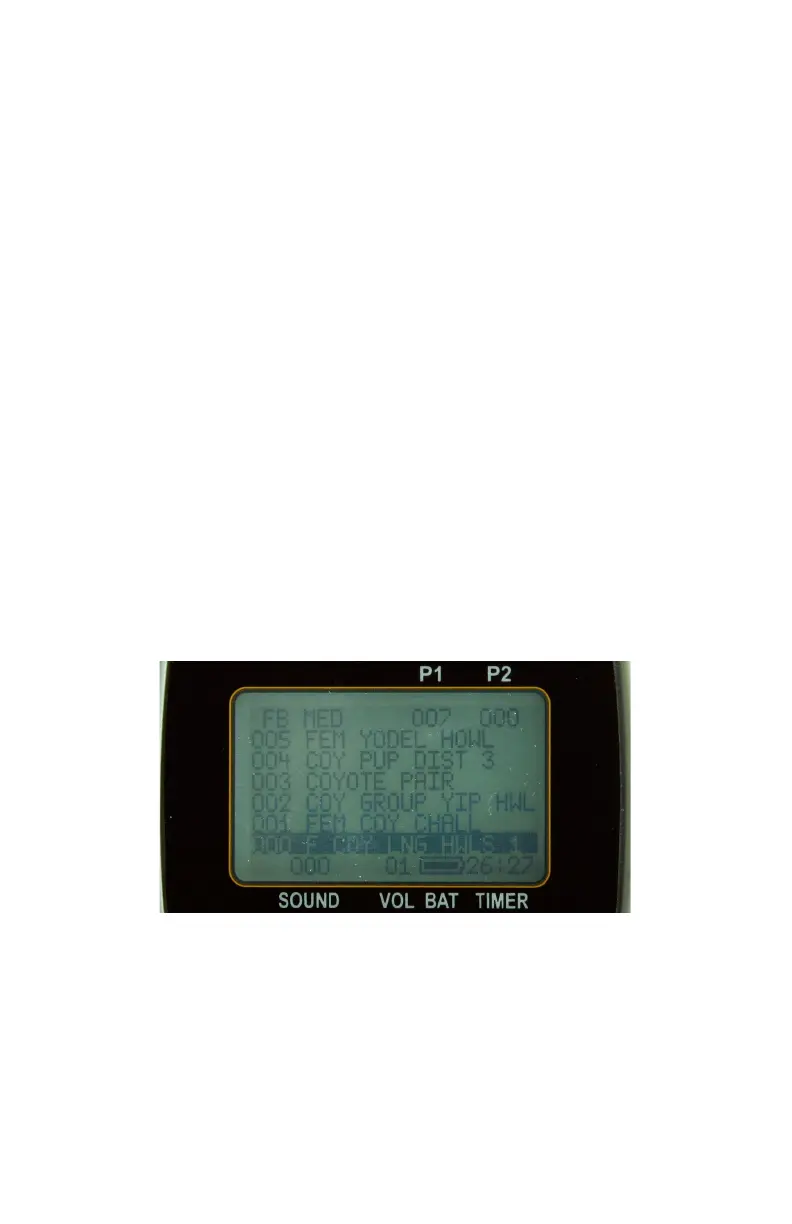
The TX9 features two presets. Each preset provides you with one
button access to your most frequently used sounds. The stored sound
number of each preset is shown in the right corner of the top status line
(see image below).
To assign a preset, perform the following:



 To Next Page