DRAFT v0.3 English, 01 Mar 2012
- 7 -
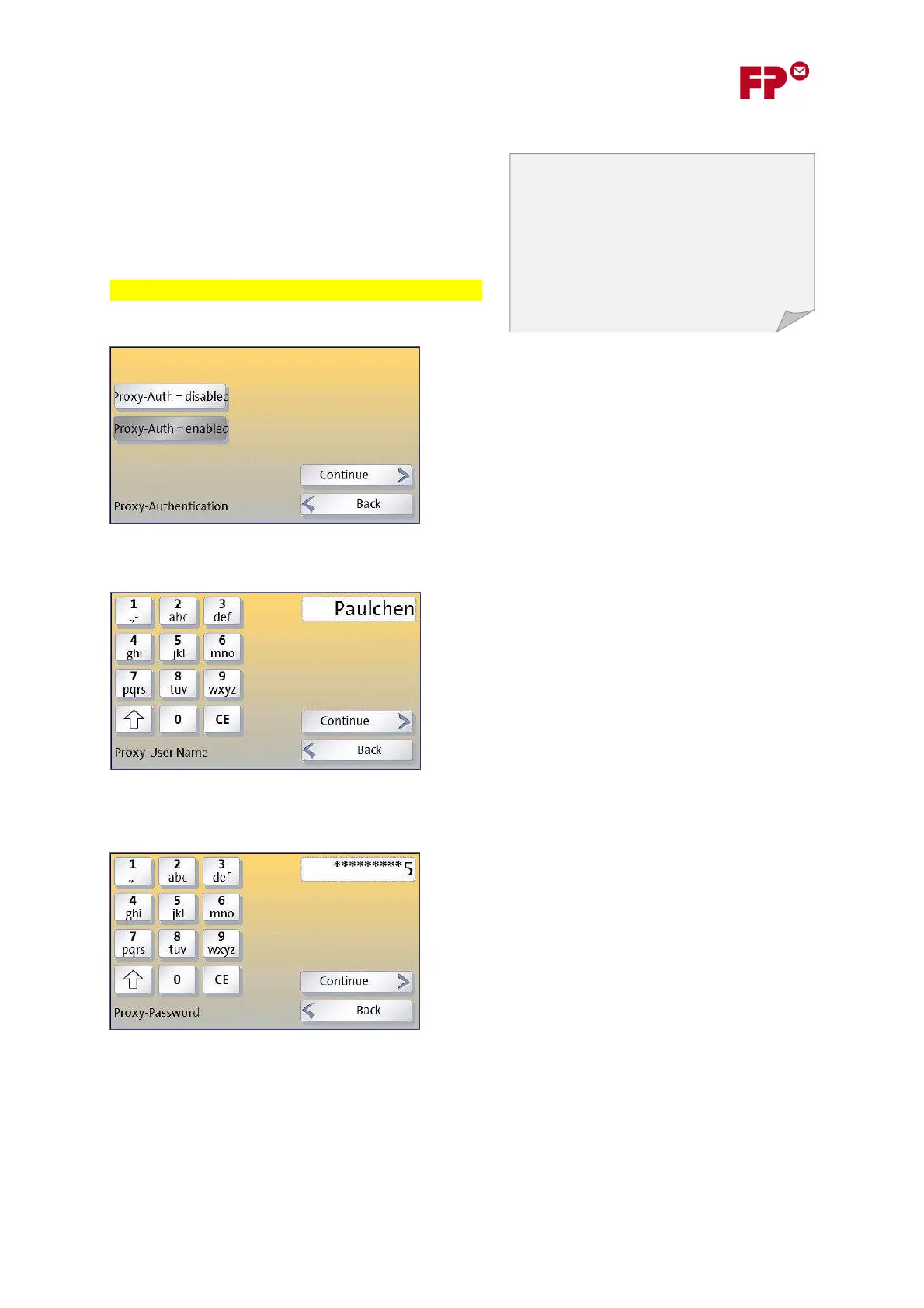
3) Specify whether your proxy requires Authentication
If your proxy server needs authentication, then you
must set P
ROXY
-A
UTH
=E
NABLED
here and enter the
details on the next wizard pages.
Looks awful. Use Off/On instead of enabled/disabled!
If in doubt, contact your network administrator. If the
proxy needs authentication they may need to give you
a special user name and password for the device.
3a) Enter the User Name
An alpha-numeric keyboard will appear on the display
in which you can enter the user name. This keyboard
functions in a comparable way to similar keyboards on
mobile phones - touching the button a number of
times rapidly will cycle through the possible values.
Touching another button, or waiting for a second or
so, will cause the selected value to be entered.
3b) Enter the Password
You can enter the password in a similar way. It
operates slightly differently in that, once the character
has been selected, it is then displayed only as “*”.
This completes the entry of the proxy server details - touching ‘C
ONTINUE
’ will take you to the next
part of the wizard.
Often a proxy server needs to know who is
talking to it - to confirm that it is a known
user of the organization’s network who is
authorized to have access to the Internet. Any
device will then have to log-on to the proxy
server with its own user name and password.
This process is called ‘authentication’.



 To Next Page