DRAFT v0.3 English, 01 Mar 2012
- 8 -
A network infrastructure in any
organization will usually be split
up into ‘subnets’ that connect
associated groups of users. In this
case the full IP address can be
seen as having two parts - a prefix
that identifies the subnet and the
remainder that identifies a device
in the subnet. The subnet mask
shows how much of the IP address
is formed by the prefix and how
much by the rest. A typical subnet
mask might look like
‘255.255.127.000’.
e usually refer to websites by
their web-address or ‘URL’, for
example www.francotyp.com. In
fact though these are just labels
and actually computers just use IP
addresses. The Domain Name
System refers to a special type of
computer server that translates
web addresses into IP addresses.
Hence a DNS server would return
80.67.28.145 when asked for the
address of www.francotyp.com.
an organization’s network
is split into a number of subnets,
then the ‘gateway’ is the device
that allows the traffic to flow out
of the subnet and into the
organization’s wider network
infrastructure - including other
subnets and to the Internet (in this
case, often through a proxy
server). This default gateway will
also have
an IP address.
6 Manual Configuration of an Ethernet Connection
Larger organizations may want to have explicit control over the IP addresses of the devices
connected to their networks. Here, IP addresses will be individually allocated to each device by the
network administrator and must remain fixed. In this case you will have to enter the allocated IP
address manually into your PostBase meter.
Firstly you will have to contact your network administrators to ask them for an IP address. The
information they may need is summarized in section 10 - there is also a table to record the details.
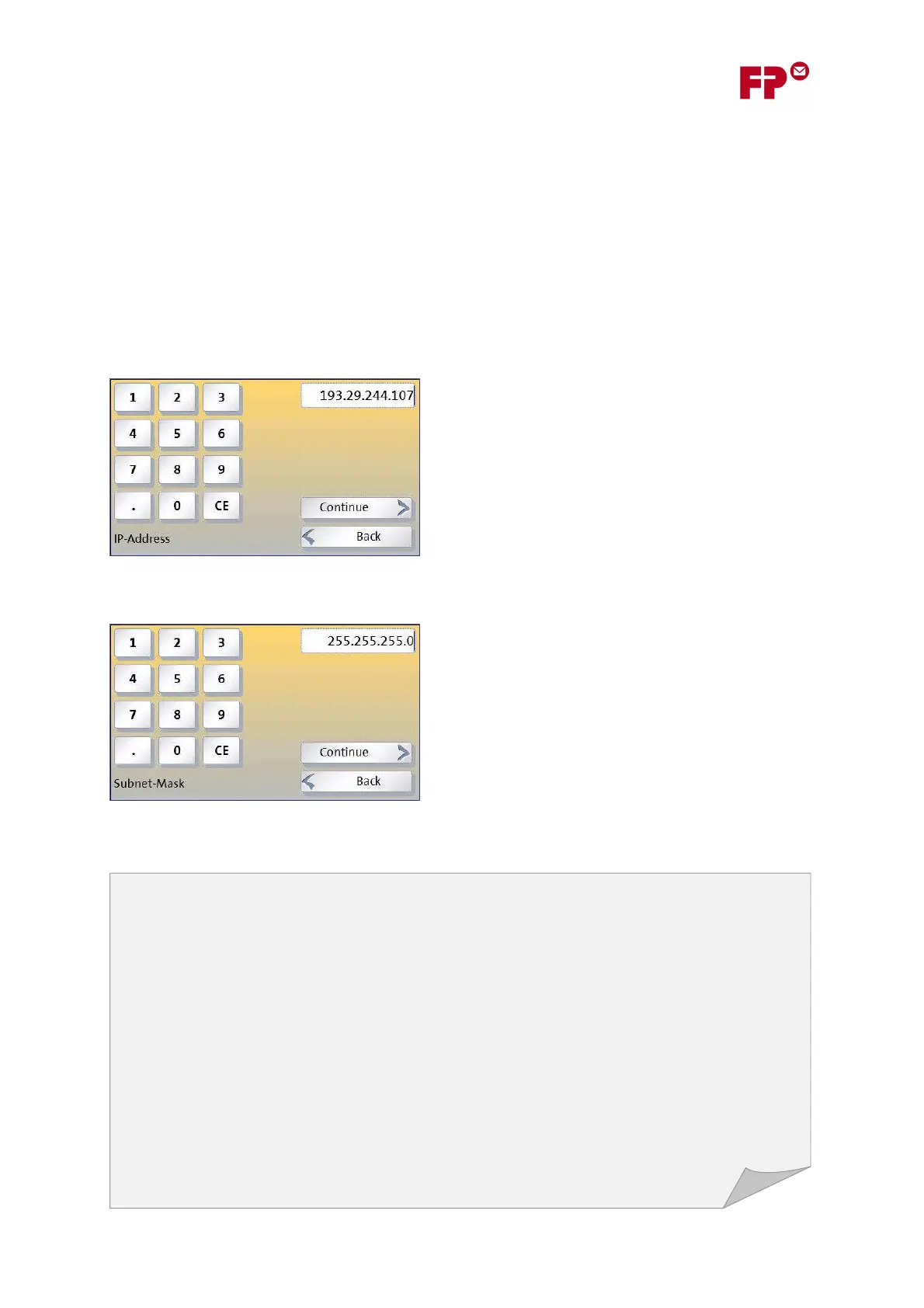
1) Enter the meter’s IP Address
Use the numeric keypad to enter the number, as four
groups of up to 3 digits. Don’t forget the separating
points!
2) Enter the meter’s Subnet Mask
Similarly to the IP address, enter the subnet mask. You
can get this from your network administrator, or
follow the instructions given in section 7.



 To Next Page