DRAFT v0.3 English, 01 Mar 2012
- 9 -
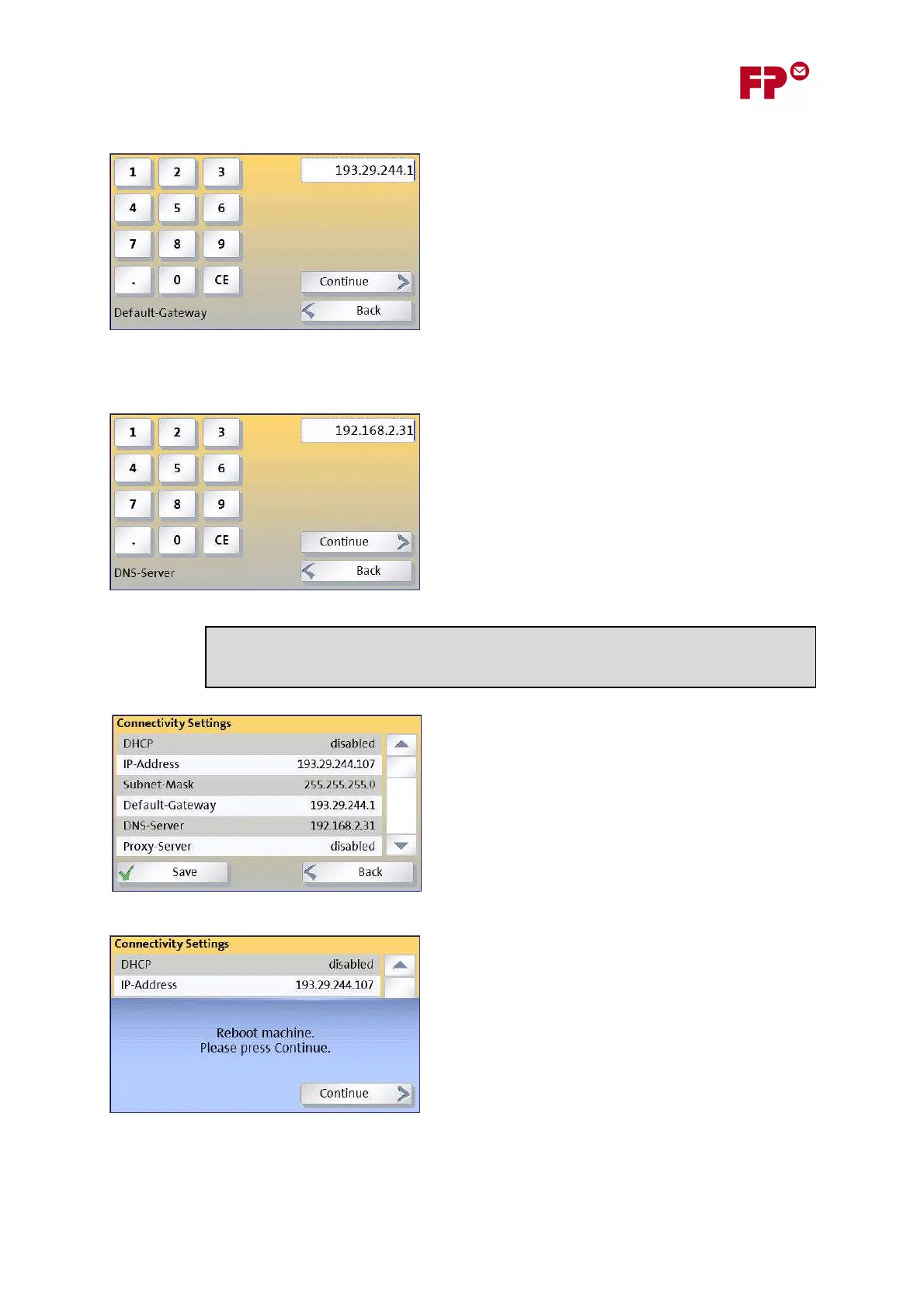
3) Enter the Default Gateway address
Enter this in the same way as the IP address in step
(1).
4) Enter the DNS server address
Again, use the same method as in step (1).
Finally, before saving the information, a summary will
be shown of all the entries, including the manual IP
address and the proxy server.
Check these through before touching on ‘S
AVE
’.
In the case of manual configuration, the PostBase
meter must restart before the settings will become
active. This happens automatically.
On rebooting the configured connection will be
tested. If there is a problem, the wizard will return.
If all goes well, PostBase will now continue with the remainder of its configuration…
The next pages of the wizard let you
set up details of your organization’s
proxy server. This is described in section 5.



 To Next Page