04
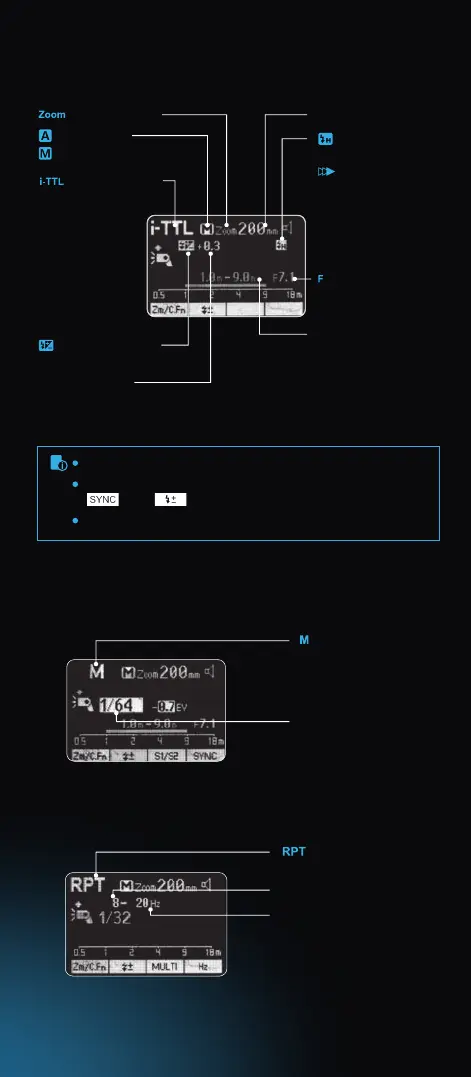
The display will only show the settings currently applied.
The functions displayed above buttons 1 to 4, such as
and , change according to settings’ status.
When a button or dial is operated, the LCD panel is illuminated.
LCD Panel
(1)i-TTL Autoash
: Zoom display Focus length
: Automatic
: High-speed sync
: Second
curtain sync
: Aperture
: Manual
: i-TTL autoash
Eective ash range
: Flash exposure
compensation
Flash exposure
compensation amount
Number of ashes
Flash frequency
(Hz=Flashes per Second)
(3)Multi Flash
: Stroboscopic ash
(2)M Manual Flash
: Manual ash
Manual ash output
08. Hotshoe
09. Dot-marix LCD Panel
10. Lock Ring
11. Battery Compartment
12. USB Port for Firmware Upgrades
13. Slave Flash Ready Indicator
14. External Power Supply Socket



 To Next Page