15
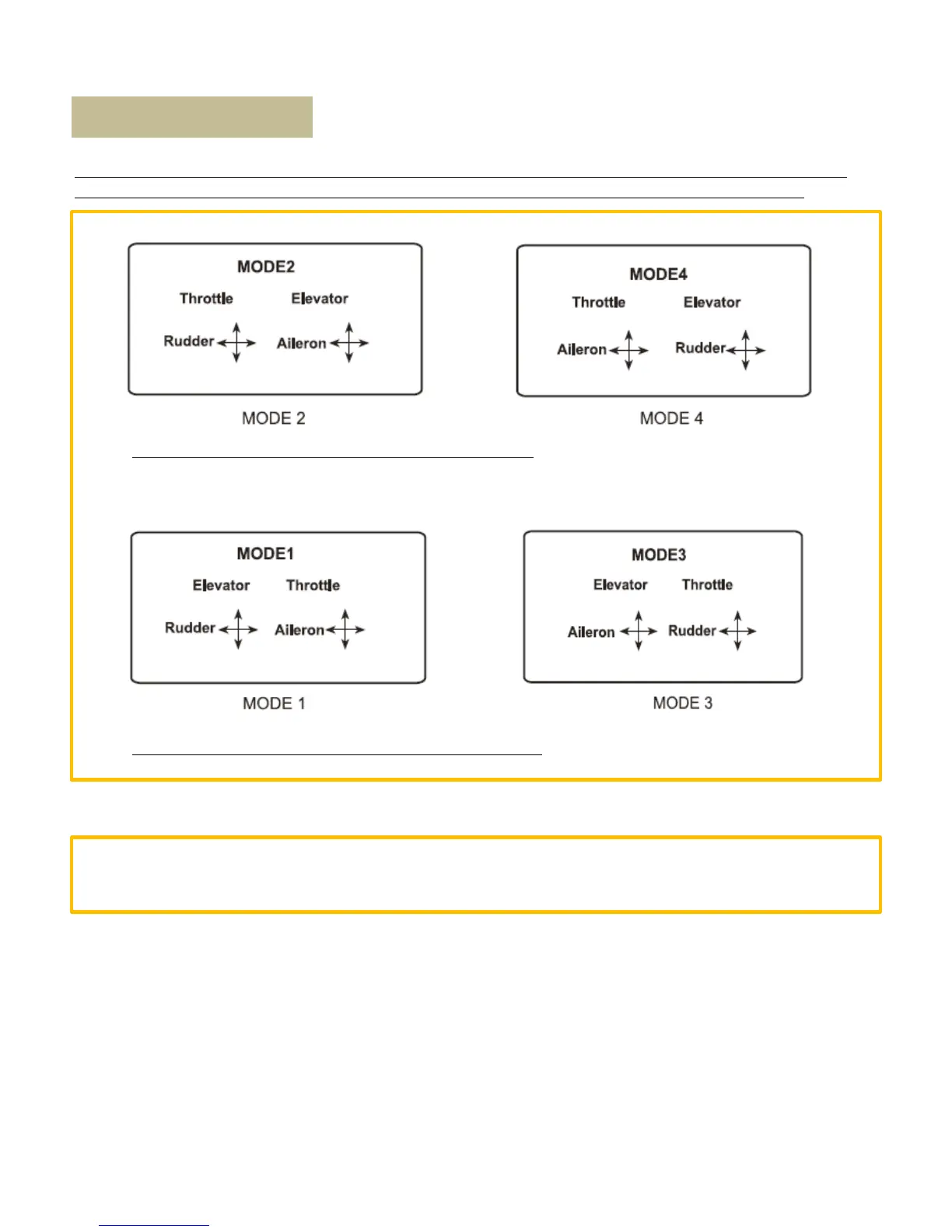
Press ENT enter to “SYSTEM” menu, press ENT again, press DN to choose “STMOD”, press ENT to choose left-
hand mode or right-hand mode (left-hand mode is MODE2, right-hand mode is MODE1)
MODE 1 and MODE 3 are configured for right-hand throttle
MODE 2 and MODE 4 are configured for left-hand throttle
There are total four stick modes from MODE 1 to MODE 4. The left-hand throttle includes MODE2 and MODE 4,
and the right-hand throttle includes MODE1 and MODE3. Each MODE’s configuration diagram is as below
Stick Mode Select



 To Next Page