16
Using the Fixed ID function allows users to create a unique relationship between transmitter model data and the
Corresponding model’s receiver. It significantly speeds up the binding process and also prevents mistakenly flying
An aircraft with the incorrect transmitter model selected.
1> Fixed ID Setup
9 To start the Fixed ID setup it is important that the transmitter and receiver have successfully completed automatic
ID binding process.
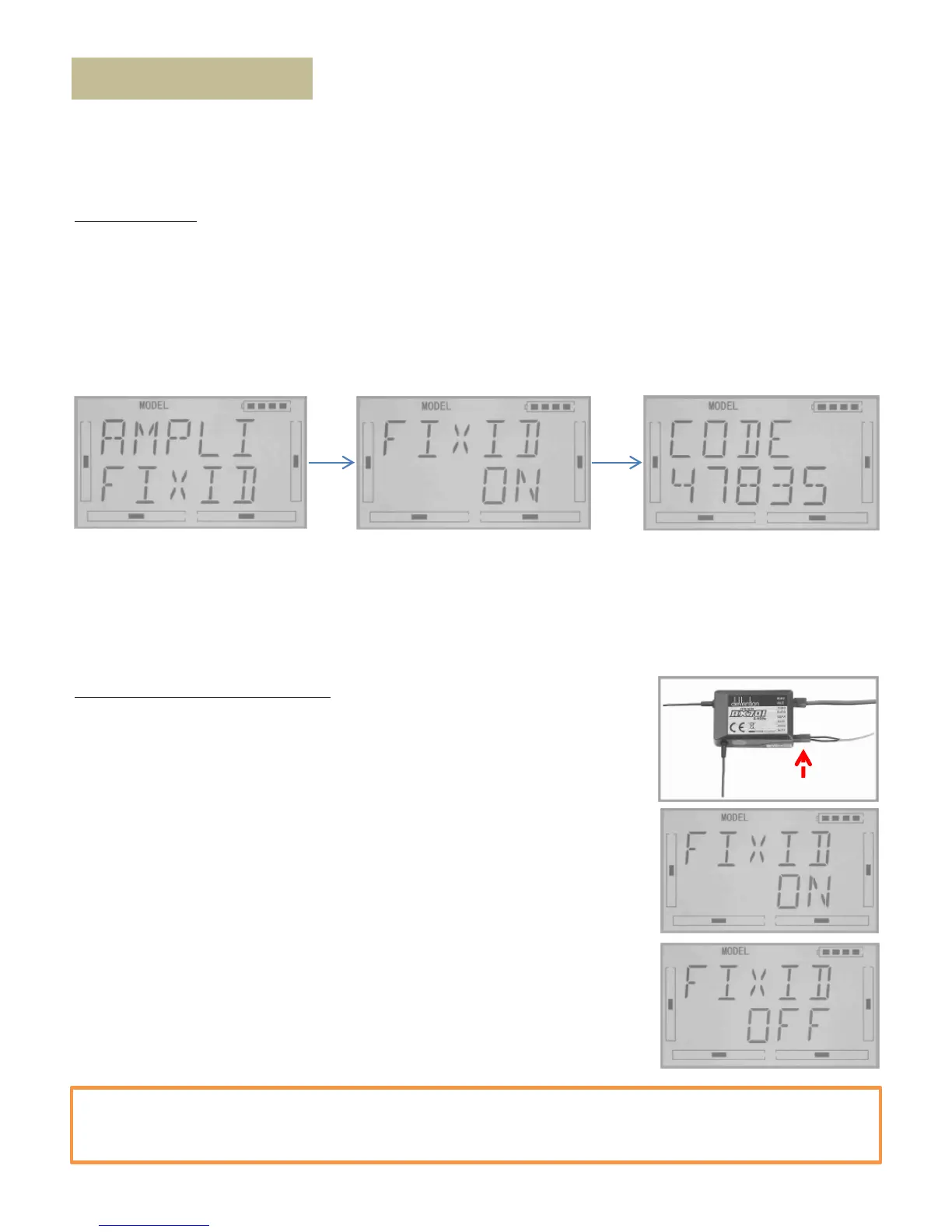
9 Once the transmitter and receiver are paired a Fixed ID can be set as described below. Press “ENT”Button on the
main panel and a flashing “SYSTEM” will display in the LCD. Use UP or DN to cycle through the options Until “MODEL”
appears flashing. Press “ENT” again to enter into “MODEL” edit menu. Press UP or DN until a flashing “FIXED” is
displayed, press “ENT” to enter the Fixed ID menu. The current status is displayed. Use R or L toggle between modes
and set to “ON”. Press DN to confirm and enter the Fixed ID code setting screen.
Fixed ID (FIXID)
9 Press ENT to change the code data, use R and L to change the code values, press DN to move to the next digit, UP to
move to previous digit. After setting the desired code press ENT, “RUN” will be displayed. Use R or L to change NO to
YES and press ENT to confirm and execute the binding process. After binding the display will return to MODEL menu
automatically.
2> Cancelling/Resetting the Fixed ID
9 If you wish to change the receiver Fixed ID model back to random ID, insert the
included BIND PLUG into the output terminal BATT before the receiver is powered
on. Connect 5V DC power to the Throttle channel (Power ON Mariner). The red LED
of the receiver will flash slowly.
9 Remove the BIND PLUG. The Fixed ID code has been cancelled.
9 After the receiver’s Fixed ID is reset it should also be reset in the Transmitter:
9 Refer to the instructions of Fixed ID setting above. When the following “CODE”
image is displayed on screen, press the UP button.
9 When “FIXED ON” is displayed, use the R or L to toggle to “OFF”. Press ENT to
confirm and EXT to exit.
Important Note:
The Mariner controller is Fixed ID in factory. It will greatly enhance the IOC fly with the fast binding. We strongly
recommend not to cancel the Fixed ID before you 100% ensure you completely master everything of Mariner.



 To Next Page