The GPS module has a built-in magnetic field sensor for measuring the geomagnetic field, which is not the same in
different areas. The GPS module will not work unless the Compass Module has been connected. Make sure the Compass
Module connections are correct.
Please always keep the compass module away from the magnet. If this situation occurs please change the compass
module before flying. Otherwise it may damage the compass module and lead the aircraft to work abnormally or even be
out of control.
Calibrate the compass before the first flight or when flying in a different area. Make sure to keep away from
ferromagnetic substance and other electronic equipment when calibrating or flying. If you keep having calibration failure,
it might suggest that there is magnetic interference or other ferromagnetic substance, please avoid flying in this area.
If you have calibration failure or the LED blinks red and yellow lights alternately ( ), please connect to the
NAZA Lite Assistant Software, select the “Tools” tab and follow the tips of the “IMU Calibration” to do operation.
GPS & Compass Calibration
1. Quickly switch the control mode switch from Manual Mode to GPS ATTI.
Mode and back to Manual Mode for 6 to 10 times, The LED indicator
will turn to constantly yellow.
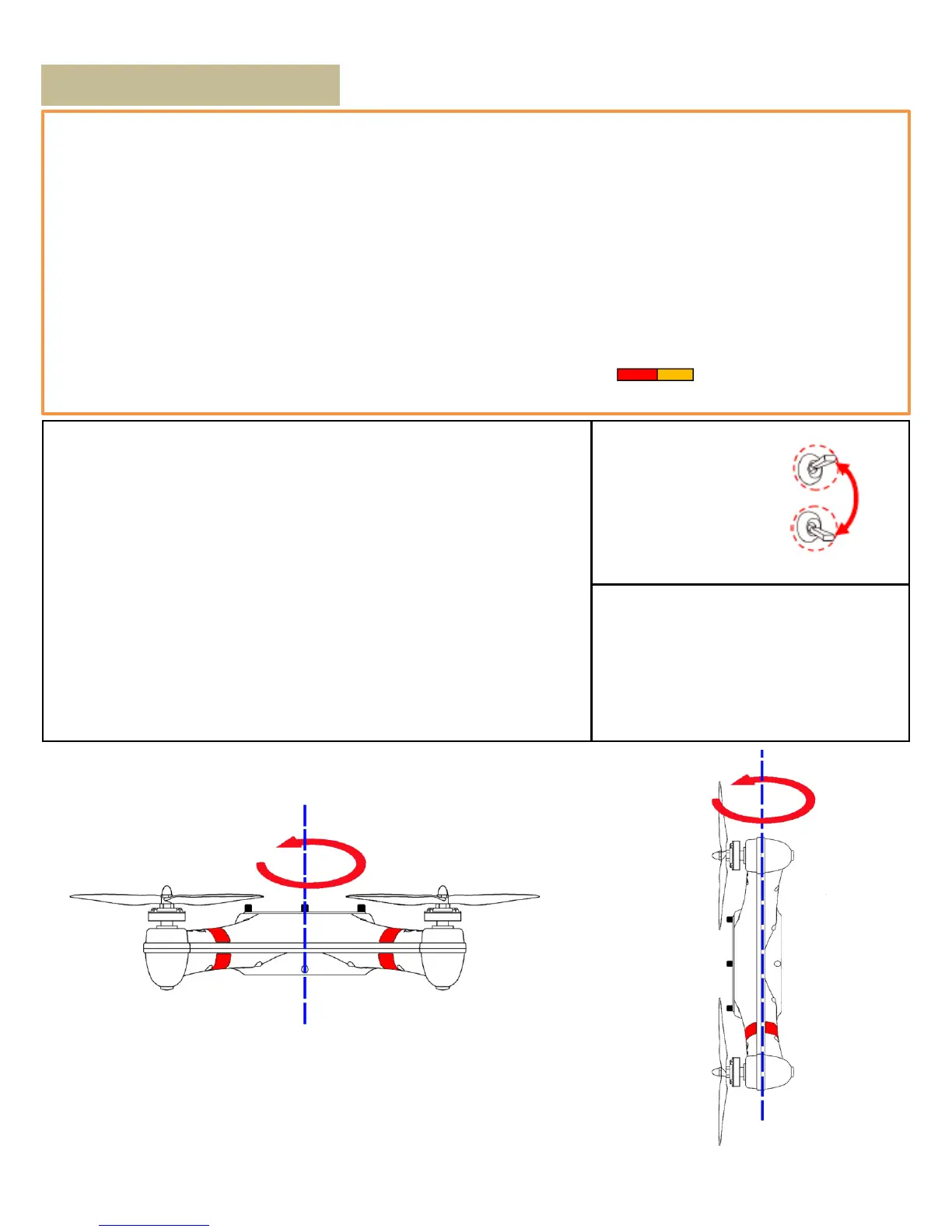
2. Rotate your aircraft around the horizontal axis (about 360o) until the
LED changes to constant GREEN, and then go to the next step.
3. Hold your aircraft vertically and rotate it (its nose is downward) around
the vertical axis (about 360o) until the LED turns OFF, meaning the
calibration is finished.
If the calibration has failed, the LED keeps flashing quickly RED. Switch
the control mode switch one time to cancel the calibration, and then re-
start from step 1.
GPS ATTI. Mode
Manual Mode
Manual Mode->GPS ATTI. Mode ->
Manual Mode is one timeˈquickly switch
6 to 10 times
-> Final stay at Manual Mode
Horizontal Rotation
Horizontal Rotation
8



 To Next Page