Frama F-Link
18
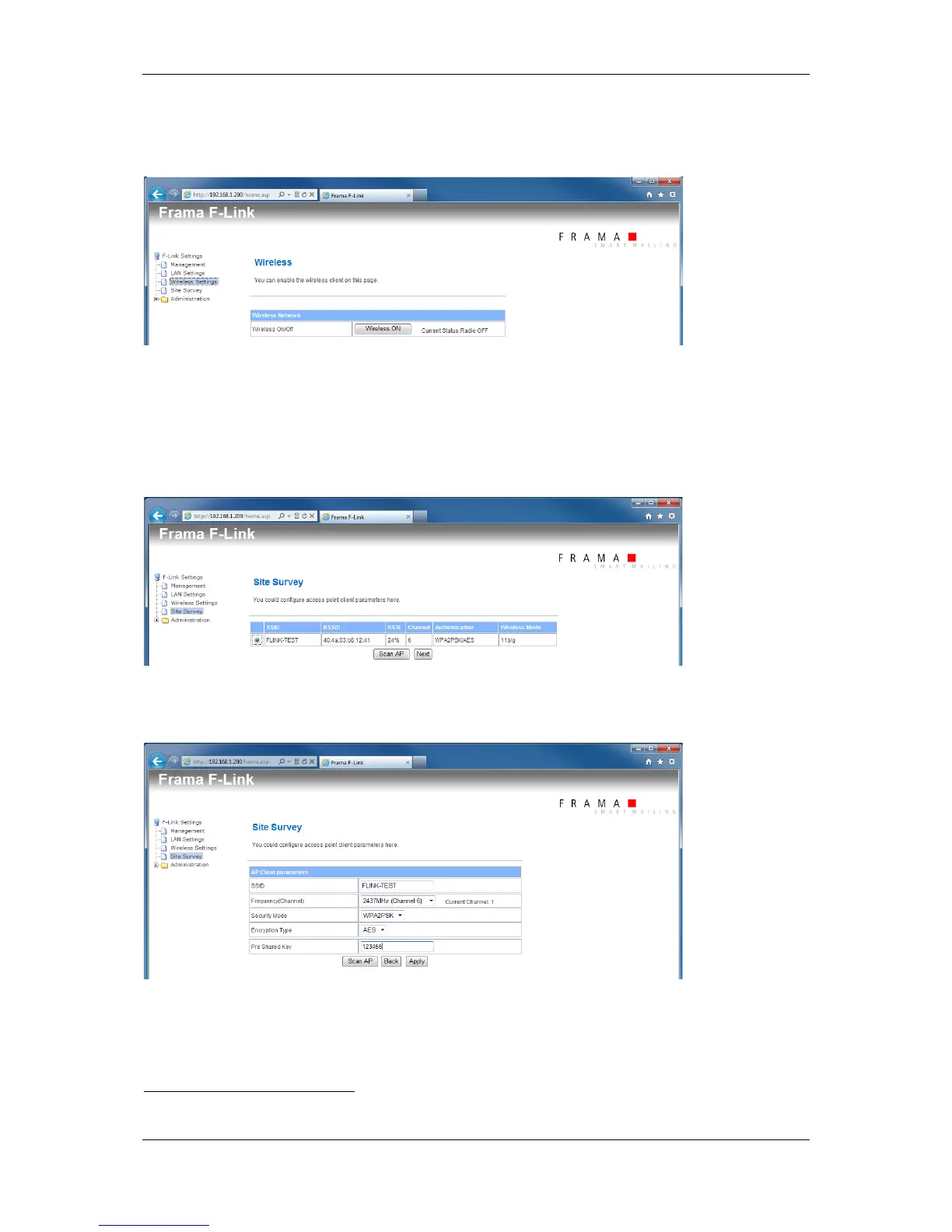
5.5 Configuration Page Wireless Settings
Enable or disable the wireless function over the configuration page Wireless Settings.
5.6 Configuration Page Site Survey
When the wireless function is enabled you may scan for access points using the configuration page
Site Survey.
The value RRSI show the signal level of the wireless network. If this value is too low, no stable network
connection is possible. Try to find a better position for F-Link where the signal level is higher.
When you have selected a wireless network and have pressed the button Next the additional
configuration page for the wireless network will be shown.
Select the right channel
2
, security mode and encryption type for your wireless network. Normally you
must only enter the pass phrase or security key for your wireless network here. The other settings
should be left to the automatically detected values.
2
F-Link V2: Selection field for the Wi-Fi channel does not exists.



 To Next Page