aPbox Manual
25
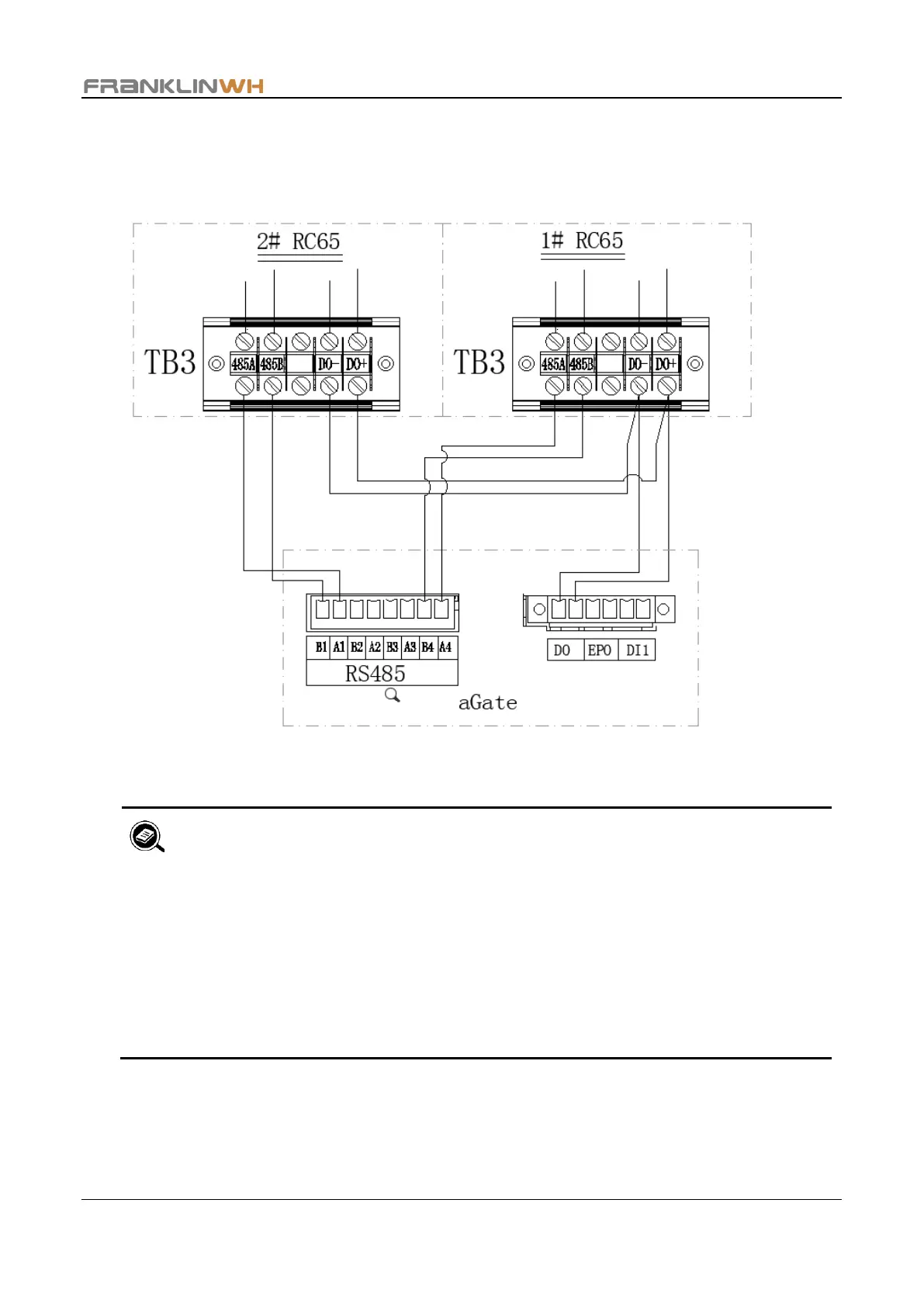
The two paralleled DO+ terminals and the two paralleled DO- terminals are connected to
the aGate DO terminals (without polarity distinction), as shown in the following figure.
Use the following diagram as a reference when making communication connections.
• The length of the communication cables between RC65 and aGate should
not exceed 328 feet (100 meters)
• Use twisted pair cables for RS485 conductors.
• The DO- DO+ terminals of the two RC65 should be connected in parallel,
respectively. Make sure that they are not interchanged with one another.
• When two RC65 units are connected to an FHP, use 20AWG cables for DO-
and DO+ conductors.


 To Next Page