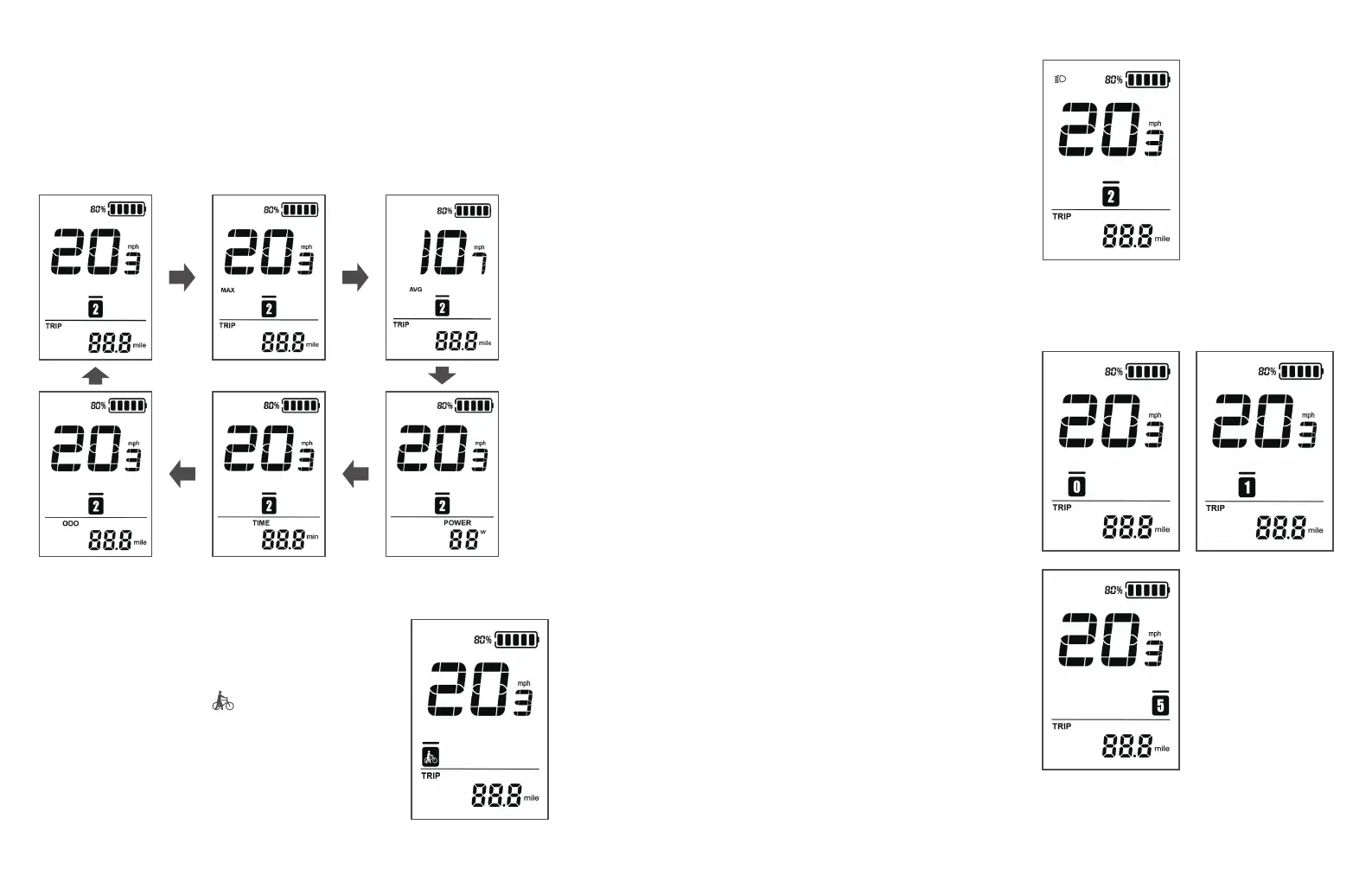
Display Interface
After powering on, the instrument will default to displaying real-time
speed and total mileage (in miles). Pressing the "i" button briefly will
display information such as single trip mileage (TRIP, in miles),
maximum speed (MAX, in mph), average speed (AVG, in mph),
total mileage (ODO, in miles), riding time (TIME, in minutes), and
power (POWER, in watts).
Backlight On/Off
Press the light button for 1
second to turn on the
instrument backlight and
notify the controller to
turn on the headlight.
Press the light button
again for 1 second to turn
off the LCD backlight and
notify the controller to
turn off the headlight.
Pedal Assist Mode Selection
Press the "+" or "-" button
briefly to switch between
different assist modes on the
electric bicycle. This will
change the motor's power
output. The instrument
defaults to a power output
range of 0 to 5 levels, with 0
being no power output, 1
being the lowest power level,
and 5 being the highest
power level. When the
highest level (5) is reached,
pressing the "+" button again
will still display 5 on the
screen, with a blinking
indication that it is the
maximum level. When the
assist level is reduced to 0,
pressing the "-" button again
will still display 0 on the
screen.
Move Assist Mode
Hold down the "-" button for 2 seconds, and
the electric bicycle enters the assist pushing
mode. The electric bicycle will travel at a
constant speed of 6 kilometers per hour.
The screen will display " ". Release the "-"
button to immediately stop power output
and return to the state before assist pushing.
39 40
• The assist pushing function can only be
used when the user is pushing the electric
bicycle. Please do not use it while riding.



 To Next Page