EasyManua.ls Logo

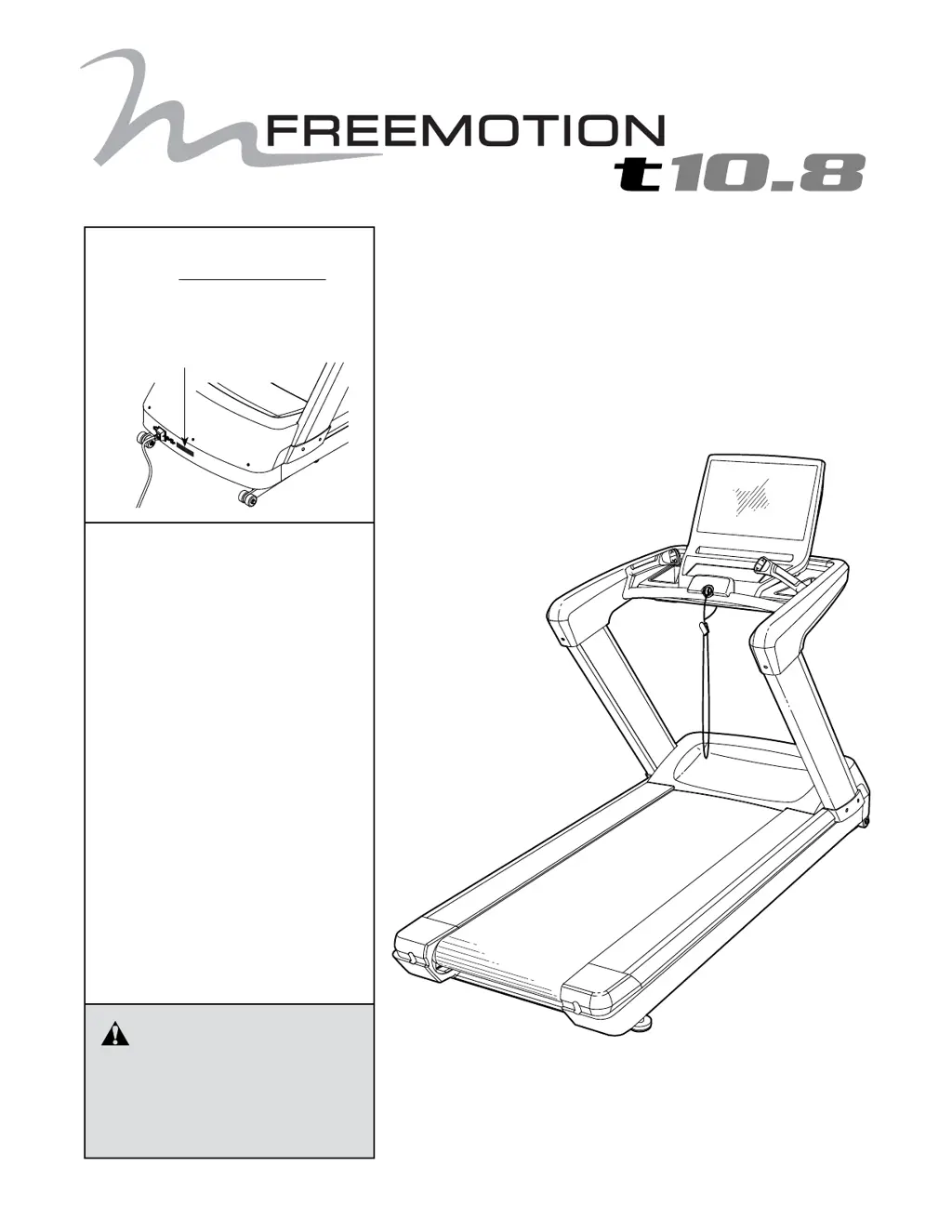
Freemotion t10.8 - User Manual

Freemotion t10.8
40 pages
Print Icon
To Next Page IconTo Next Page
Loading...
CAUTION
Read all precautions and instruc-
tions in this manual before using
this equipment. Save this manual
for future reference.
Model No. FMTL70714-INT.0
Serial No.
Write the serial number in the space
above for reference.
www.freemotionfitness.com
QUESTIONS?
If you have questions, or if parts
are damaged or missing,
please see HOW TO CONTACT
CUSTOMER CARE on the back
cover of this manual.
USER’S MANUAL
Serial Number Decal

Questions and Answers

  • J
    John UnderwoodAug 6, 2025
    How to fix Freemotion t10.8 Treadmill if the power does not turn on?
    • K
      Katelyn HillAug 7, 2025
      To troubleshoot why your Freemotion Treadmill isn't turning on: * Ensure the power cord is correctly plugged into a grounded outlet. If you need an extension cord, use a 3-conductor, 14-gauge (1 mm[2]) cord no longer than 5 ft. (1.5 m). * Make sure the key is properly inserted into the console. * Check the power switch on the treadmill near the power cord and ensure it's in the 'on' position.
  • C
    christopherjordanAug 17, 2025
    What to do if Freemotion Treadmill power turns off during use?
    • A
      Austin PittsAug 17, 2025
      If your Freemotion Treadmill turns off during use: * Check the power switch. If it has tripped, wait five minutes, then press it back to the 'on' position. * Ensure the power cord is securely plugged in. If it is, unplug it, wait five minutes, and plug it back in. * Try removing and reinserting the key from the console.
  • J
    jonesbethAug 26, 2025
    How to center the walking belt on a Freemotion t10.8 Treadmill?
    • T
      Timothy MoonAug 26, 2025
      To center the walking belt on your Freemotion Treadmill: 1. Remove the key and unplug the power cord. 2. If the belt has shifted left, use a hex key to turn the left idler roller screw clockwise 1/2 turn. If it has shifted right, turn the screw counterclockwise 1/2 turn. Be careful not to overtighten the belt. 3. Plug the power cord back in, insert the key, and run the treadmill for a few minutes. Repeat until the belt is centered.

Summary

Safety Precautions

Getting Started Overview

Treadmill Assembly Instructions

Connecting the Treadmill

Power Cord Connection

Connects the treadmill to the power source, detailing safety.

CATV Cable Connection

Instructions for connecting a cable TV connection to the console.

Using the Treadmill Console

Console Features Overview

Overview of the console's features and capabilities.

Powering On the Treadmill

Manual Mode Operation

Onboard Workout Programs

Set-a-Goal Workout Mode

Training Workout Mode

Heart Rate Workout Mode

Fitness Test Procedure

Console Settings Mode

Moving the Treadmill

Treadmill Preventive Maintenance

Weekly Maintenance Tasks

Routine checks and cleaning to be performed weekly.

Monthly Maintenance Tasks

Tasks to be performed monthly for optimal performance.

Replacing Walking Platform and Belt

Walking Belt Lubrication

Treadmill Troubleshooting Guide

Exercise and Workout Guidelines

Exercise Intensity Guide

Guidance on achieving desired workout intensity levels based on heart rate.

Workout Routine Guidelines

Recommendations for warming up, training zone, and cooling down.

Exercise Frequency Recommendations

Advice on how often to perform workouts for condition improvement.

Suggested Stretches

Contacting Customer Support

Freemotion t10.8 Specifications

General IconGeneral
BrandFreemotion
Modelt10.8
CategoryTreadmill
LanguageEnglish

Related product manuals