EasyManua.ls Logo

Freeview T1 - User Manual

Freeview T1
40 pages
Print Icon
To Next Page IconTo Next Page
Loading...
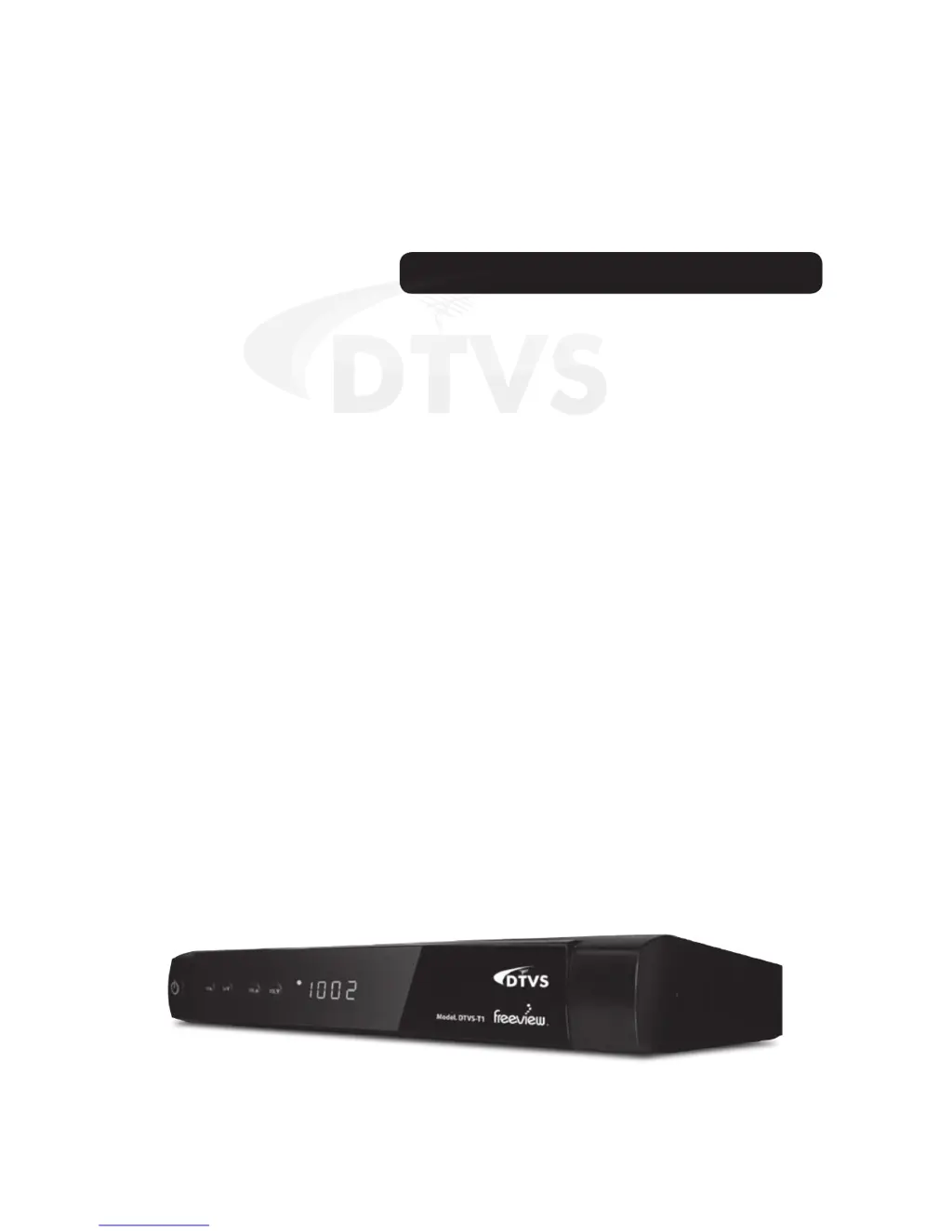
DTVS-T1 User Guide
Digital Terrestrial Receiver

Questions and Answers

  • A
    aaronreillyAug 13, 2025
    Why does my Freeview Receiver say 'No signal'?
    • A
      Adam BrowningAug 13, 2025
      If your Freeview Receiver displays a 'Tuning failed', 'Database empty' or 'No signal found' message, it could be due to several reasons: * The antenna cable might be disconnected, or the antenna might be damaged or misaligned. Check the cable connecting the receiver to the antenna. If necessary, consult a qualified technician to inspect the antenna alignment. * You might be outside of the digital signal area. Contact your dealer to confirm.
  • M
    Mark FrostAug 16, 2025
    What to do if my Freeview Receiver picture freezes?
    • D
      David WellsAug 16, 2025
      If you are experiencing mosaic blocks or picture freezes on your Freeview Receiver, the aerial may not be compatible. In this case, you should check the aerial.
  • D
    David NixonAug 20, 2025
    What to do if Freeview Receiver loses signal after moving?
    • J
      Jeffery ColeAug 20, 2025
      If you can't receive digital reception after moving your Freeview receiver to another room, the signal feed may be coming through a distribution system that reduces the digital signal. Try using a direct feed from the antenna.
  • F
    fosteralexanderAug 25, 2025
    Why is my Freeview Receiver not responding to the remote control?
    • B
      Barbara SellersAug 25, 2025
      If your Freeview Receiver is not responding to the remote control, there are several possible causes: * The receiver might be off. Ensure it is plugged in and turned on. * The remote might not be aimed correctly. Aim the handset directly at the front panel of the receiver. * There might be an obstruction. Make sure nothing is blocking the front panel. * The batteries might be inserted incorrectly. Check the direction of the batteries in the remote. * The batteries might be exhausted. Try replacing the batteries in the remote control.
  • C
    Christopher EllisAug 28, 2025
    How to reset forgotten channel lock code on Freeview Receiver?
    • D
      Dennis HarperAug 28, 2025
      If you've forgotten the channel lock code for your Freeview Receiver, you can use the override code: 0000.
  • S
    Steven JonesAug 31, 2025
    Why is there no picture or sound on my Freeview Receiver?
    • C
      Crystal FloresAug 31, 2025
      If there is no picture or sound on your Freeview Receiver, it could be due to the following reasons: * The program may not be broadcasting at the moment. Try switching to another channel. * The antenna cable may have a short circuit. Check the cable connecting the receiver to the antenna, troubleshoot any issues, and then power the receiver off and on again.
  • J
    Jared LopezSep 4, 2025
    How to fix a Freeview Receiver with no display?
    • V
      Victoria WilsonSep 4, 2025
      If the display on the front panel of your Freeview Receiver is not lit, it could be due to the following reasons: * The main lead might be unplugged. Check the mains lead to ensure it is properly connected. * The main fuse might be blown. Check the fuse.
  • R
    Ronald BeckerSep 8, 2025
    What does 'scrambled channel' mean on Freeview Receiver?
    • M
      matthewthomasSep 8, 2025
      If you see a scrambled channel message on your Freeview Receiver, it means the channel is scrambled. Select an alternative channel to continue watching.

Summary

Safety and Legal Information

Safety Warning

Precautions to prevent electric shock and ensure safe operation of the receiver.

Device Interface

Remote Control - Basic Functions

Receiver Operation Buttons

Buttons for power, channel, volume, mute, and teletext.

Remote Control - Advanced Functions

Playback and Media Controls

Buttons for playback, recording, fast forward/rewind, and pause.

Connecting Equipment

Basic TV and Antenna Connections

Connecting the receiver to a TV and the UHF antenna.

Advanced Connection Methods

HDMI Connection

Instructions and diagram for connecting via HDMI for high-quality output.

Initial Setup and Operation

First Time Installation

Step-by-step guide for initial setup and channel scanning.

Recording Programs

Starting a Recording

How to initiate a recording of a live program.

Stopping a Recording

Procedure for stopping an ongoing recording.

Time Shift Recording

Time Shift Operation

Using time shift to pause and record live broadcasts.

Playback and Media Management

Playback and Trick Mode

Playing back recorded programs and using fast forward/rewind.

Main Menu Navigation

Channel Organizer

Managing channels, including locking, skipping, and deleting.

Favorite Channels

System Installation

Auto Scan for Channels

Automatically searching and tuning for available channels.

Manual Channel Scan

Manually tuning channels by specifying parameters.

System Installation and Updates

Factory Default Reset

Restoring the receiver to its original factory settings.

Software Upgrade (OTA)

Updating the receiver's software via Over-The-Air transmission.

System Information

User Settings - Language and OSD

User Settings - TV and Display

User Settings - Time and Timers

User Settings - Security and Preferences

Parental Lock Setup

Configuring parental control ratings and password.

User Settings - Preferences

Media Manager - Thumbnail Browser

Media Manager - Bookmarking

Creating Bookmarks

Adding bookmarks to recorded programs for easy navigation.

Media Manager - Record Editing

Record Editing Overview

Removing unwanted portions from recorded programs.

Record Editing Functions

Using buttons to cut in/out, select points, and delete sections.

Media Manager - File Management

Media Manager - USB Device Info

USB Device Formatting

Formatting the connected USB device.

Troubleshooting

Display Issues

Troubleshooting steps for a blank front panel display.

Tuning and Signal Problems

Resolving issues with tuning, database errors, or no signal.

Picture and Sound Issues

Fixing problems with no picture/sound or mosaic blocks.

Remote Control Issues

Troubleshooting steps for a non-responsive remote control.

Warranty Information

Freeview T1 Specifications

General IconGeneral
BrandFreeview
ModelT1
CategoryReceiver
LanguageEnglish