22
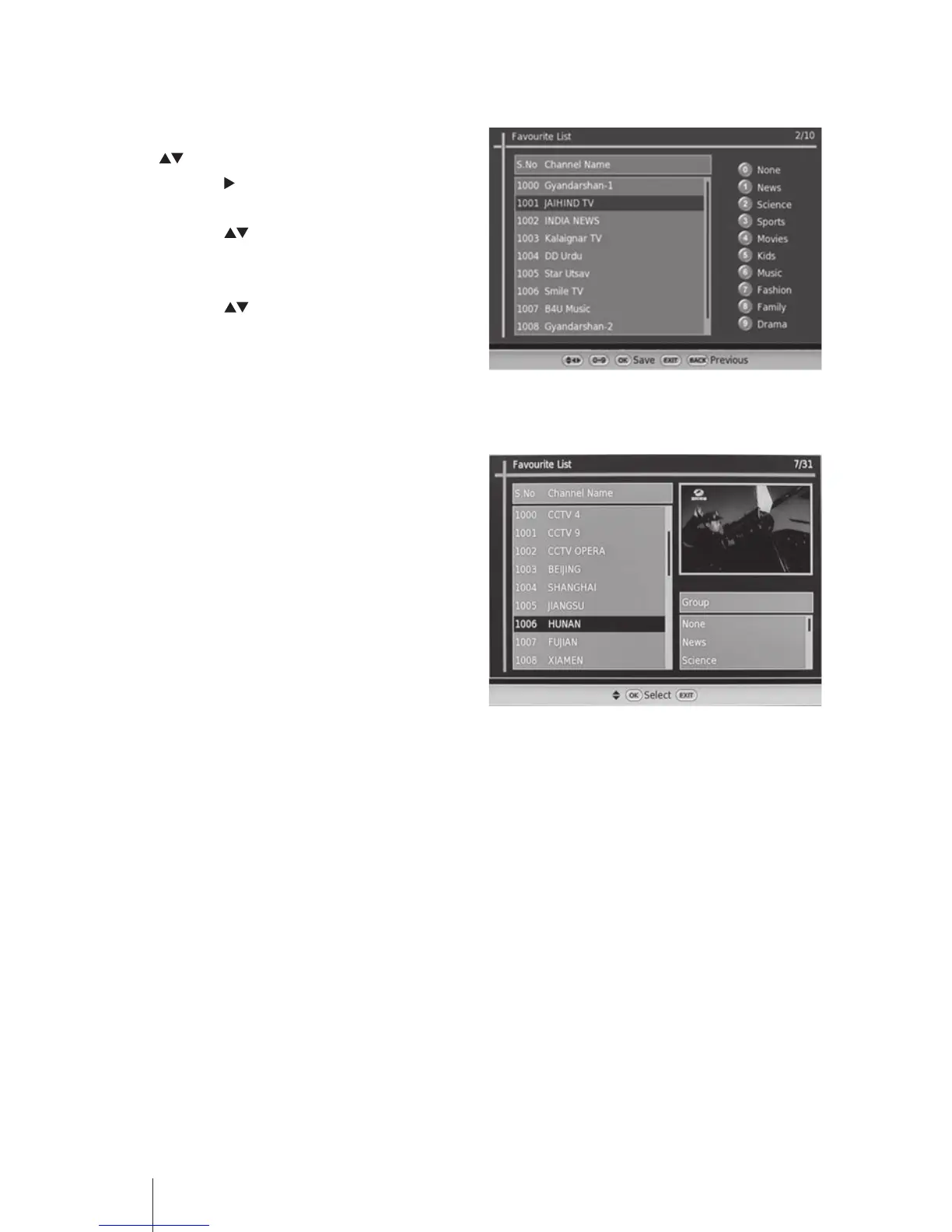
Favourite List
1. Press the MENU button and then press the
buttons to select Channel Manager.
Press the button or the OK button to
conrm.
2. Press the buttons to select Favourite
List and then press the OK button to
display the menu.
3. Press the buttons to select the channels
and then press the Number buttons on the
remote control to group the channels. Press
OK to conrm and the "Successfully saved"
information will be displayed.
4. Press the EXIT button to exit the menu.
5. Press the FAV button to display the
Favourite List menu when watch normal TV
viewing.


 To Next Page